VectorStyler
    • Categories
    • Unread
    • Recent
    • Tags
    • Popular
    • Register
    • Login

    Multiple screen on Mac OSX (Big Sure / Intel)
    Scheduled Pinned Locked Moved VectorStyler 1.1 Bugs
    3 Posts 3 Posters 4.6k Views 2 Watching
    Loading More Posts
    • Oldest to Newest
    • Newest to Oldest
    • Most Votes
    Reply
    • Reply as topic
    Log in to reply
    This topic has been deleted. Only users with topic management privileges can see it.
    • O Offline
      Olich
      last edited by

      It seems that this is not a new bug, but when moving my Vectorstyler window from my laptop screen to my second screen, very often I can no longer see my work. The work area turns grey. My work is still there since I can see it when I randomly click on it and hold the mouse button as shown in the screenshot below. But it does not display anymore.

      1) When opening the file
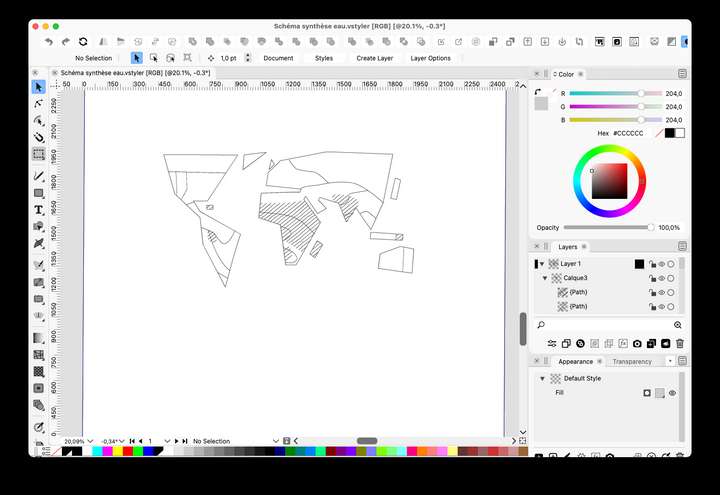
      0_1636753877944_Capture d’écran 2021-11-12 à 23.37.00.png

      2) After moving the main window from one screen to the other
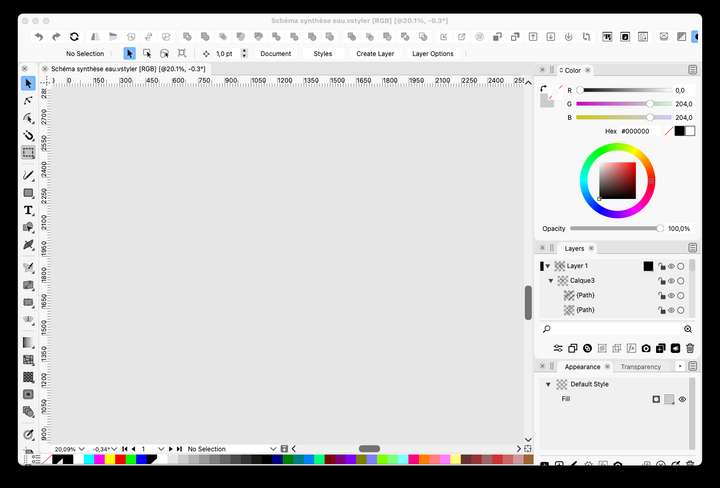
      0_1636753906243_Capture d’écran 2021-11-12 à 23.47.21.png

      3) When clicking randomly on the work area and holding the mouse button
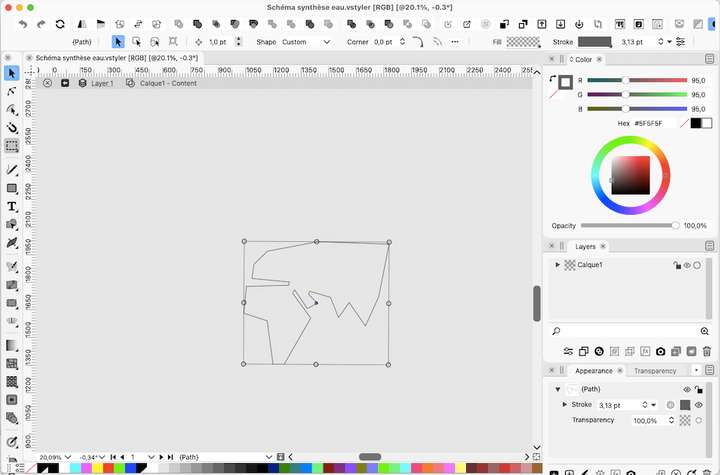
      0_1636753999861_Capture d’écran 2021-11-12 à 23.53.00.png

      BoldlineB VectorStylerV 2 Replies Last reply Reply Quote 0
      • BoldlineB Online
        Boldline @Olich
        last edited by

        @Olich I've run into a similar issue to this on my Intel mac running El Capitan. Save your work (or save as a copy) and then close out VS and reopen. It should all work fine again. I know @vectoradmin has not yet been able to replicate this on his intel mac test machine, so there's no fix as of yet.

        🍎 macOS Tahoe 26.2, Mac mini (M1, 2020), Chip Apple M1, Memory 16 GB
        Cintiq 27QHD Display and LG Ultra HD Display

        1 Reply Last reply Reply Quote 0
        • VectorStylerV Offline
          VectorStyler @Olich
          last edited by

          @Olich I will try to replicate this. Does closing / reopening the document help, once the window is on the second screen?


          1 Reply Last reply Reply Quote 0
          • First post
            Last post