Tracking Shortcuts revert back to default
-
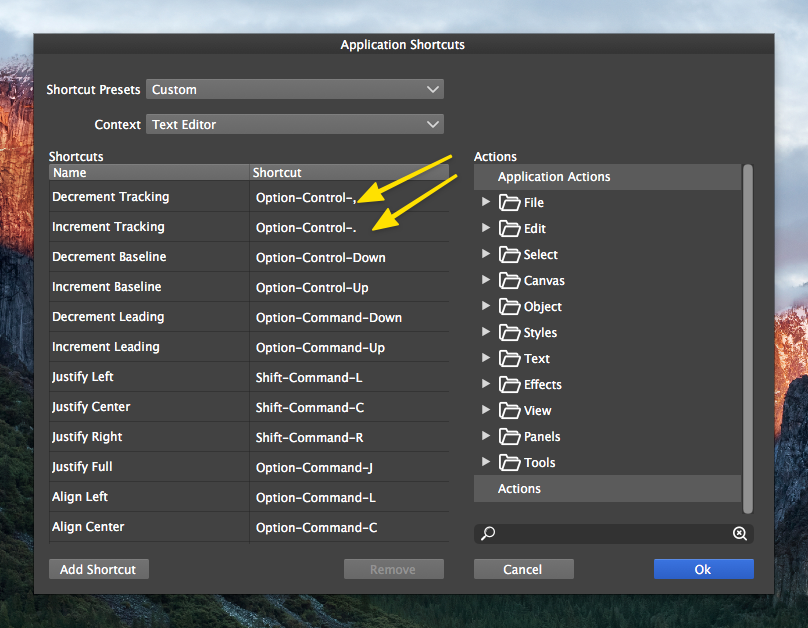
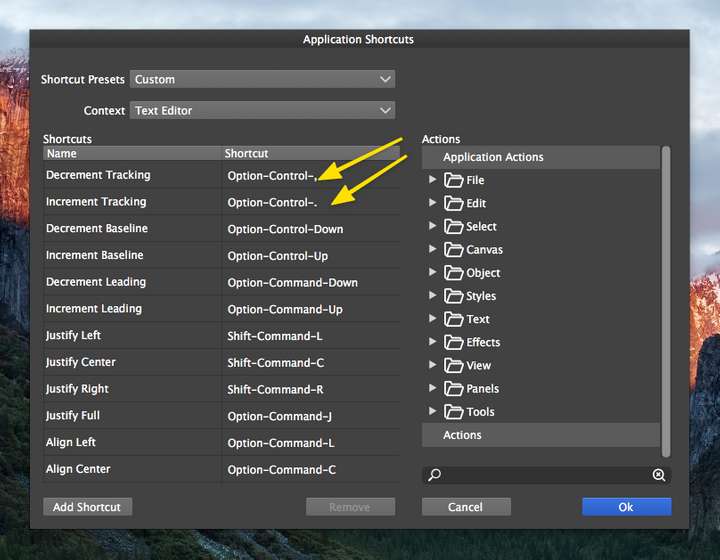
I'm not sure if this is a bug or not, but the Decrement and Increment Tracking shortcuts seem to revert back to the default settings periodically. I've switched these two settings to option right and option left arrows. (on a side note, @vectoradmin , you mentioned in another thread about how this was set for when text is selected versus when it's not. Would you be able to elaborate some on this?)
Is there a way to save the customized keyboard shortcuts? Would that be saved under "workspaces"? I assume it's not saved under preferences because I'm using my saved preferences file currently.
-
@Boldline Currently the edited shortcuts are saved with the workspace.
But it is possible to import/export shortcuts using the Shortcut Presets box. -
@vectoradmin my settings for this keep going back to the default for decrement and increment tracking. I'm not sure what I'm doing to cause that. I have not reloaded my workplace settings.
I remember you had also mentioned something about how this set of key commands differed from another use with the option-right or left arrow. to me, this is where I would use the option-right or left arrow the most - when I select a word and need to increase or decrease the amount of tracking - either with the whole word selected, or with the cursor sitting between two letters in a word with the tracking being modified between those two letters only. -
@Boldline I will check again if it can be set to have Tracking by default on those keys.
-
@vectoradmin Sounds good. Speaking for myself and a number of others, I know because of muscle-memory, tracking edits done by keyboard typically use the option-arrow right/left. So if that is assigned to another option for tracking as you seemed to have suggested a while back, perhaps swapping them?
I also realized I did accidentally reset the workspace settings thinking I was resetting panel locations to default. So that would explain why the modified keyboard shortcuts returned to the default

