Reset Panels does not seem to be working
-
When I hit the reset panels option, (Vectorstyler>Reset Panels) nothing seems to happen. Am I missing a step? I would expect the default panels would return to position and temporary panels like alignment would auto-hide back to their default location.
Is there an option to save an arrangement of panels and way to "reset to saved panel configuration?" -
@Boldline Nothing visible will happen. This clears the internal "memory" of panel positions, sizes, groupings (docked into same stack), and some of the defaults of the panels.
The result is only visible when opening previously closed panels, these will open at default size and position. -
@vectoradmin Would it make sense to have an option that immediately visually resets the panels back to their "default" setting? And offer a way to save a custom panel layout - that could be reset to as well?
-
@Boldline I think somewhere down the road, the workspace could be separated into menus, shortcuts, toolboxes, panel states, and whatever else is stored there.
I will add this to the backlog as a feature request. -
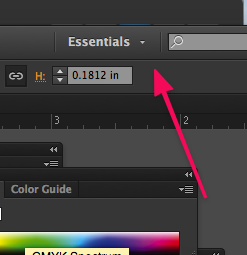
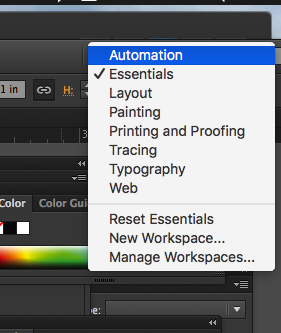
@vectoradmin Illustrator has an interesting approach that might in some capacity work well in VS when/if you get the opportunity to add it; Illustrator has a few preset panel layouts based on the kind of work people do.
I have not used them all to know if they are super helpful, but I have always used the "essentials" panel setup of just the basic needs. Typically when I used Illustrator, by the middle to end of a project, the panels would end up all over the screen in no particular order. I could go click on the tab labeled "essentials" (it would show the name of whatever setup you were using at the time) and then choose to reset everything and it'd all go back to ordered columns of panels with the extras going away completely. There was also the option to create your own custom panel arrangement