Clicking on Panel name in Panel Menu brings it to the front if obscured
-
Sometimes when there are too many panels open on the screen, it's easy to lose track of an open panel. It would be nice if I could open the panels menu from the top and if I click on an already open panel, if it is at all obscured by another panel, it rises to the top of all of them. Right now if you click on an already open panel from the panel menu drop-down, it just closes the panel entirely. Any panel not obscured, if it's name is clicked on in the drop down panel menu, it would close as expected
Illustrator has a feature like this and it comes in handy a lot.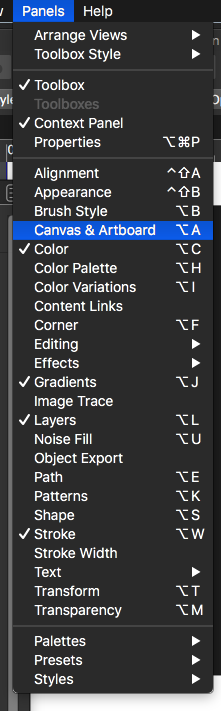
-
@Boldline It works as it should here:
Visible panels have a checkmark in the Panels menu.
If you click any of them, the app will close that panel.If the panel is activated but obscured (you only see its tab), it has no checkmark in the Panels menu and clicking it there will unhide it.
-
@b77 ok interesting. thanks for explaining- I did not know that and I like the concept that a minimized tab can be reopened by the panel menu...
the example I was referencing was a little different... a situation like this:
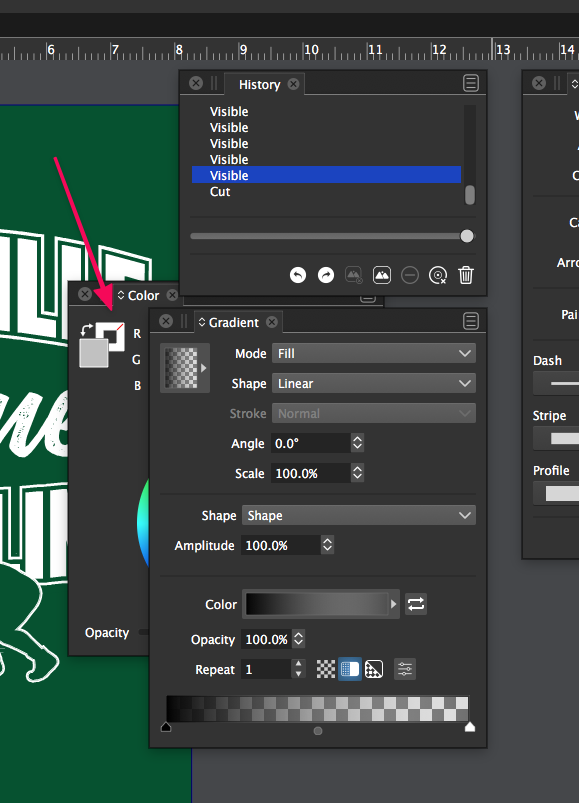
It's a little obvious because the name "color" is sticking out, but in many cases a panel is open fully (not minimized)but buried under other tabs and hard to see where it is. Clicking on the name in the panels tab would bring it to the very top.
It's good to know wbaout the way it functions currently - that helps... that makes me think to minimize more panels -
@Boldline This is available in build 1.1.002 (beta)


