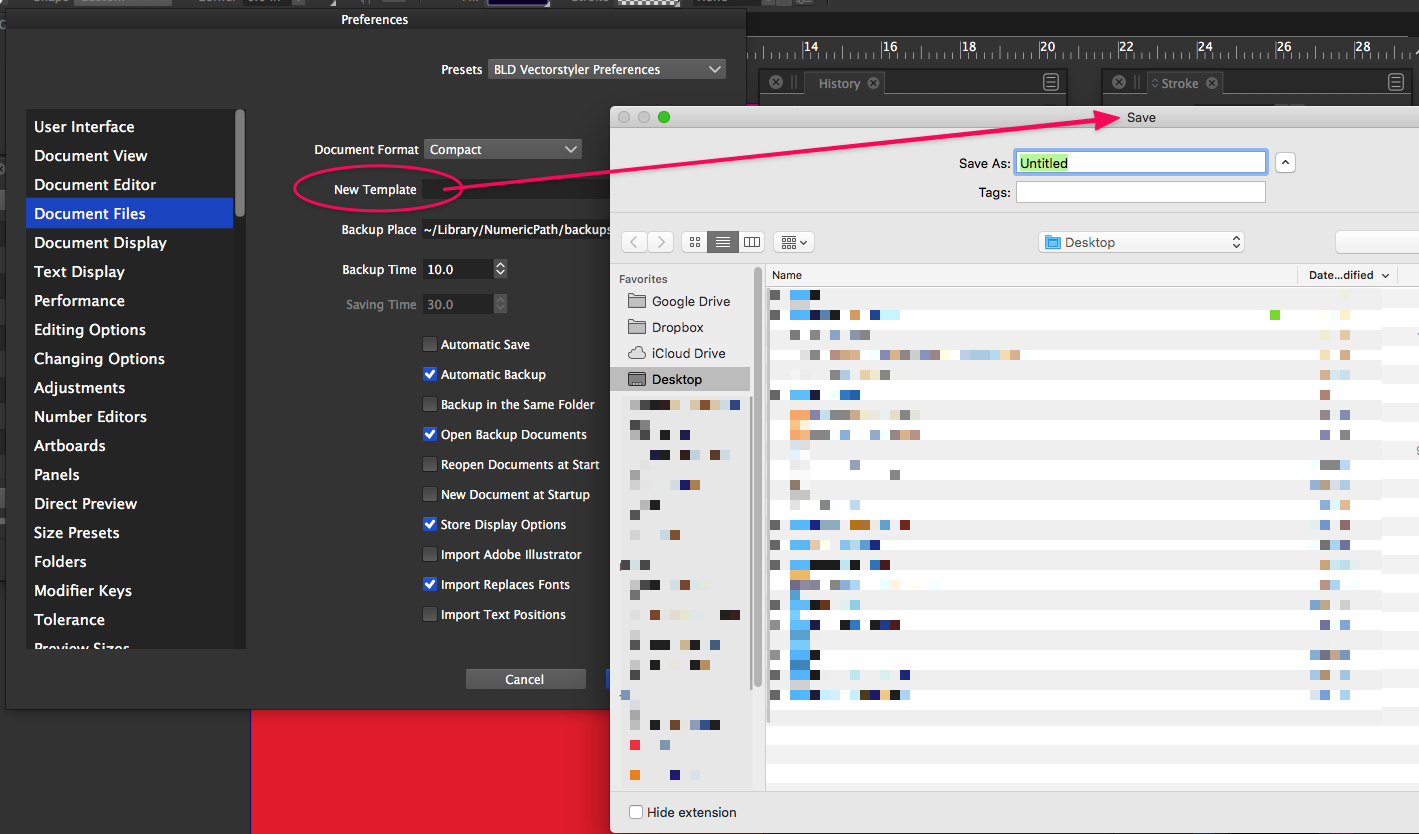
Preferences>Document Files>New Template wants to save a file?
-
This appears to be a bug to me unless I misunderstand it. In Preferences>Document Files>New Template - I would assume this is where I could go to choose a new template file to be opened each time I create a new file. (If I understand the options listed under File>, Open new document would reference whatever file I put in the Preferences>Document Files>New Template, correct?) Documentation says, "New Template - Select the default template used when creating new documents."
So I was a little confused when the only option in Preferences>Document Files>New Template was to "save" an existing open file. Wouldn't this be where I could go pick and choose a file - or maybe also have the option to save the current file and have it automatically go in that spot?
🍎 macOS Tahoe 26.2, Mac mini (M1, 2020), Chip Apple M1, Memory 16 GB
Cintiq 27QHD Display and LG Ultra HD Display -
@Boldline Yes, it seems to be a bug.
-
@Boldline This issue should be fixed in the new build 1.1.002 (beta)

