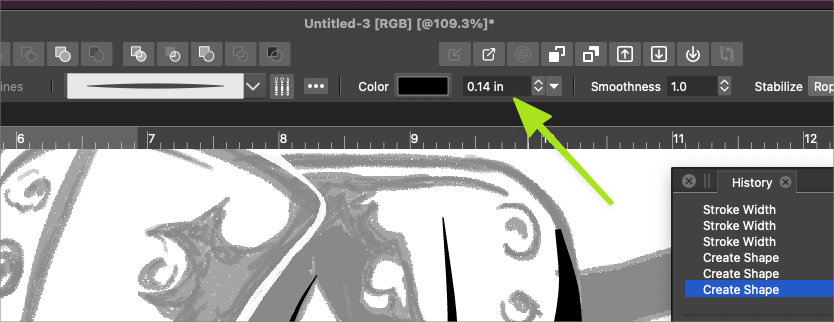
Brush size keeps reverting to .44 width for some reason
-
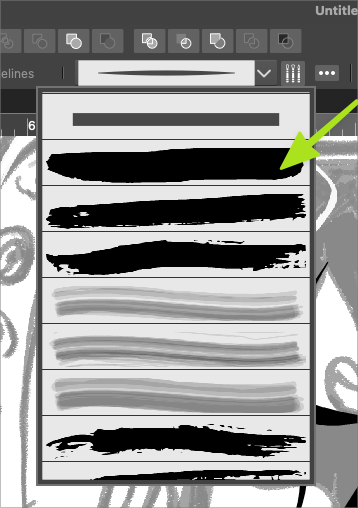
I'm running into a couple issues with the brush tool. First, VS seems to want me to use the default rough brush and each time I try to switch to the plain one above and then try to add a taper in the profile section, it reverts back to that rough brush again. Nothing wrong with the rough brush but I'm not understanding why it keeps returning to it after I've selected another option. After several tries I was able to get it to stick with the plain brush I wanted.
Second issue I somewhat solved, but I'll share anyway because of a perceived smaller remaining issue. Each time I went to use the brush, it would result in a width of .44 sizing. I would edit it in the brush size box in the contextual menu, it would default back to .44 immediately on the next stroke.
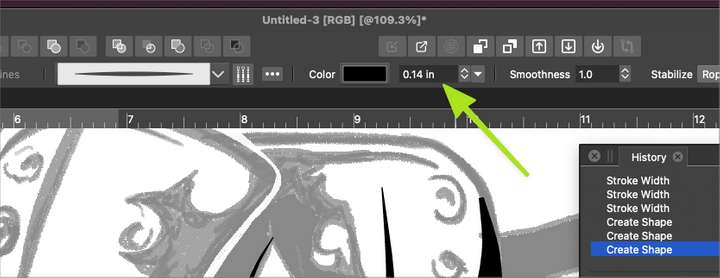
As I was writing this post, I realized I could control the sizing in the brush panel and it would remain at that size thereafter. So it appears to me there might be an issue with inputting a new brush size in the contextual menu and getting it to remain until changed again in the course of designing with it. Ideally the brush size could be edited on the fly using the contextual menu option and all future brush strokes would retain that size unless a new number was typed in, or if the brush tool was selected and the bracket keys were used to resize the brush before a new stroke was laid down.
Another issue I noticed and can be seen in the video linked above; at the 21 second mark, in the contextual brush options, there's no default color chosen for the brush to use. When I chose a color, it did not update the color fill box until I went and actually made a mark with the brush tool on the artboard. When I deleted the brush stroke, the color in the box also disappeared. I went back in and added a new color to the box and this time it remained as would be expected. When I went to change the size of the brush a second later, the fill color again disappeared.
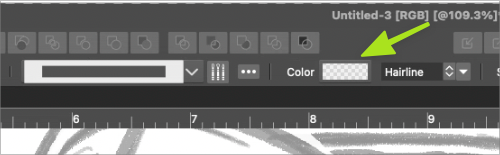
Lastly, sometimes when I was changing the color of the brush in the contextual menu, after selecting the color I wanted, I did not feel I could easily click away to close that dropdown box, unless I clicked on the gray part of the UI and not in the artboard itself. If I did the latter, it would immediately leave a small stroke
-
@Boldline I will try to replicate this.
-
@vectoradmin Restarting VS fixed the issue with the line width reverting back each time I changed it.
However, I still get the brush tool defaulting to the second brush in the pulldown list even when I've chosen the top one for example. This does not happen if I chose other brushes in that pulldown - the brush does not revert and satays with what I selected - which is what I would also expect when I choose the very top simple brush

