VectorStyler
    • Categories
    • Unread
    • Recent
    • Tags
    • Popular
    • Register
    • Login

    Adding effects from the layer panel
    Scheduled Pinned Locked Moved Resolved Issues
    9 Posts 6 Posters 9.1k Views 6 Watching
    Loading More Posts
    • Oldest to Newest
    • Newest to Oldest
    • Most Votes
    Reply
    • Reply as topic
    Log in to reply
    This topic has been deleted. Only users with topic management privileges can see it.
    • J Offline
      Jayanta Das
      last edited by

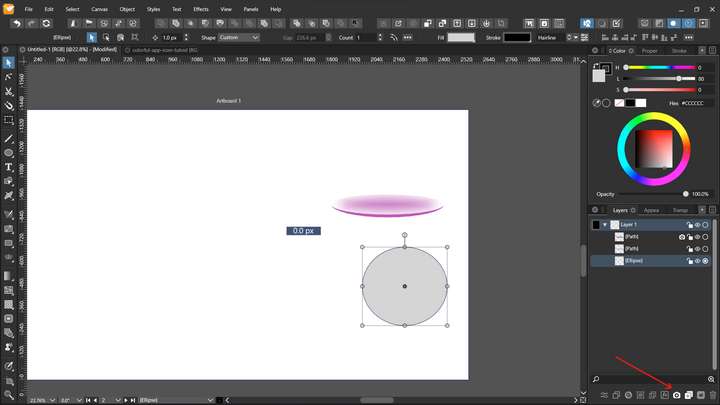
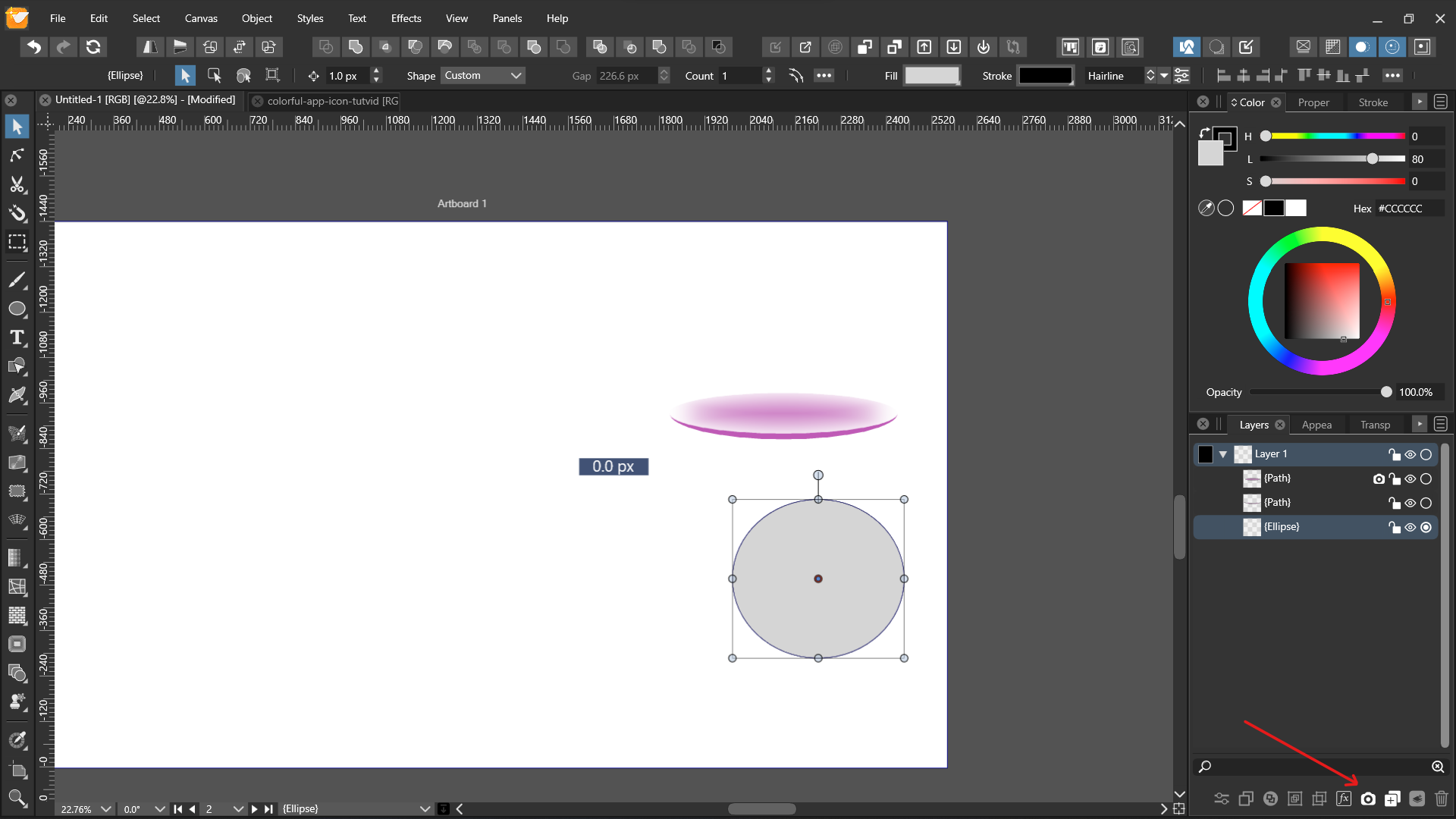
      0_1645801548733_Screenshot 2022-02-25 203244.png

      Any Idea why cant I add effects directly from layer panel by selecting the object and clicking the camera icon?

      Mac Mini M4 Pro | 24Gb
      WIndows 11 | Intel i5 11Gen
      Wacom Intuos Pro

      b77B S VectorStylerV 3 Replies Last reply Reply Quote 0
      • b77B Offline
        b77 @Jayanta Das
        last edited by b77

        @Jayanta-Das This works on the Mac — the app displays the menu with the FX categories, and you can pick an effect from the submenus.
        Is this not happening on Windows?

        MacBook Pro (Intel) running Monterey 12.6.4

        J 1 Reply Last reply Reply Quote 0
        • J Offline
          Jayanta Das @b77
          last edited by Jayanta Das

          @b77 No nothing happens if I click the camera icon. I mean the menu list display but I cant add the effect.

          check here the recording https://recordit.co/aW03eb13ib

          Mac Mini M4 Pro | 24Gb
          WIndows 11 | Intel i5 11Gen
          Wacom Intuos Pro

          1 Reply Last reply Reply Quote 0
          • S Offline
            Subpath @Jayanta Das
            last edited by

            @Jayanta-Das

            Seems like a VS on Windows Problem.
            Same her with Win 10 in VS, Camera Symbol
            doesnt work either in Layer nor in Apperance Panel.

            But works over > Menu > Effects > Stylize > ect

            Win 11
            CPU: AMD Ryzen 5 9600X, 6-core.
            GPU: Nvidia Geforce RTX 5070.

            1 Reply Last reply Reply Quote 0
            • G Offline
              Gremriel
              last edited by

              I can concur, the menu list appears, but no effect is created.

              WIndows 11

              1 Reply Last reply Reply Quote 0
              • IngolfI Offline
                Ingolf
                last edited by Ingolf

                Just updated 1.1.008 to 1.1.016 on Windows 10 laptop where I abandoned VS entirely because VS doesn't support my wide gamut monitor on Windows so my Windows VS installation trails behind.

                Checked your report(s) before updating VS. The FX didn't work in 1.1.008 either so it is probably old bug.

                Back to macOS and M1.

                🍏 macOS Sequoia Apple Silicon

                1 Reply Last reply Reply Quote 0
                • J Offline
                  Jayanta Das
                  last edited by

                  @vectoradmin please move this thread to Bug category. As I was not sure, I posted here.

                  Mac Mini M4 Pro | 24Gb
                  WIndows 11 | Intel i5 11Gen
                  Wacom Intuos Pro

                  1 Reply Last reply Reply Quote 0
                  • VectorStylerV Offline
                    VectorStyler @Jayanta Das
                    last edited by

                    @Jayanta-Das Replicated this issue on Windows, it is a bug, added to the backlog!

                    1 Reply Last reply Reply Quote 2
                    • J Offline
                      Jayanta Das
                      last edited by

                      Thank you. Fixed.

                      Mac Mini M4 Pro | 24Gb
                      WIndows 11 | Intel i5 11Gen
                      Wacom Intuos Pro

                      1 Reply Last reply Reply Quote 1
                      • First post
                        Last post