VectorStyler
    • Categories
    • Unread
    • Recent
    • Tags
    • Popular
    • Register
    • Login

    Copy/Paste from AD, issues
    Scheduled Pinned Locked Moved VectorStyler 1.1 Bugs
    8 Posts 3 Posters 8.3k Views 2 Watching
    Loading More Posts
    • Oldest to Newest
    • Newest to Oldest
    • Most Votes
    Reply
    • Reply as topic
    Log in to reply
    This topic has been deleted. Only users with topic management privileges can see it.
    • B Offline
      B-Vs-V
      last edited by

      Hi,
      I would like to use VS and copy/paste what I had done in ADesigner. However:

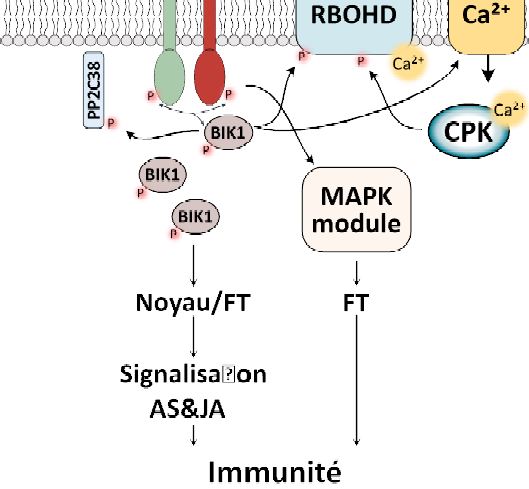
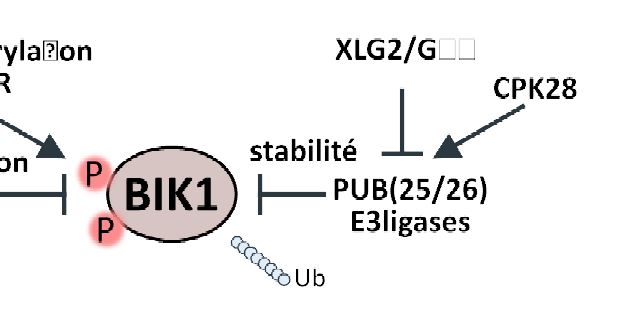
      • some ligatures are missing in some text ("ti", calibri font),
      • symbol characters are not displayed,
      • the stroke values are not displayed (0 in VS),
      • the overall scheme is less nice on screen (kind of jaggy).

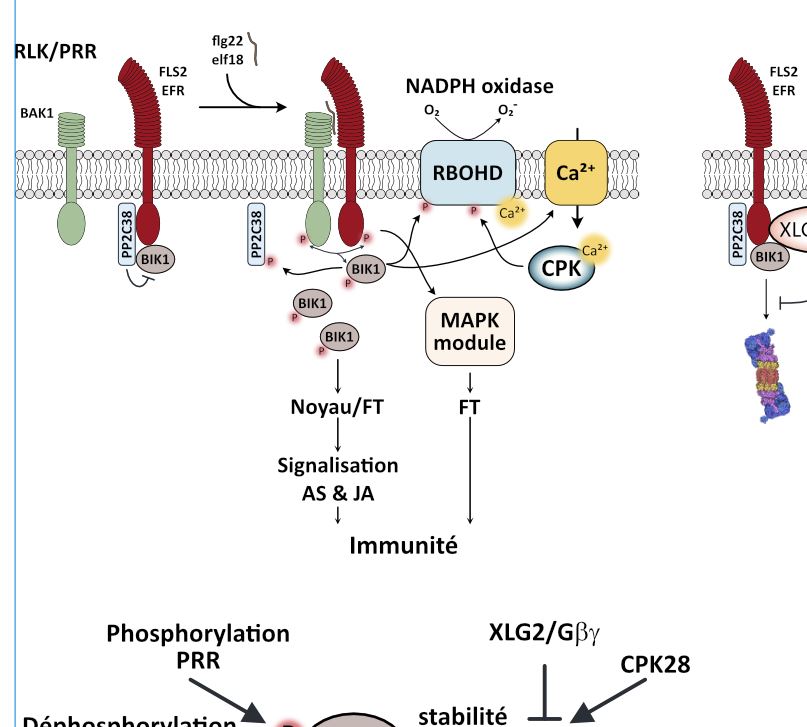
      AD:
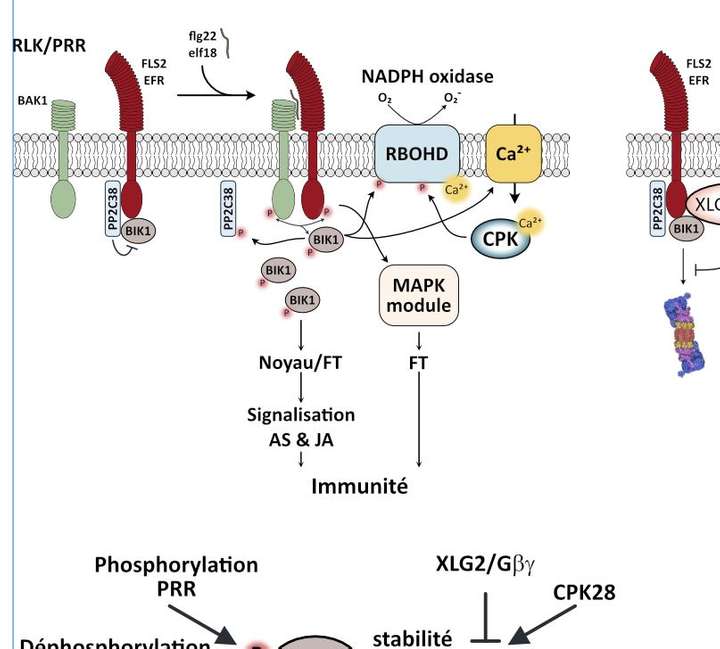
      0_1646146669138_AD.JPG

      VS:
      0_1646146756753_VS.JPG
      0_1646146779369_VS3.JPG
      0_1646146790832_VS2.JPG

      W11 Pro 25H2 - 12th Gen Intel(R) i7-12700K 3.61 GHz - RAM 64 Go - NVIDIA GF GTX 4070 Ti - Intuos - Dell UP3216Q / Eizo ColorEdge
      W11 Pro 25H2 - 12th Gen Intel(R) i7-12700KF 3.60 GHz -RAM 64 Go - NVIDIA GF GTX 3080 - IntuosPro- ProArt PA329C

      BoldlineB VectorStylerV 2 Replies Last reply Reply Quote 0
      • BoldlineB Offline
        Boldline @B-Vs-V
        last edited by

        @PatrickM I'm sure @vectoradmin will request you send him the Affinity file if you are able to do so, so he can determine the issues.
        I had to do that with another Affinity file I had an issue with on a different topic

        🍎 macOS Sequoia 15.3, Mac mini (M1, 2020), Chip Apple M1, Memory 16 GB
        Cintiq 27QHD Display and LG Ultra HD Display

        1 Reply Last reply Reply Quote 1
        • VectorStylerV Offline
          VectorStyler @B-Vs-V
          last edited by

          @PatrickM If you could send the file, or part of it containing the issues. I will try to figure out what is going on.
          Copy / paste from AD is done through PDF.

          1 Reply Last reply Reply Quote 0
          • B Offline
            B-Vs-V
            last edited by

            Ok, I did not know I had to go through pdf. I'll give it a try but I do not know much about pdf formats. I always follow printer instructions. What's the best pdf export to get the most from a graphic in VS ?
            Thanks,
            Patrick

            W11 Pro 25H2 - 12th Gen Intel(R) i7-12700K 3.61 GHz - RAM 64 Go - NVIDIA GF GTX 4070 Ti - Intuos - Dell UP3216Q / Eizo ColorEdge
            W11 Pro 25H2 - 12th Gen Intel(R) i7-12700KF 3.60 GHz -RAM 64 Go - NVIDIA GF GTX 3080 - IntuosPro- ProArt PA329C

            VectorStylerV 1 Reply Last reply Reply Quote 0
            • VectorStylerV Offline
              VectorStyler @B-Vs-V
              last edited by

              @PatrickM said in Copy/Paste from AD, issues:

              Ok, I did not know I had to go through pdf. I'll give it a try but I do not know much about pdf formats. I always follow printer instructions. What's the best pdf export to get the most from a graphic in VS ?

              In case of copy (from AD) and paste (into VS), the PDF settings are determined by AD and probably cannot be changed.

              If you send be an example affinity file with issues, I will try to figure out if (maybe) AD copies it into PDF correctly, and if VS reads that PDF correctly.

              It is also possible to use SVG but for export, not for copy/paste.

              1 Reply Last reply Reply Quote 1
              • B Offline
                B-Vs-V
                last edited by

                I'll send you the file.
                I did export in pdf (for export) & svg (for export) and these documents are bad in VS.

                W11 Pro 25H2 - 12th Gen Intel(R) i7-12700K 3.61 GHz - RAM 64 Go - NVIDIA GF GTX 4070 Ti - Intuos - Dell UP3216Q / Eizo ColorEdge
                W11 Pro 25H2 - 12th Gen Intel(R) i7-12700KF 3.60 GHz -RAM 64 Go - NVIDIA GF GTX 3080 - IntuosPro- ProArt PA329C

                1 Reply Last reply Reply Quote 1
                • B Offline
                  B-Vs-V
                  last edited by

                  @vectoradmin I've just sent the file by email.

                  W11 Pro 25H2 - 12th Gen Intel(R) i7-12700K 3.61 GHz - RAM 64 Go - NVIDIA GF GTX 4070 Ti - Intuos - Dell UP3216Q / Eizo ColorEdge
                  W11 Pro 25H2 - 12th Gen Intel(R) i7-12700KF 3.60 GHz -RAM 64 Go - NVIDIA GF GTX 3080 - IntuosPro- ProArt PA329C

                  VectorStylerV 1 Reply Last reply Reply Quote 1
                  • VectorStylerV Offline
                    VectorStyler @B-Vs-V
                    last edited by

                    @PatrickM Got the file. Exported from AD into PDF.
                    Observations:

                    • some characters and ligatures (glyphs) are not importing correctly (if these are exported as glyph indexes by AD, then it is a lost cause).
                    • the gradients behind (P) and (Ca2+) are all flattened to images by AD when exporting.
                    • the same issues occur when importing the PDF into AI (2021).

                    Tried the export (AD) then import (VS) both on Windows and Mac with similar results. Exporting in AD into PDF (for export) could be a bit better.

                    I will try to figure out the ligature import issues. But as a workaround, these can be replaced manually once in VS.


                    1 Reply Last reply Reply Quote 0
                    • First post
                      Last post