VectorStyler
    • Categories
    • Unread
    • Recent
    • Tags
    • Popular
    • Register
    • Login

    Red ghost strokes

    Scheduled Pinned Locked Moved Resolved Issues
    2 Posts 2 Posters 2.7k Views 1 Watching
    Loading More Posts
    • Oldest to Newest
    • Newest to Oldest
    • Most Votes
    Reply
    • Reply as topic
    Log in to reply
    This topic has been deleted. Only users with topic management privileges can see it.
    • BoldlineB Offline
      Boldline
      last edited by Boldline

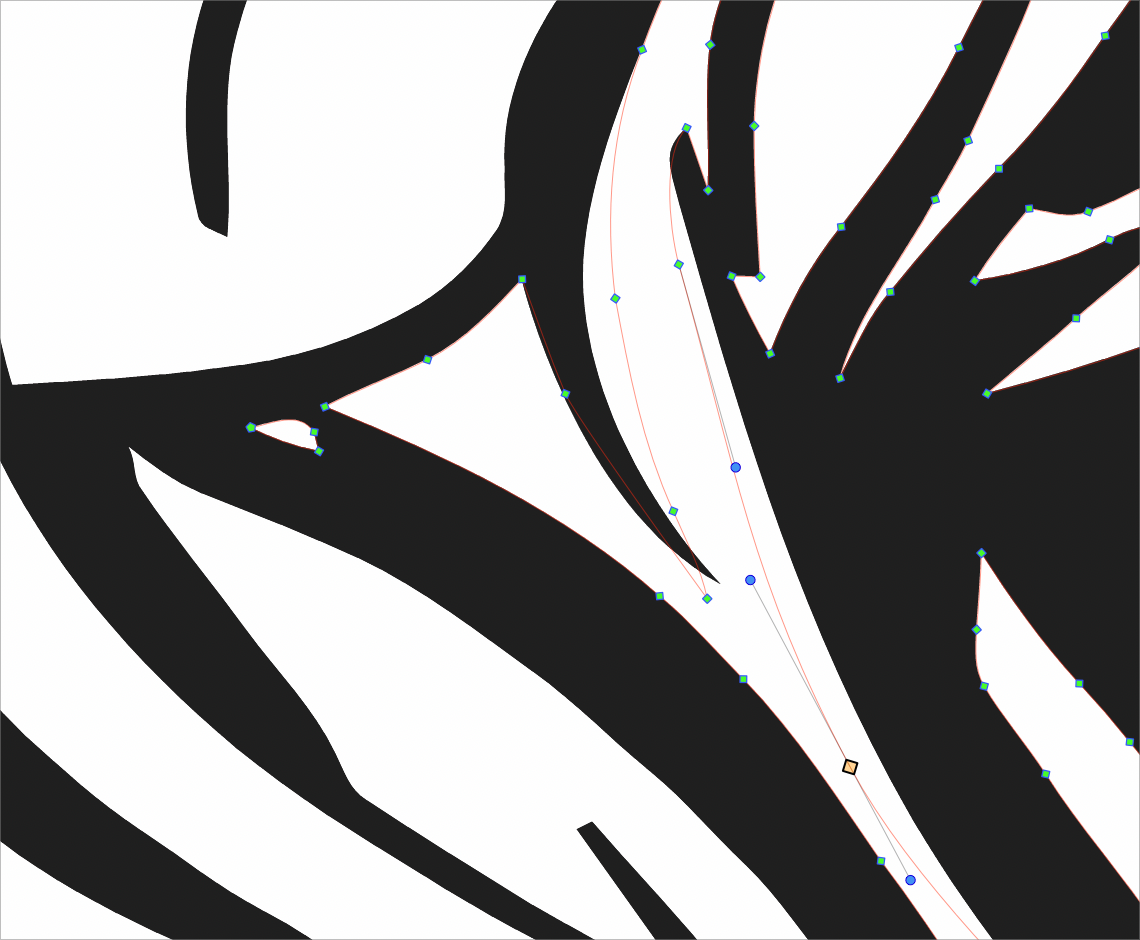
      Frequently getting "ghost strokes" as I edit a design. the red thin lines in the attached image are where the black fills used to be. They stick around for a little while and can be edited, but they do not save with the file. I tried saving the file and reopening and the ghost lines were gone.
      I'm also not sure why they are red - because the layer defined color is black
      0_1647358012179_197d8425-33bc-44df-b084-4d87973ed43e-BLD 2022-03-15 at 11.25.46.png

      🍎 macOS Tahoe 26.2, Mac mini (M1, 2020), Chip Apple M1, Memory 16 GB
      Cintiq 27QHD Display and LG Ultra HD Display

      VectorStylerV 1 Reply Last reply Reply Quote 0
      • VectorStylerV Offline
        VectorStyler @Boldline
        last edited by

        @Boldline next time this shows up, try a Command+R (Refresh) and let me know if that solves the issue.


        1 Reply Last reply Reply Quote 1
        • First post
          Last post