VectorStyler
    • Categories
    • Unread
    • Recent
    • Tags
    • Popular
    • Register
    • Login

    Paragraph Style > Labeling > Options > Fill Style Crash
    Scheduled Pinned Locked Moved VectorStyler 1.1 Bugs
    3 Posts 2 Posters 4.0k Views 2 Watching
    Loading More Posts
    • Oldest to Newest
    • Newest to Oldest
    • Most Votes
    Reply
    • Reply as topic
    Log in to reply
    This topic has been deleted. Only users with topic management privileges can see it.
    • Victor VectorV Offline
      Victor Vector
      last edited by

      Hello,
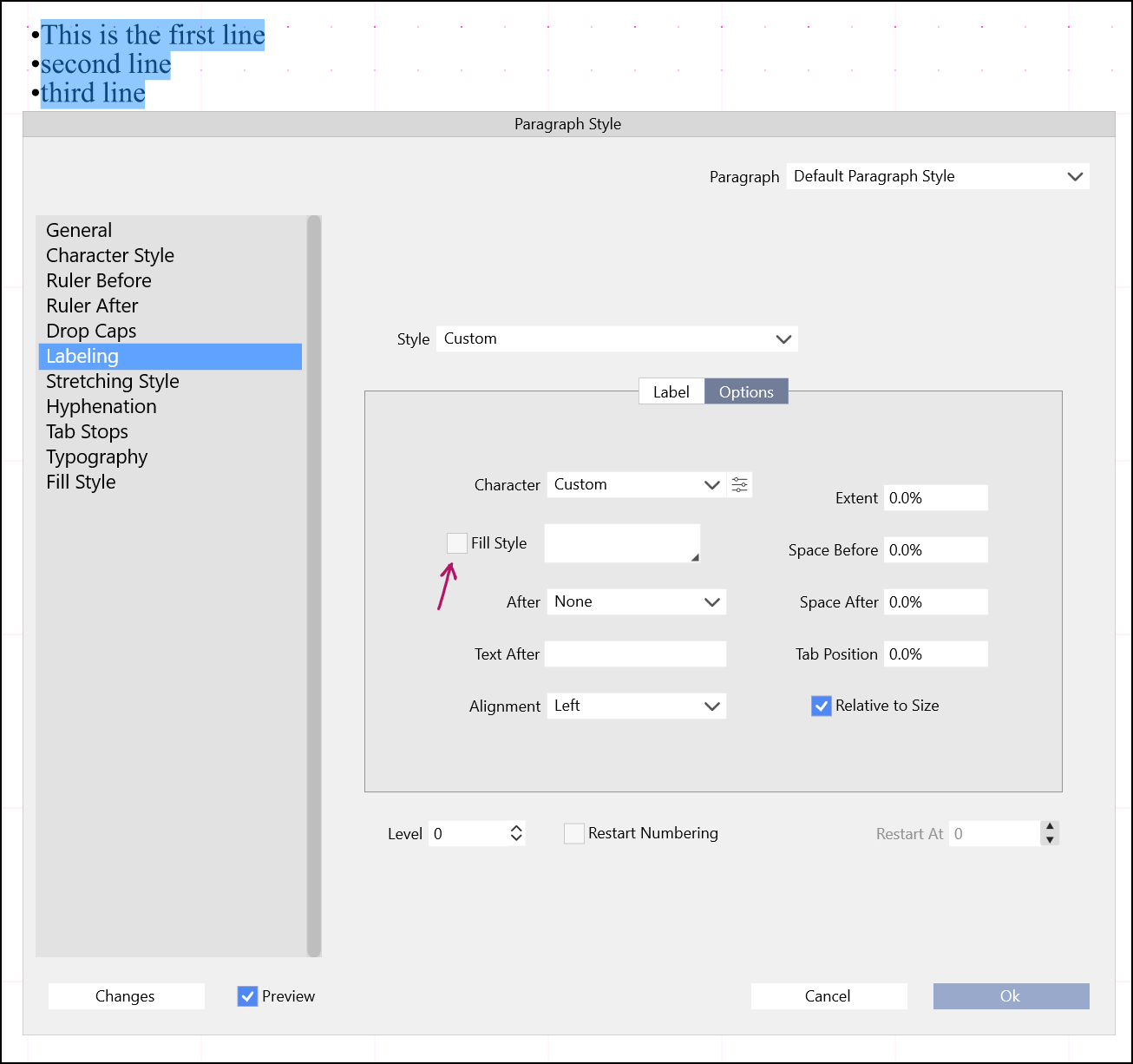
      With bulleted text highlighted, navigate to Paragraph Style > Labeling > Options
      Clicking on the Fill Style checkbox will crash VS.

      I am using Windows 11 and VectorStyler 1.1.024 latest build.
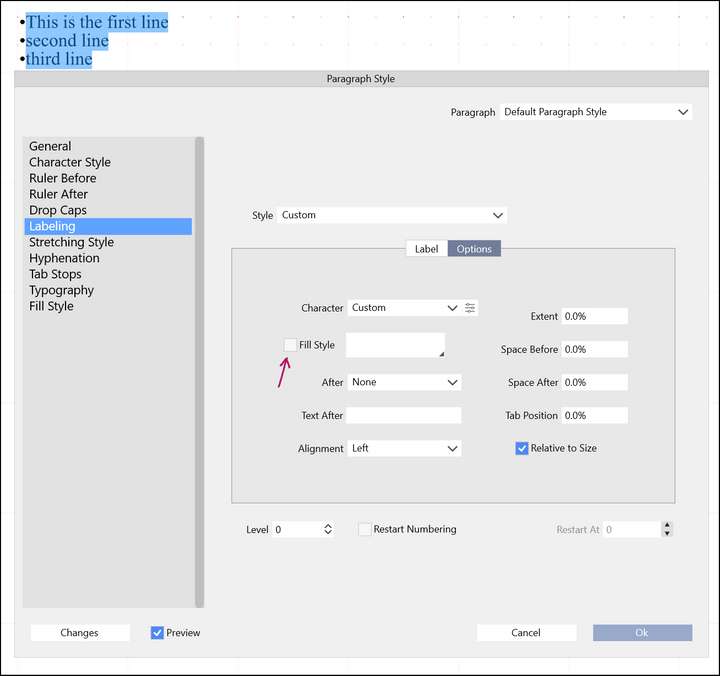
      0_1647875446701_Paragraph Style - Labeling - Options - Fill style - CRASH.png

      Thank you.

      VectorStylerV 1 Reply Last reply Reply Quote 0
      • VectorStylerV Offline
        VectorStyler @Victor Vector
        last edited by

        @Victor-Vector Could not replicate this one (on Windows or Mac). What was the Label type selected in the Label section?
        The Fill Style checkbox should be disabled if no label type is selected.

        Victor VectorV 1 Reply Last reply Reply Quote 0
        • Victor VectorV Offline
          Victor Vector @VectorStyler
          last edited by

          @vectoradmin under Label I selected Bullets and chose the asterisk as the bullet style.

          I am also getting this odd selection behaviour where 3 lines selected displays as two, but the choice only "bullets" one line.
          Finally the display field for the bullet glyphs is not scaled correctly, and glyphs are missing. Are the missing glyphs due to the wrong font choice on my end?
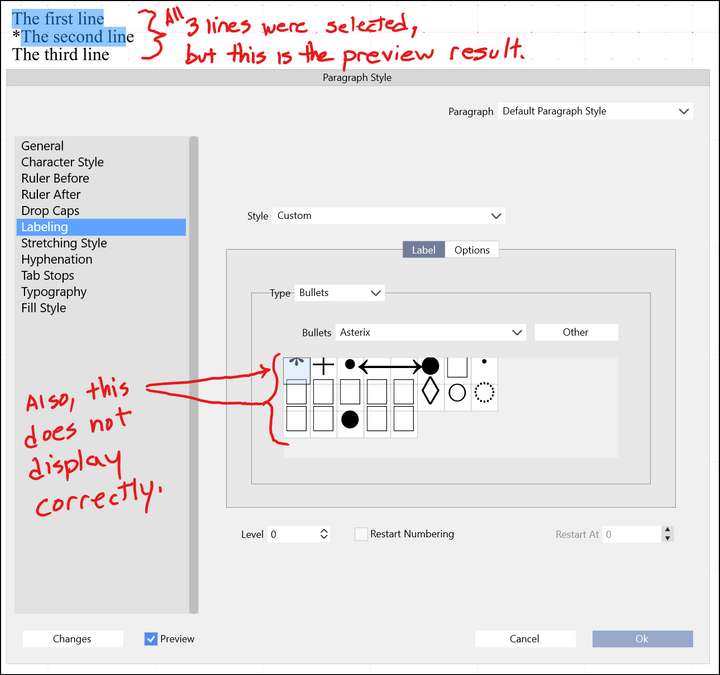
          0_1647881573247_Bullets Labeling issue.png

          1 Reply Last reply Reply Quote 0
          • First post
            Last post
