Boolean Operations Reference Guide
-
Hello,
I feel very grateful to the Vector Styler community for all the help and for the warm reception I have received on the forum. I also have been most impressed by @vectoradmin ‘s tireless efforts to be so responsive with bugs and aggressive with new features. Combine that with positivity, and it makes this a very strong community!
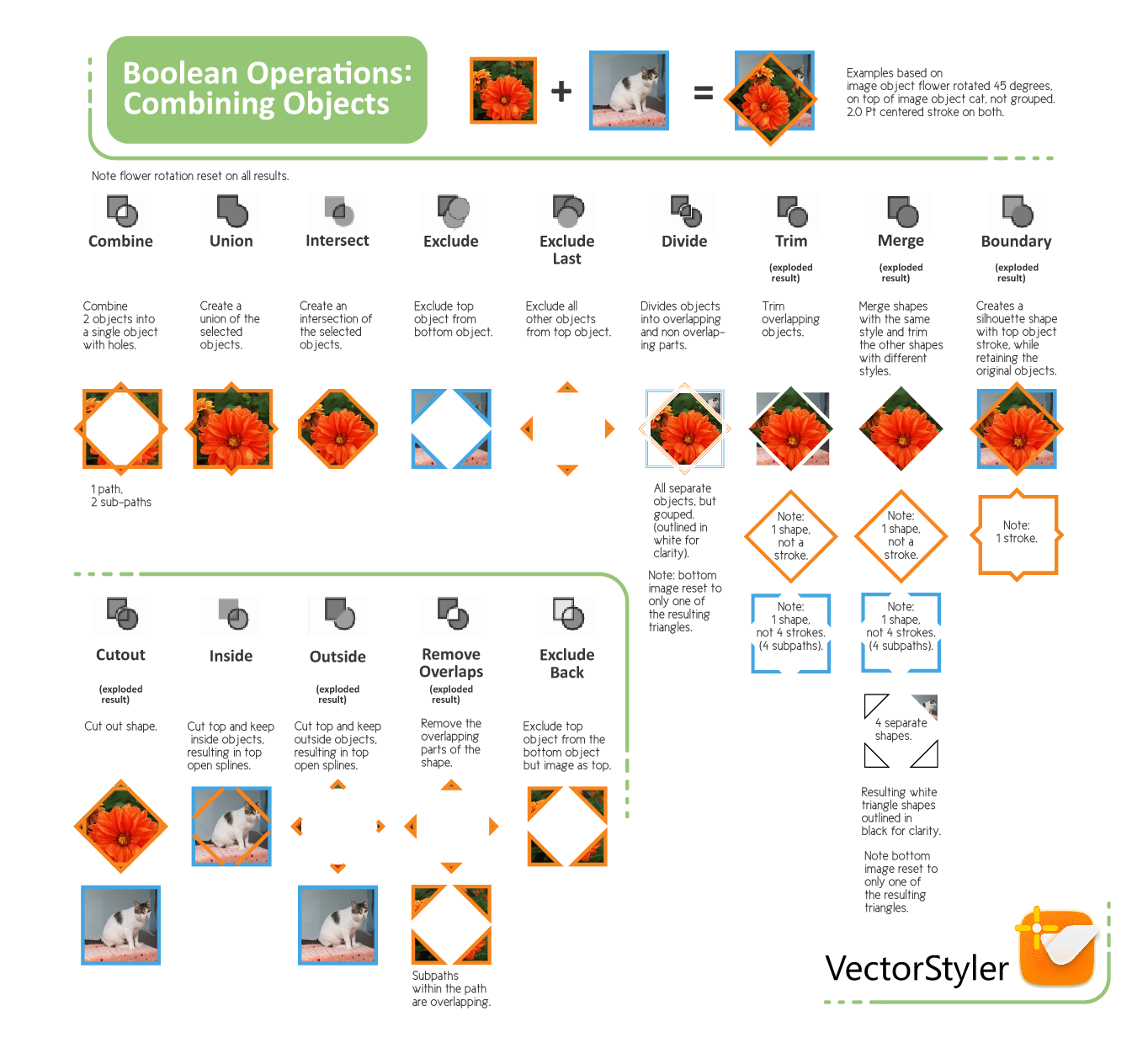
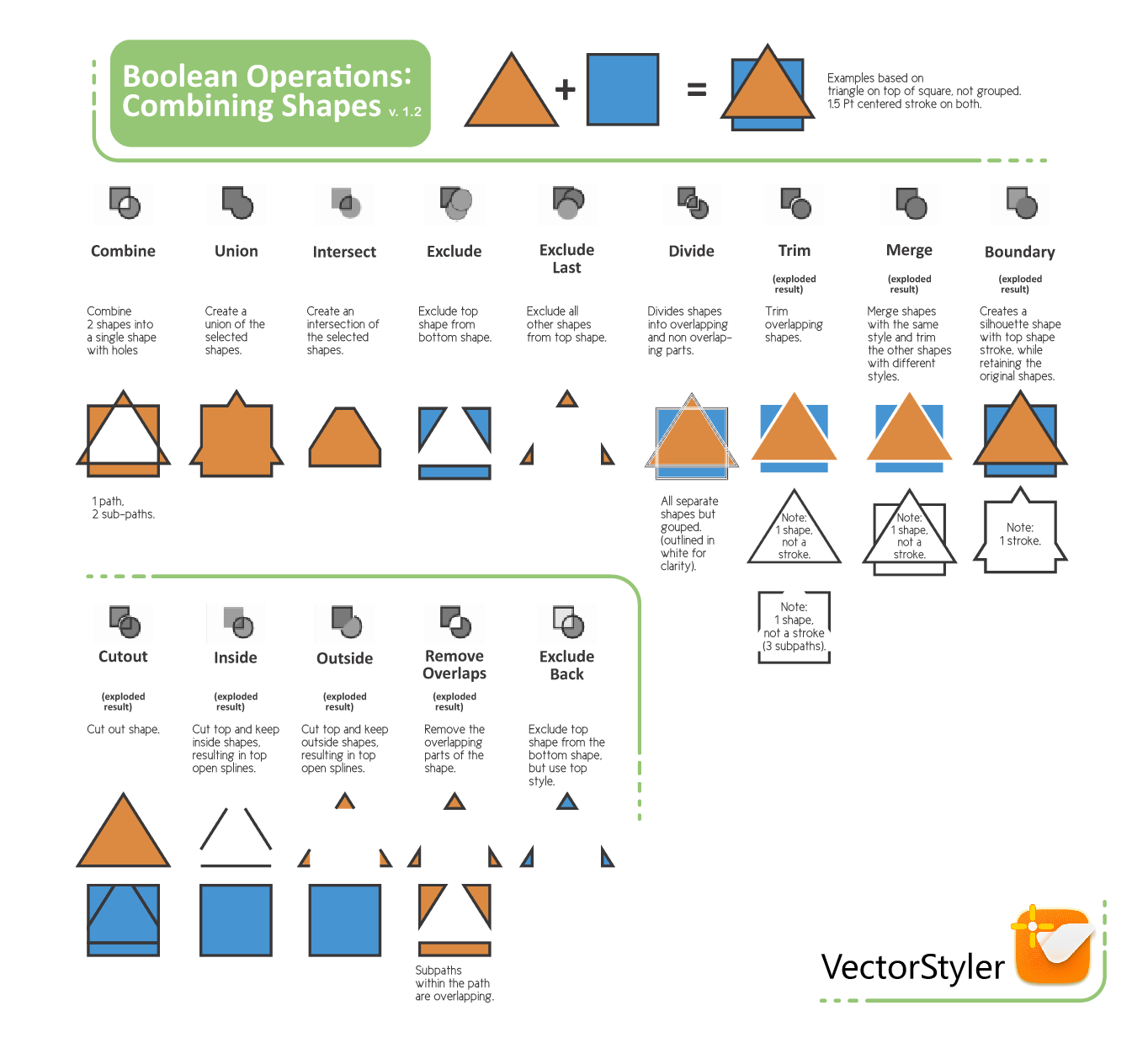
To say thanks to all in helping me on my learning journey, I have been keen to document some of VectorStyler’s in-depth features. To start off, I created a 2-page reference document for the Boolean Operations (PDF LINK BELOW). I did this because it was a challenge to wrap my head around all the differences between the extensive Boolean combinations. I thought this Tutorial section of the forum was a good place for this, as it contains the VectorStyler Manual, and hopefully my contribution helps with people’s learning.
Please feel free to let me know if you spot any errors and I will do my best to keep the document updated.
Any feedback is welcome.
Thank you.Previews:
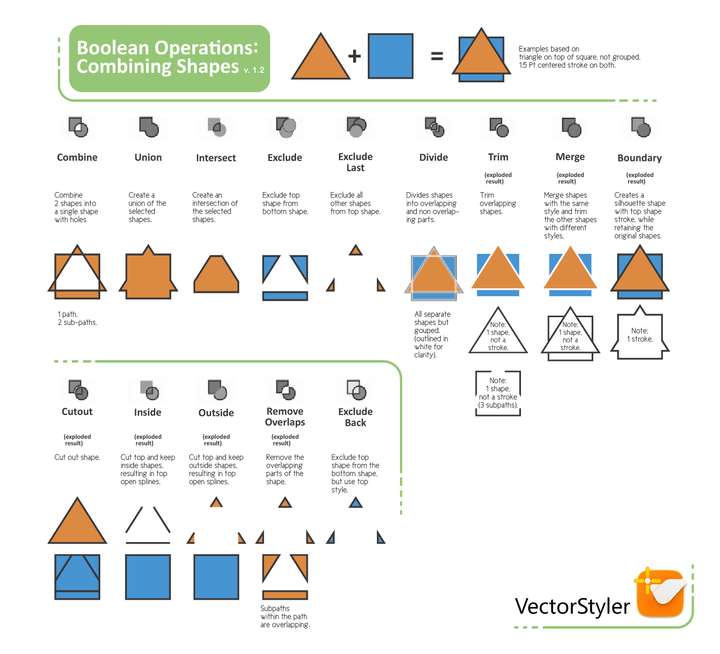
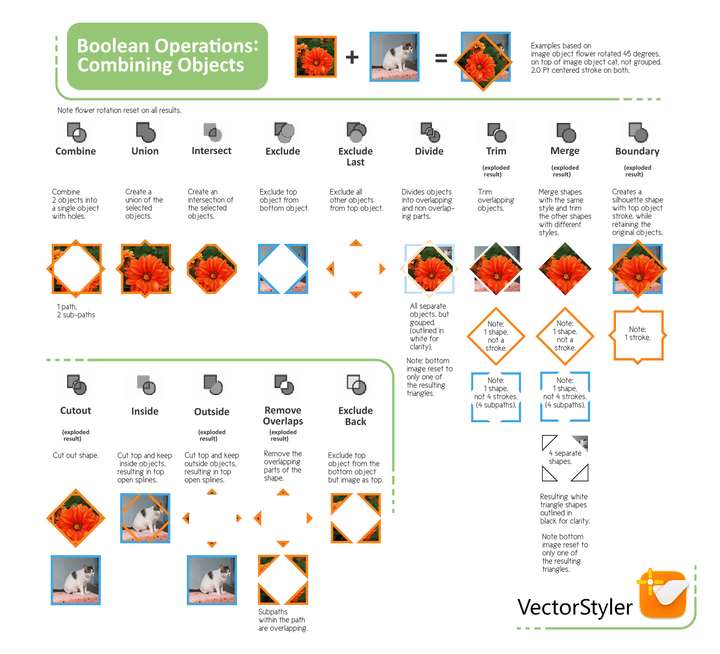
Here is the link:
Boolean Reference Guide 1.3.pdf -
@Victor-Vector Thanks! This is excellent.
-
@Victor-Vector
Thats awesome
very well done -
Thanks for all the positive feedback!
I made some minor cosmetic changes, added the VectorStyler logo to it. @vectoradmin let me know if you are not okay with me adding the logo and I will remove it.
Link is the same, but the PDF is updated in the first post.
-
Thanks a lot, very useful !

-
Thx for doing this.
- Can I add the pdf pages to the correct chapter in the PDF-manual?
- Idear to improve: Maybe you can change the icons to a better resolution. I screenshot the icons (light theme + ui scale) in better quality on a 4k display here:

Download at https://www.dropbox.com/s/av53dpzzmg7rc4n/Icons_large.png?dl=1
-
@freggern First off, thank you and any other team members who were involved in creating the manual. I cannot imagine the planning and work that goes into creating such an extensive work. I have relied heavily upon it to help me learn VectorStyler so I appreciate the magnanimous effort! In that spirit, I would love it if you included the reference guides in the manual. Having the higher resolution icons is very helpful. I will add them to the PDF and let you know when they are ready.

-
@freggern said in Boolean Operations Reference Guide:
Thx for doing this.
- Idea to improve: Maybe you can change the icons to a better resolution. I screenshot the icons (light theme + ui scale) in better quality on a 4k display here:
Ok, I updated the icons in the Reference Guide with better quality ones. See the original post link above labelled Boolean Operations Reference Guide 1.3.pdf
If you feel that the icon resolution quality still needs improvement, let me know, as it could be my .PDF export settings. The goal was to keep the file size under 2MB. - Idea to improve: Maybe you can change the icons to a better resolution. I screenshot the icons (light theme + ui scale) in better quality on a 4k display here:
-
@Victor-Vector Thx for the update the icons looks now sharp and clean
. I create in handwork an example for the Boolean chapter from the manual. I add a source notice on the title page of the manual and on the description of the two images. Is it ok, or your prever another source/text/link  . When you give the ok I will recode my generations script of the manual that I can inject items to chapters.
https://www.dropbox.com/s/ly514hax142fub5/settings_test.pdf?dl=0 -
@freggern It looks great! I appreciate the credit. It is unexpected and very thoughtful. I would suggest using this forum's member id, so @Victor-Vector, like you did with @vectoradmin. I am also comfortable with a "special thanks" section separated from the main author so as not to upstage their enormous efforts.
-
@Victor-Vector Thanks for the structured graphic image; impressed by how you composed it. Basically why I love VS is its obvious effort to innovate and strive for functional completeness. Bugs are swiftly corrected while new functionality is added. I specialise in drawing realistic vector portraits and VS is among the programs best suited to do this type of work. I've worked with all serious contenders for decades, Freehand excepted, and VS holds the promise to blow its competition out if the water, so I follow its development with great interest.



