VectorStyler
    • Categories
    • Unread
    • Recent
    • Tags
    • Popular
    • Register
    • Login

    Why do we have a Blend Options and Blend Panel? Could they be combined?
    Scheduled Pinned Locked Moved Questions and Support
    2 Posts 2 Posters 2.9k Views 1 Watching
    Loading More Posts
    • Oldest to Newest
    • Newest to Oldest
    • Most Votes
    Reply
    • Reply as topic
    Log in to reply
    This topic has been deleted. Only users with topic management privileges can see it.
    • BoldlineB Offline
      Boldline
      last edited by

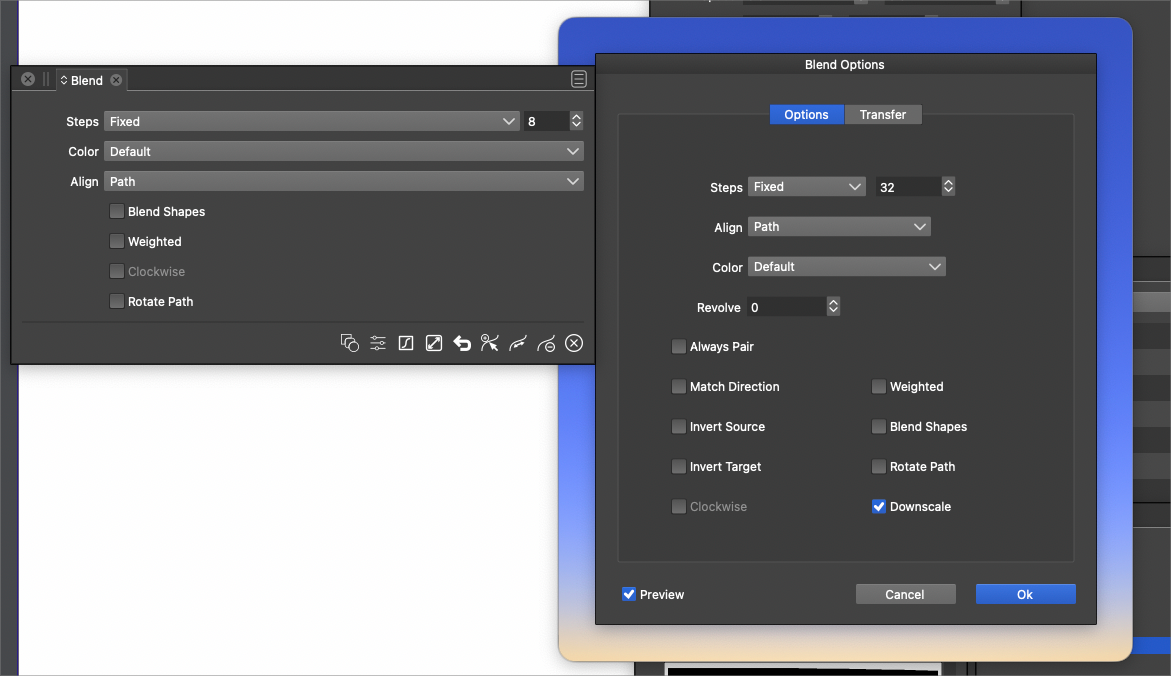
      I was curious why there is a "Blend Options" panel as well as a "Blend Panel"
      There seems to be a lot of overlap with the two. I need to experiment more, but so far I'm never really sure whether or not I need the blend panel or blend options and I end up opening both just in case.
      Would it make more sense to combine them into one panel? I'm very open to being wrong if there is a specific reason they are separate from one another
      0_1648569695164_f885af64-2950-458a-b3a8-34192c3de6e8-BLD 2022-03-29 at 12.00.07.png

      🍎 macOS Tahoe 26.2, Mac mini (M1, 2020), Chip Apple M1, Memory 16 GB
      Cintiq 27QHD Display and LG Ultra HD Display

      VectorStylerV 1 Reply Last reply Reply Quote 0
      • VectorStylerV Offline
        VectorStyler @Boldline
        last edited by

        @Boldline Well, this is the same for most of the other features of VS. There are panels that contain (mostly) a subset of options and then each such feature may have a larger (more complicated) modal view.

        I think panels are useful, to allow non-modal editing of selected parameters. And it is not possible to publish all options in panels only, so modal views are also needed.


        1 Reply Last reply Reply Quote 0
        • First post
          Last post