Text Frame Stroke Appearance Issue
-
Hi,
Using Windows 11, VS 1.1.037-
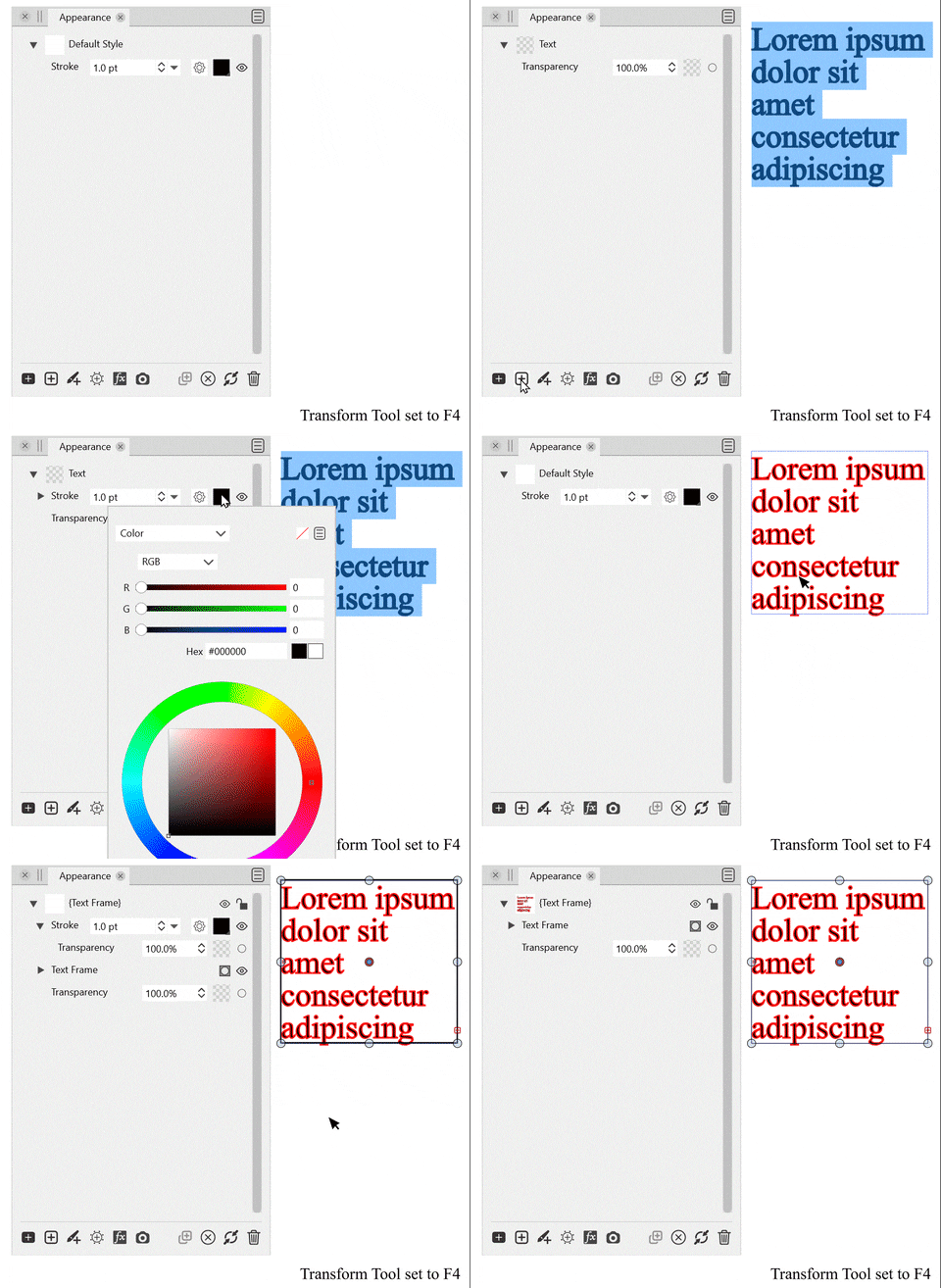
Creating a text frame with the Area Text Tool and adding a stroke, via the Appearance Panel "Add Stroke" button, adds a stroke to the text, but does not display this in the appearance panel until the drop-down arrow beside "{Text Frame}" is pressed twice to refresh the interface. Text stroke can be edited now as expected.
-
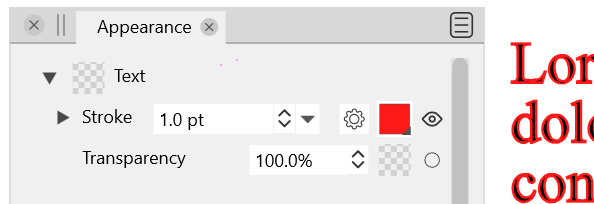
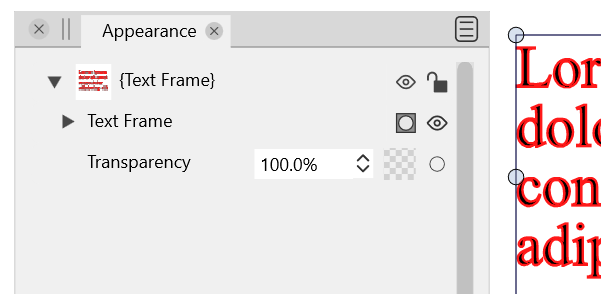
Choosing the Transform Tool then click off the text frame, then select it again, refreshes the Appearance Panel with a new result. This state change was unexpected and not an obvious appearance result, but it seems to indicate that now I am on the "Text Frame" level. I feel like this should be displayed in the appearance panel from the start, with the Text layer below it.
-
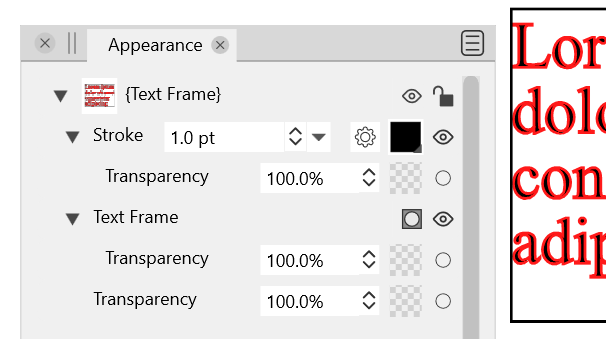
In the Appearance Panel, "Add Stroke" button, now adds a stroke to the text frame, after the {Text Frame}. This is expected, but there is no way to access the stroke added to the Text layer anymore, as there is no Text layer. Unless I am missing something, this would be a bug.
-
-
@Victor-Vector (1) could be a bug, I will try to replicate it.
(2) and (3) are correct, but maybe (2) should also show a fill.When a text is edited (and highlighted), the Appearance panel should display / edit the fill / stroke / transparency of the selected text.
When the text frame is selected with the transform tool (or other than the text editing tools), the Appearance panel will show / edit the styles associated with the text frame. This can be used to add a fill or stroke for a text frame area.
-
@VectorStyler said in Text Frame Stroke Appearance Issue:
When a text is edited (and highlighted), the Appearance panel should display / edit the fill / stroke / transparency of the selected text.
I tried to access this, but the Appearance Panel does not show me that result. In this case, the red stroke around the text. My apologies if I am missing something...
I included my working file:
0_1652117802548_Text Frame Stroke Appearance.vstyler -
@VectorStyler Okay weird.
- With the Transform Tool selected, double-clicking inside the text frame to select text to edit it, did not change the appearance panel to reveal the red stroke around the text. The cursor icon changes to the text edit icon, and text is highlightable and editable, but it seems to still be stuck in "Transform" mode, at least as far as the Appearance Panel is concerned.
- After 1. above, click another text frame and/or click back on the previous text frame. The Appearance Panel NOW displays the Text layer with the red stroke applied to it as a sublayer.
There is definitely something wrong with the Appearance Panel refreshing.
**UPDATE **
3. After 2. above, the red stroke outline is not editable. If I try changing color to green it does not change.
4. Attempting to first select the red stroke in the Appearance Panel, then delete the red stroke on the text, using the Trashcan icon in the Appearance Panel, deletes the whole text frame. -
@Victor-Vector There might be a bug with the Appearance panel, when the text is edited. I will add this to the backlog.
-
@Victor-Vector This problem should be fixed in 1.1.048