VectorStyler
    • Categories
    • Unread
    • Recent
    • Tags
    • Popular
    • Register
    • Login

    Select by Style> Fill Content not selecting the appropriate vectors shapes

    Scheduled Pinned Locked Moved VectorStyler 1.1 Bugs
    2 Posts 2 Posters 2.9k Views 1 Watching
    Loading More Posts
    • Oldest to Newest
    • Newest to Oldest
    • Most Votes
    Reply
    • Reply as topic
    Log in to reply
    This topic has been deleted. Only users with topic management privileges can see it.
    • BoldlineB Offline
      Boldline
      last edited by Boldline

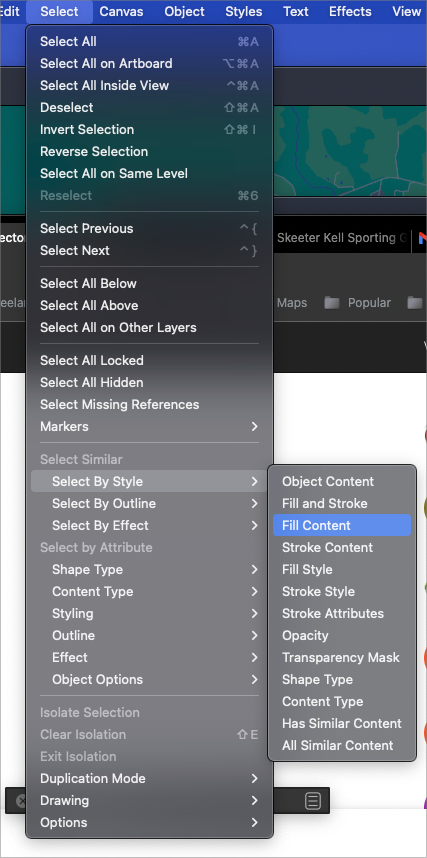
      Often I cannot get the find >select by style> fill content to actually select applicable vectors in the design.
      All parts of the light blue in this design are the dame color and on the same layer, but for some reason, when I try to select them all by selecting the first one, it gives me an error message. the file is attached:

      0_1653425227720_select fill content.vstyler

      UPDATE: I tried it again and it worked. This happens often enough - it can take several tries to get it to potentially work
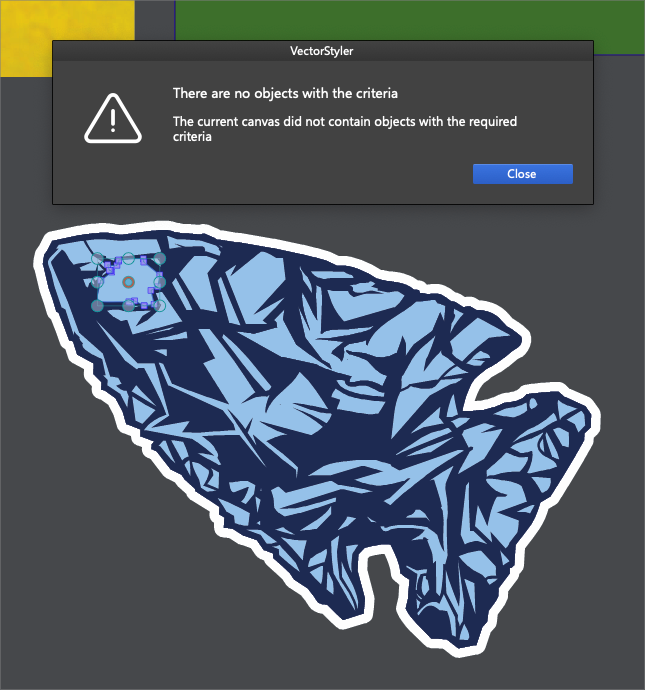
      0_1653424892374_85c784ff-8e29-46da-a814-89e6c47d1218-BLD 2022-05-24 at 16.40.57.png

      0_1653425012966_e5b8e3b0-da82-47ca-93f8-b623d596b9c5-BLD 2022-05-24 at 16.43.22.png

      🍎 macOS Sequoia 15.3, Mac mini (M1, 2020), Chip Apple M1, Memory 16 GB
      Cintiq 27QHD Display and LG Ultra HD Display

      VectorStylerV 1 Reply Last reply Reply Quote 0
      • VectorStylerV Offline
        VectorStyler @Boldline
        last edited by

        @Boldline I could not replicate this.
        In some cases maybe using the "Fill Style" (two items down) is better when selecting same by fill.
        The Fill Content might contain some other options that do not match.

        1 Reply Last reply Reply Quote 0
        • First post
          Last post
