update 1.1.042
-
@b77
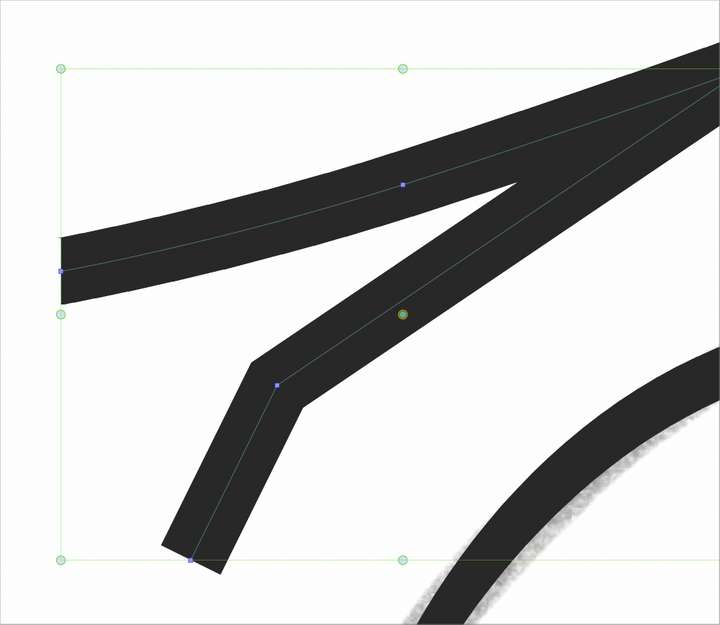
Using the transform tool, the path indicator is blue but my selection box is green in correlation with the layer color indicator.
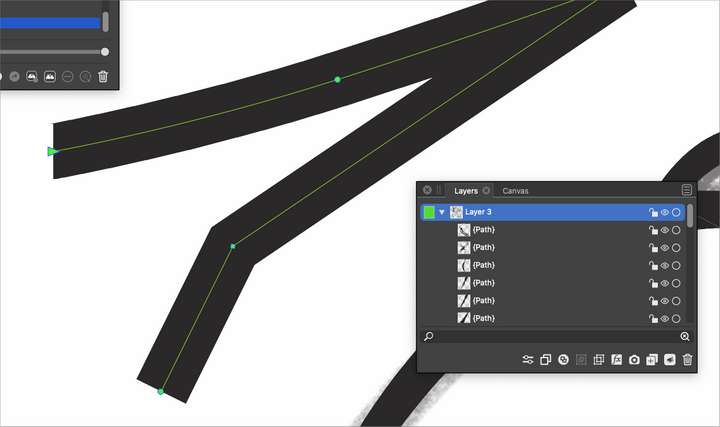
When I switch to the node editing tool i can see the color of my layer clearly against the black
-
@Boldline Got it, indeed it changes color in node editing mode.

-
@b77 said in update 1.1.042:
Why not have the app override that color and always use something that has enough contrast no matter the color of the stroke?
Same could be done for the node segment highlight color idea. If the highlight color was orange, for example, and the stroke color was also orange, the VS app could override that color with a contrasting one.
-
@b77 said in update 1.1.042:
Actually, no. It's the same standard blue, no matter what the layer color is.
@VectorStyler Can this be changed somewhere?Is this the path spine color? It is blue when hovering over the path, and turns to the layer color once selected.
-
@Victor-Vector said in update 1.1.042:
Same could be done for the node segment highlight color idea. If the highlight color was orange, for example, and the stroke color was also orange, the VS app could override that color with a contrasting one.
Yes, when in node editing mode (of which node selection is part of), if possible have a (low-key) color that always has enough contrast with the color of the stroke.
@VectorStyler Yes, the path spine color.