Difficulties when searching in the shortcut editor
-
I need to assign 'C' to the corner editor (from the toolbar), but I can't find it in the shortcut editor. I search for 'corner' but get a result that is not what I want. I can't select 'Next' or 'Previous' in the search results, so I'm pretty much stuck. It also applies in preferences that you can't search further or back for that matter.
If you press ENTER in the search box out of habit, the dialog closes. Then, if a little nervous after this experience, you happen to press the icon on the right side of the input field thinking it means start search, the search string clears. The icon with a magnifying glass and a tiny x inside is misleading, mixed and non-standard, an X alone please.

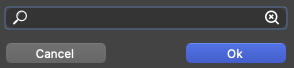
I click and look for the corner editor, but it's impossible to find. I look in the toolbar and see that knife tool is in the same group as corner editor, and search for knife. Then I find corner EDITOR, which is one of the last items in the list of tools, and therefore will always be difficult to search for when there are tools with identical names.
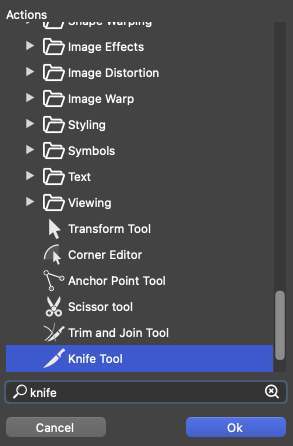
Finally I succeed, C for corner editor, aaaah.
-
@VectorStyler I celebrated the victory too quickly.
Too bad, if I have selected a single cusp node with the shape editor, C doesn't work as a shortcut, I have to select the corner editor in the toolbar.

-
@VectorStyler If shape editor tool is active, C as shortcut works, if anchor point tool is active, C as shortcut does not work.
-
@Ingolf 'C' is assigned by default to the Collider tool, so maybe there's a conflict. Is the 'C' key unassigned now from the Collider tool?
In any case, I agree that the icon for deleting the search string should be an ✕.

-
@b77 Yes, I accidentially assigned C to the corner palette first, where it worked flawlessly, but thanks for the suggestion!

