Object to Object Snapping Issue
-
I'm having an issue with object snapping (that's a previously created object to another).
I'm a long time user of AI, so apologies, please bear with me
In Illustrator, with nothing selected, you can mouse over (using the Selection Tool) an object and the complete object will highlight. If you go over a node, the cursor will snap to that node, indicate with a small cross and the text "anchor". If you click and drag the object by that node, the object will move and can be snapped by that node to any other node on any other object - you know when you are within snapping range to that other node as the cursor changes from black to grey - simple and accurate
Further, at no time during the dragging process, is the bounding box of either object shown other than when the mouse button is RELEASED.In VS, complete with it's wonderful myriad of object snapping options, I can't find a solution to the same accurate process - more than probably, it's finger trouble on my part
I have read as many of the posts on snapping options as possible, but haven't found a solution to this. I'm currently using "snap to points" and "collision snapping" along with increasing the snapping distance to 8 - being the closest set of options.Also, there is an issue with the object bounding box - as you click and HOLD to drag the object by a node, the bounding box appears - this becomes a serious issue when one of the nodes is within the grab distance of a bounding box handle as it causes the object dimension to be modified. My thoughts are that the bounding box shouldn't show and be operable on UNTIL the button has been RELEASED (ie the object selected).
I've attached a couple of vids (AI and VS) to show the issues - I used Recordit, but it can't show the snapping cursor colour change in AI, and they are also a tad jittery, macOS screenvids were just too big to upload, sorry
TIA
Neil
iMac 27" 2015 Catalina 32Gb, MacBook Pro 13" 2016 Monterey 8Gb, Mac Mini M2 2023 8Gb
-
About snapping to a Node. Dont know if i understand you right.
But this will work if you select your Object with the Shape Editor.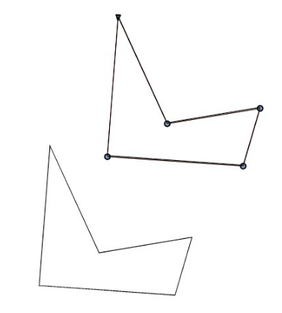
Win 11
CPU: AMD Ryzen 5 9600X, 6-core.
GPU: Nvidia Geforce RTX 5070. -
@Igull I think the AI specific "node to node" snapping mode might be missing in VS.
One thing that might be close is to enable "Snap to Points" -
-
@Subpath OK, thanks for that, this uses the same method as in AD and sadly, the primary reason I stopped using it

It takes 4 operations just to snap an object to another object - if you have to do 20 or 30 of these in succession, that's 120 operations instead of 30.
I'll repeat what I essentially said on the AD forum, you have to change tools - generally your standard 'tool' would be the move tool (isn't that what I want to do ??) then change to the shape editor, select a node on the object, do a select all (isn't 'select all' a GLOBAL command ?), then pick the node you want to drag (that goes against the grain, you would expect to be modifying the object using this tool :-), then drag and snap the object to the other object :-))
This is a bit of a deal breaker for me - a shame really as I think VS is actually a whole lot better in many ways than AI. I assume that this is a core function of VS, so wouldn't be something easily changed.
Thanks for the explanation and vid.
Neil -
@VectorStyler Yes, I tried 'Snap to Points' on it's own, but no luck - got nearer with adding 'Collision Snapping' - close but no cigar
Thanks
Neil -
@Igull said in Object to Object Snapping Issue:
@VectorStyler Yes, I tried 'Snap to Points' on it's own, but no luck - got nearer with adding 'Collision Snapping' - close but no cigar
I will add the node to node snapping method to the default Transform tool.
-
@VectorStyler said in Object to Object Snapping Issue:
I will add the node to node snapping method to the default Transform tool.
That would be really useful, thanks a lot ! Definitely worth ditching the AI subscription now
Thank you
Neil
-
@Igull The node to point (and shape) snapping feature is added in build 1.1.049

