VectorStyler
    • Categories
    • Unread
    • Recent
    • Tags
    • Popular
    • Register
    • Login

    Divide boolean not getting clean results

    Scheduled Pinned Locked Moved VectorStyler 1.1 Bugs
    8 Posts 3 Posters 8.4k Views 2 Watching
    Loading More Posts
    • Oldest to Newest
    • Newest to Oldest
    • Most Votes
    Reply
    • Reply as topic
    Log in to reply
    This topic has been deleted. Only users with topic management privileges can see it.
    • BoldlineB Offline
      Boldline
      last edited by

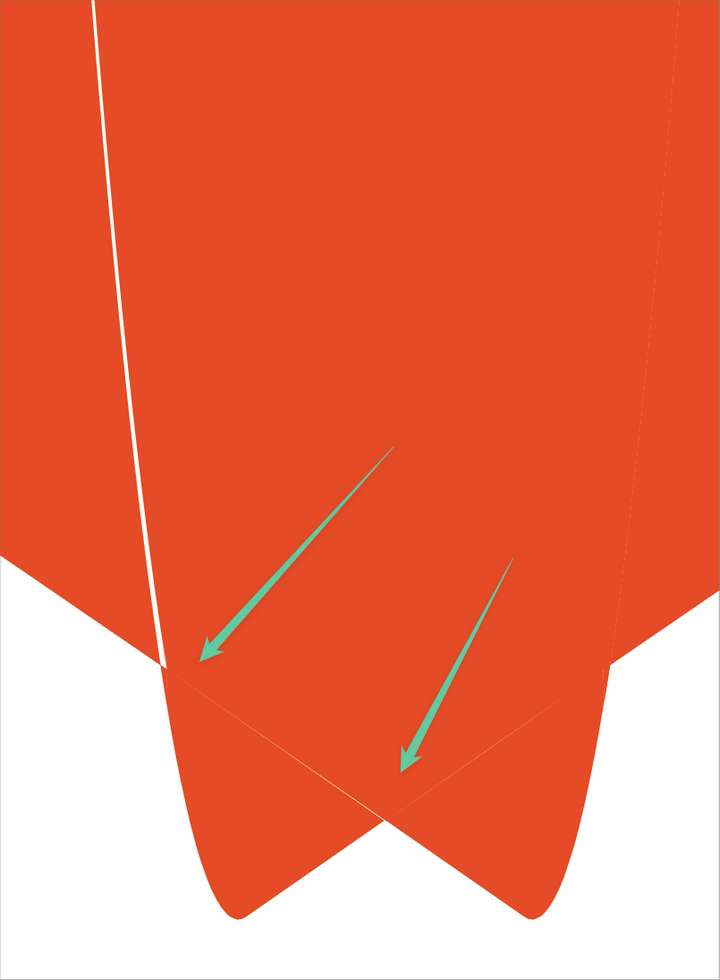
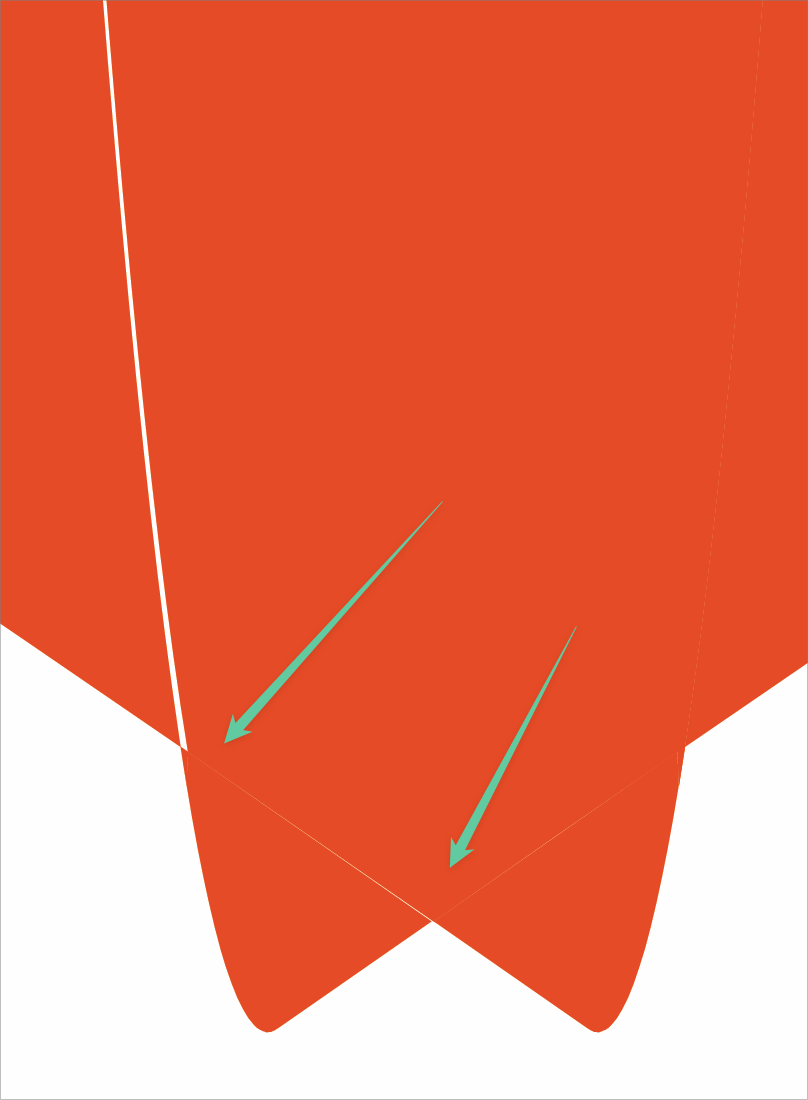
      Trying to divide these overlapped fills causes strange uncleann results. This has been discussed before but bringing up recent examples

      0_1656527452091_divide issue2.vstyler

      0_1656527390508_a52cdc22-f5c3-4666-b233-887541ee3f6d-BLD 2022-06-29 at 14.29.39.png
      0_1656527370144_e14e229e-5863-47bd-8785-156e7d359039-BLD 2022-06-29 at 14.27.59.png

      🍎 macOS Tahoe 26.2, Mac mini (M1, 2020), Chip Apple M1, Memory 16 GB
      Cintiq 27QHD Display and LG Ultra HD Display

      b77B VectorStylerV 2 Replies Last reply Reply Quote 0
      • b77B Offline
        b77 @Boldline
        last edited by

        @Boldline Do you have the version of the file before Divide?

        MacBook Pro (Intel) running Monterey 12.6.4

        1 Reply Last reply Reply Quote 0
        • BoldlineB Offline
          Boldline
          last edited by

          It would be earlier on in this file

          0_1656529871638_Lakers vertical text 2022.vstyler

          🍎 macOS Tahoe 26.2, Mac mini (M1, 2020), Chip Apple M1, Memory 16 GB
          Cintiq 27QHD Display and LG Ultra HD Display

          b77B 2 Replies Last reply Reply Quote 0
          • b77B Offline
            b77 @Boldline
            last edited by

            @Boldline Never mind , I can undo the first one.

            MacBook Pro (Intel) running Monterey 12.6.4

            1 Reply Last reply Reply Quote 0
            • b77B Offline
              b77 @Boldline
              last edited by b77

              @Boldline OK, seems to be caused by zero handles.
              With no retracted Bézier handles for the tip and for the other node, Divide works much better: https://recordit.co/LzXIrE5pav

              See the edited file: 0_1656532975396_Divide-issue_WITHOUT_ZERO_HANDLES.vstyler

              Not saying it should not work properly despite the zero handles, but… I use the occasion to complain about them.

              MacBook Pro (Intel) running Monterey 12.6.4

              BoldlineB 1 Reply Last reply Reply Quote 1
              • BoldlineB Offline
                Boldline @b77
                last edited by

                @b77 That's cool that you figured that out - thanks! I agree it should not matter if there are node handles exposed or not -
                What did you do to not have the node handles exposed, especially on the curved parts? just hide the handles?

                🍎 macOS Tahoe 26.2, Mac mini (M1, 2020), Chip Apple M1, Memory 16 GB
                Cintiq 27QHD Display and LG Ultra HD Display

                b77B 1 Reply Last reply Reply Quote 0
                • b77B Offline
                  b77 @Boldline
                  last edited by b77

                  @Boldline It works properly if both handles ARE exposed — if the segment's curvature is adjusted by two handles.

                  In the original file, the segment adjacent to the tip has one hidden Bézier handle.
                  I dragged the segment with the Node Editor tool (A) to "drag" that handle from under its node, also changed its node to Smooth and readjusted the segment — see the video: https://recordit.co/LzXIrE5pav

                  MacBook Pro (Intel) running Monterey 12.6.4

                  1 Reply Last reply Reply Quote 0
                  • VectorStylerV Offline
                    VectorStyler @Boldline
                    last edited by

                    @Boldline @b77 This can be replicated, and it seems to be a precision bug in the divide operation. It can be worked around by adjusting the handles.

                    1 Reply Last reply Reply Quote 1
                    • First post
                      Last post