VectorStyler
    • Categories
    • Unread
    • Recent
    • Tags
    • Popular
    • Register
    • Login

    Too big preview while moving objects in Layers

    Scheduled Pinned Locked Moved VectorStyler 1.1 Bugs
    5 Posts 2 Posters 5.0k Views 2 Watching
    Loading More Posts
    • Oldest to Newest
    • Newest to Oldest
    • Most Votes
    Reply
    • Reply as topic
    Log in to reply
    This topic has been deleted. Only users with topic management privileges can see it.
    • ? Offline
      A Former User
      last edited by

      I think it happens when part of the selection disappears from sight.

      video

      VectorStylerV 1 Reply Last reply Reply Quote 0
      • VectorStylerV Offline
        VectorStyler @Guest
        last edited by

        @plrang Tried to replicate this with a different drawing, but could not. If you could send me the file by email to csraba at vectorstyler.com I will try to replicate the issue.
        What is the layer where the objects end up when the big preview occurs?

        ? 1 Reply Last reply Reply Quote 0
        • ? Offline
          A Former User @VectorStyler
          last edited by

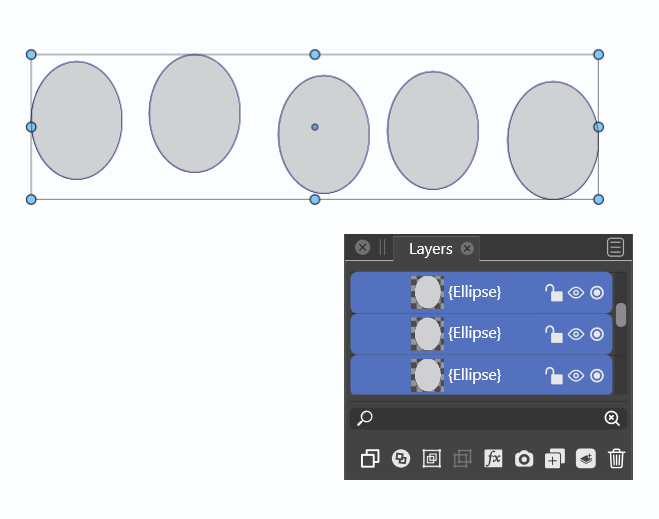
          @VectorStyler Just shrink the Layers panel like this 0_1656848059719_076c1481-da95-4bb9-be8f-21be38fe8f62-obraz.png
          VectorStylerV 1 Reply Last reply Reply Quote 0
          • VectorStylerV Offline
            VectorStyler @Guest
            last edited by

            @plrang Not replicating here, but I will have to try on Windows also

            ? 1 Reply Last reply Reply Quote 0
            • ? Offline
              A Former User @VectorStyler
              last edited by

              @VectorStyler

              Here it is after a factory reset so that my preferences do not affect behavior.

              1 Reply Last reply Reply Quote 1
              • First post
                Last post