VectorStyler
    • Categories
    • Unread
    • Recent
    • Tags
    • Popular
    • Register
    • Login

    Unsmooth mesh gradient

    Scheduled Pinned Locked Moved Resolved Issues
    10 Posts 3 Posters 10.5k Views 3 Watching
    Loading More Posts
    • Oldest to Newest
    • Newest to Oldest
    • Most Votes
    Reply
    • Reply as topic
    Log in to reply
    This topic has been deleted. Only users with topic management privileges can see it.
    • IngolfI Offline
      Ingolf
      last edited by

      I only got a few steps out before all sorts of erroneous or strange things happened. I guess it's not a simple curriculum either. In Inkscape, the mesh editor was hidden for years and under development for many years.

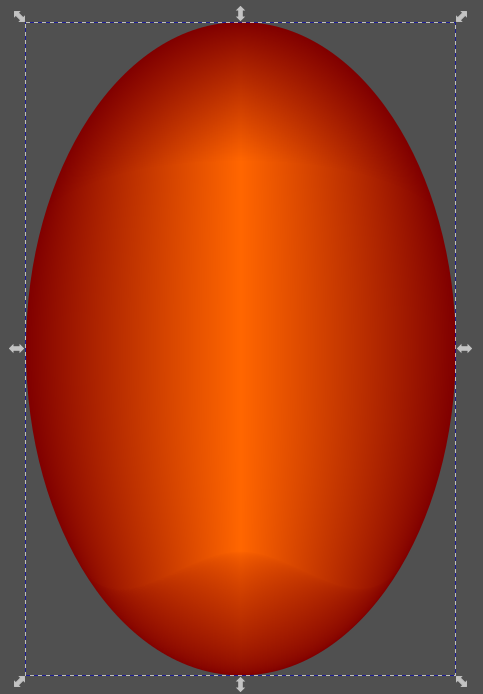
      This is not a great gradient:

      0_1657327698133_52061500-1311-4316-8eda-c075e3b385e3-image.png

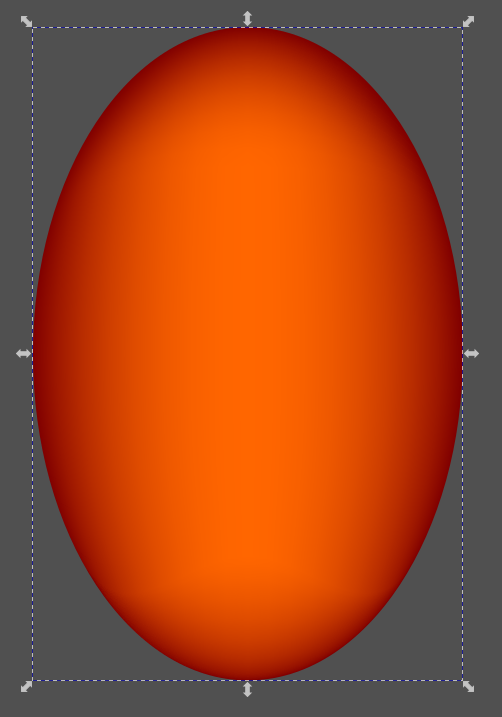
      Very similar simple mesh setup in CorelDRAW:
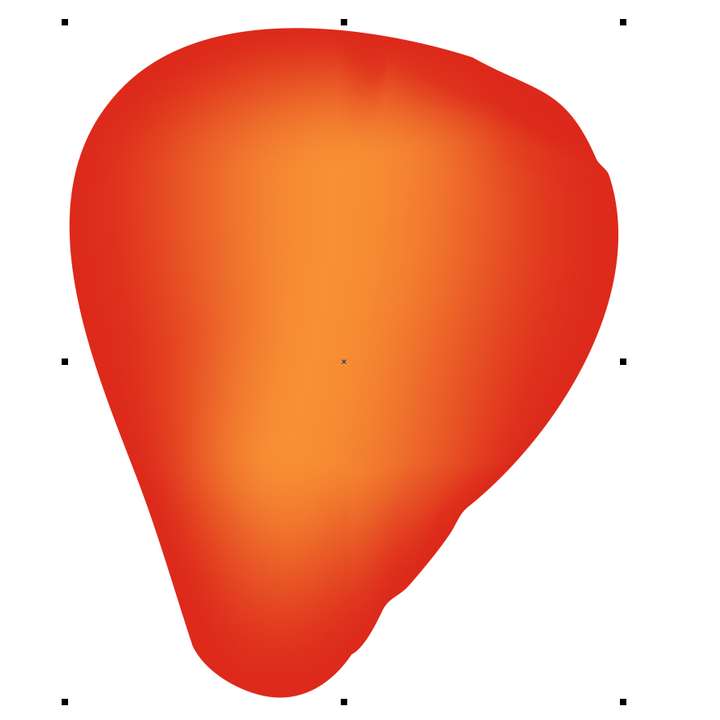
      0_1657327884552_26fe637b-52ae-4a5e-99df-3a5a09619b18-image.png

      Vectorstyle source file

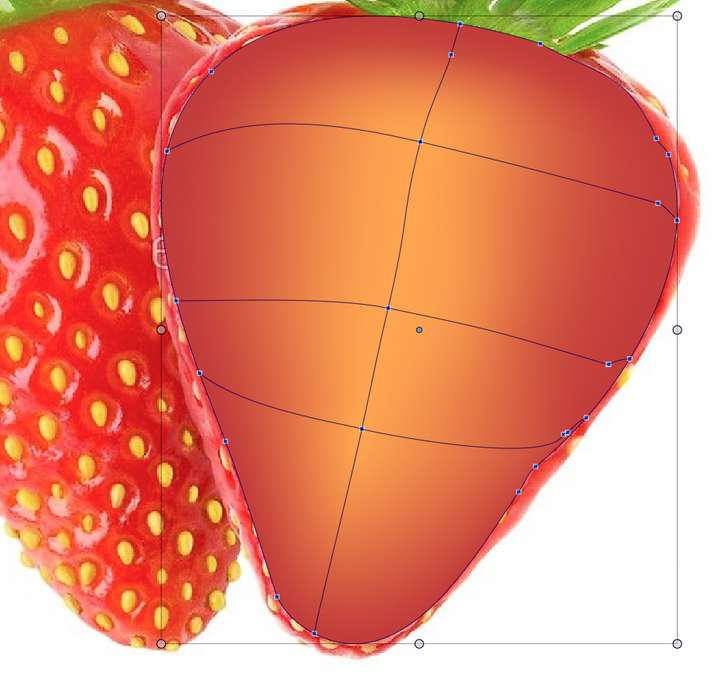
      Inkscape using Coons smoothing:
      0_1657328756527_ff43a471-c836-4c18-8863-a400188c3fa6-image.png

      Inkscape using bicubic smoothing:
      0_1657328786363_839b08ba-8b04-4315-85cb-85b2d4006981-image.png

      The mesh editor could use a weekend of focused testing - at least. 🙂

      🍏 macOS Sequoia Apple Silicon

      VectorStylerV 1 Reply Last reply Reply Quote 1
      • VectorStylerV Offline
        VectorStyler @Ingolf
        last edited by

        @Ingolf Can you send me the example from the first image by email, or upload it here? I would like to replicate this issue.

        1 Reply Last reply Reply Quote 1
        • IngolfI Offline
          Ingolf
          last edited by

          https://filetransfer.io/data-package/JQdsB4aV#link

          🍏 macOS Sequoia Apple Silicon

          VectorStylerV 1 Reply Last reply Reply Quote 1
          • VectorStylerV Offline
            VectorStyler @Ingolf
            last edited by

            @Ingolf Got it! Clearly, some fix is needed here. Added it to the backlog.

            1 Reply Last reply Reply Quote 1
            • IngolfI Offline
              Ingolf
              last edited by

              Thanks 🙂

              🍏 macOS Sequoia Apple Silicon

              1 Reply Last reply Reply Quote 0
              • IngolfI Offline
                Ingolf
                last edited by

                BTW try to remove the mesh point in the middel... chaos 🙂

                🍏 macOS Sequoia Apple Silicon

                1 Reply Last reply Reply Quote 1
                • IngolfI Offline
                  Ingolf
                  last edited by

                  More observations:

                  • When I go from node editor or transform tool to gradient mesh editor, no outline or nodes appear anymore. I can't even see that I have selected this object - only in the layers panel.
                  • This means that I have doubts whether the mesh editor is selected at all, and that I set the first point blindly. I am quite surprised when the mesh grid comes up.
                  • VS creates a lot of excess nodes which I can easily delete. See CorelDRAW, which hardly sets any.
                  • And then the unsmooth gradient of course

                  Ignore the last part of the movie where I delete something.

                  Mesh Editor - the movie

                  🍏 macOS Sequoia Apple Silicon

                  1 Reply Last reply Reply Quote 1
                  • S Offline
                    Subpath
                    last edited by Subpath

                    @Ingolf

                    Hi

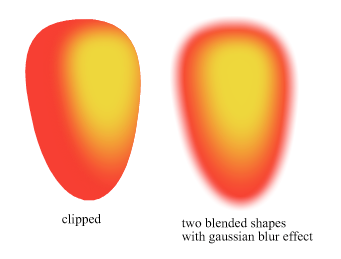
                    In VS i use very often a this Solution for special Gradients.
                    Just two blended Shapes/Strokes with a Gaussian Blur Effect.
                    As the Shapes stay editable you could create almost any
                    (curved) Gradient this way.
                    (also multiple ones, because of multiple blends)

                    Here Example
                    0_1657358707186_Blend-with-Gaussian-Blur.png

                    Win 11
                    CPU: AMD Ryzen 5 9600X, 6-core.
                    GPU: Nvidia Geforce RTX 5070.

                    1 Reply Last reply Reply Quote 1
                    • IngolfI Offline
                      Ingolf
                      last edited by

                      Still hurts 😞

                      Example

                      🍏 macOS Sequoia Apple Silicon

                      1 Reply Last reply Reply Quote 1
                      • IngolfI Offline
                        Ingolf
                        last edited by

                        @VectorStyler

                        Fixed in .058! 🙂

                        0_1661726236881_de7edde6-36f9-4fd8-862a-4ba8dd33ba35-image.png

                        🍏 macOS Sequoia Apple Silicon

                        1 Reply Last reply Reply Quote 2
                        • First post
                          Last post