VectorStyler
    • Categories
    • Unread
    • Recent
    • Tags
    • Popular
    • Register
    • Login

    Weird rulers

    Scheduled Pinned Locked Moved VectorStyler 1.1 Bugs
    25 Posts 4 Posters 35.8k Views 5 Watching
    Loading More Posts
    • Oldest to Newest
    • Newest to Oldest
    • Most Votes
    Reply
    • Reply as topic
    Log in to reply
    This topic has been deleted. Only users with topic management privileges can see it.
    • VectorStylerV Offline
      VectorStyler @Ingolf
      last edited by

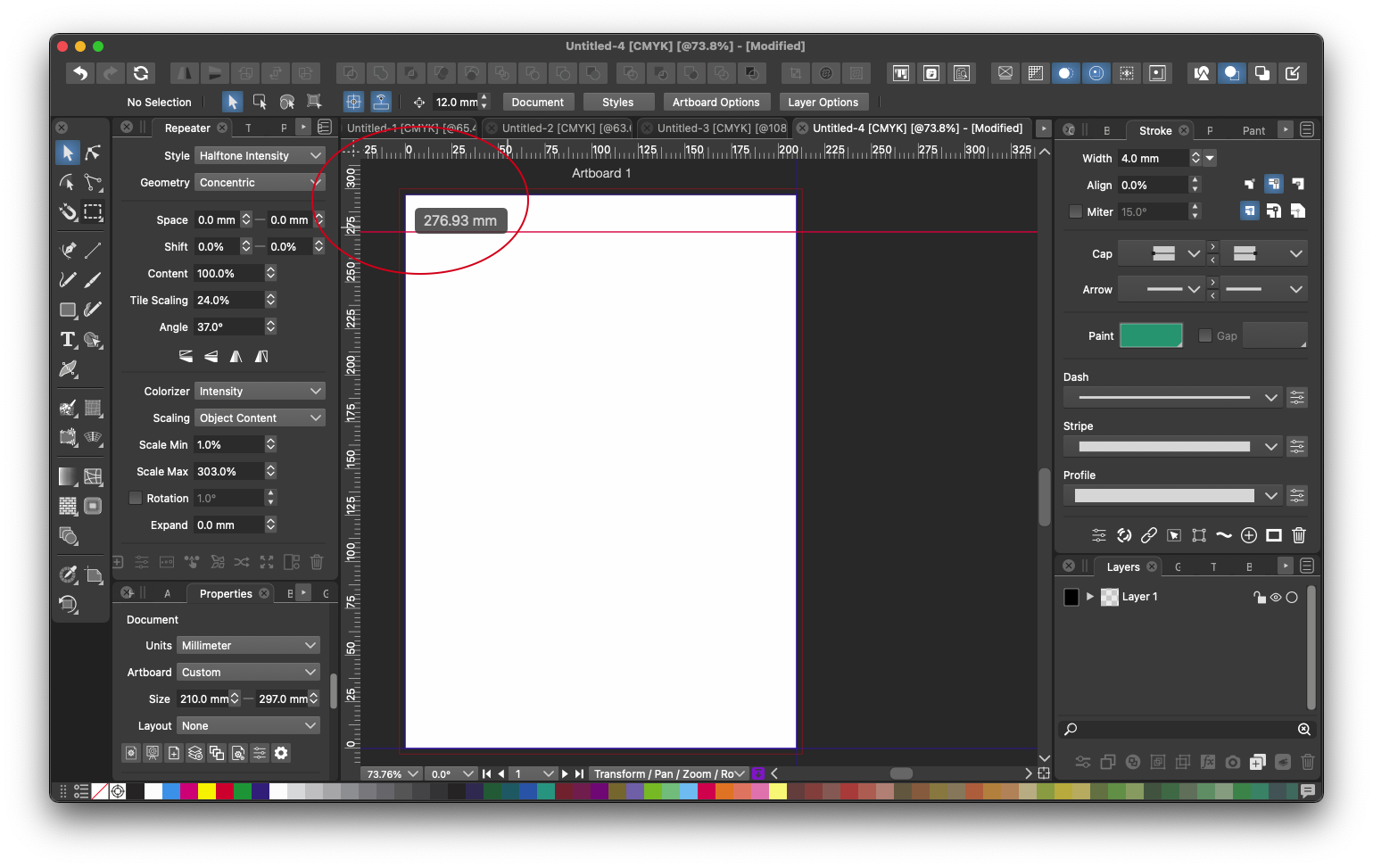
      @Ingolf This should be possible in VS by Option+Press and drag from the ruler corner. But it will not change the direction, only the location of the origin.

      b77B IngolfI 2 Replies Last reply Reply Quote 0
      • b77B Offline
        b77 @VectorStyler
        last edited by b77

        @VectorStyler said in Weird rulers:

        @Ingolf This should be possible in VS by Option+Press and drag from the ruler corner. But it will not change the direction, only the location of the origin.

        I think it should change the direction — anybody who moves the ruler origin to the top left corner needs top-down coordinates.

        And snap to the artboard corner. 🙂

        Other than that, I just downloaded the trial of CDR 2021 (a major vector graphics app, no doubt) and cartesian coordinates are the default. (Which I don't mind at all, btw).
        But as can be seen in @Ingolf's quick video, when you drag the ruler origin to the top left, it switches nicely to top-down coordinates.

        MacBook Pro (Intel) running Monterey 12.6.4

        1 Reply Last reply Reply Quote 0
        • IngolfI Offline
          Ingolf @VectorStyler
          last edited by

          @VectorStyler Ah.

          BTW, it says Option in the tooltip in Windows 🙂

          🍏 macOS Sequoia Apple Silicon

          VectorStylerV 1 Reply Last reply Reply Quote 1
          • VectorStylerV Offline
            VectorStyler @Ingolf
            last edited by

            @Ingolf said in Weird rulers:

            BTW, it says Option in the tooltip in Windows

            I will try to fix that. The problem is that it is configurable.

            b77B 1 Reply Last reply Reply Quote 0
            • b77B Offline
              b77 @VectorStyler
              last edited by b77

              @VectorStyler An elegant solution could be to integrate this choice invisibly into a Start Window, where if the user chooses a web size artboard/preset document (say, 960x1600px), it creates it with top-down coordinates.

              MacBook Pro (Intel) running Monterey 12.6.4

              1 Reply Last reply Reply Quote 2
              • First post
                Last post