VectorStyler
    • Categories
    • Unread
    • Recent
    • Tags
    • Popular
    • Register
    • Login

    Some Distortion tools not working
    Scheduled Pinned Locked Moved VectorStyler 1.1 Bugs
    22 Posts 5 Posters 34.3k Views 4 Watching
    Loading More Posts
    • Oldest to Newest
    • Newest to Oldest
    • Most Votes
    Reply
    • Reply as topic
    Log in to reply
    This topic has been deleted. Only users with topic management privileges can see it.
    • DazmondoD Offline
      Dazmondo @VectorStyler
      last edited by

      @VectorStyler said in Some Distortion tools not working:

      @Dazmondo send me a file, it might help replicating it.

      Just discovered that editing via the sliders is working see vid:
      https://drive.google.com/file/d/1IGDlQQJ1pz1d-IFhZhA2KinnlcMYsLnr/view?usp=sharing

      1 Reply Last reply Reply Quote 0
      • DazmondoD Offline
        Dazmondo
        last edited by

        0_1659010343612_TestQ.vstyler

        Heres the example from the vid

        Thank's

        BoldlineB VectorStylerV 2 Replies Last reply Reply Quote 0
        • Devil DinosaurD Offline
          Devil Dinosaur
          last edited by

          works here, I can change the settings of the inflate ๐Ÿค”

          Fred.
          MacBook Pro (M1) - MacOs Sonoma 14

          1 Reply Last reply Reply Quote 0
          • BoldlineB Offline
            Boldline @Dazmondo
            last edited by

            @Dazmondo
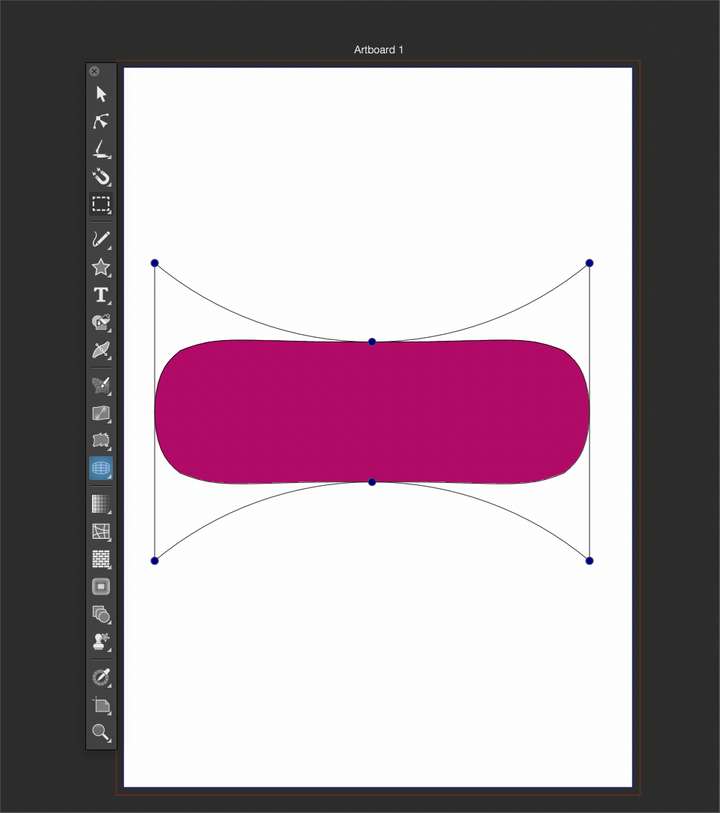
            Seems to be working here
            0_1659011596357_f914cc38-ad8b-447b-87ff-fd94828c7386-BLD 2022-07-28 at 08.32.55.png

            ๐ŸŽ macOS Tahoe 26.2, Mac mini (M1, 2020), Chip Apple M1, Memory 16 GB
            Cintiq 27QHD Display and LG Ultra HD Display

            1 Reply Last reply Reply Quote 0
            • VectorStylerV Offline
              VectorStyler @Dazmondo
              last edited by

              @Dazmondo said in Some Distortion tools not working:

              Heres the example from the vid

              It is working here also. But one observation, that might be an issue: selecting the effect tool from the toolbox will add a new effect if it does not match the already added effect.

              Also: select the object and in the Shape Effects panel click the second icon at the bottom. This activates the shape effect editor for the selected effect.

              DazmondoD 1 Reply Last reply Reply Quote 0
              • DazmondoD Offline
                Dazmondo @VectorStyler
                last edited by

                @VectorStyler Damn ---- heres another vid: https://drive.google.com/file/d/1N4Flbov1s7s88hdBz9No776AhrH1ewzW/view?usp=sharing

                VectorStylerV b77B 2 Replies Last reply Reply Quote 0
                • VectorStylerV Offline
                  VectorStyler @Dazmondo
                  last edited by VectorStyler

                  @Dazmondo said in Some Distortion tools not working:

                  @VectorStyler Damn ---- heres another vid: https://drive.google.com/file/d/1N4Flbov1s7s88hdBz9No776AhrH1ewzW/view?usp=sharing

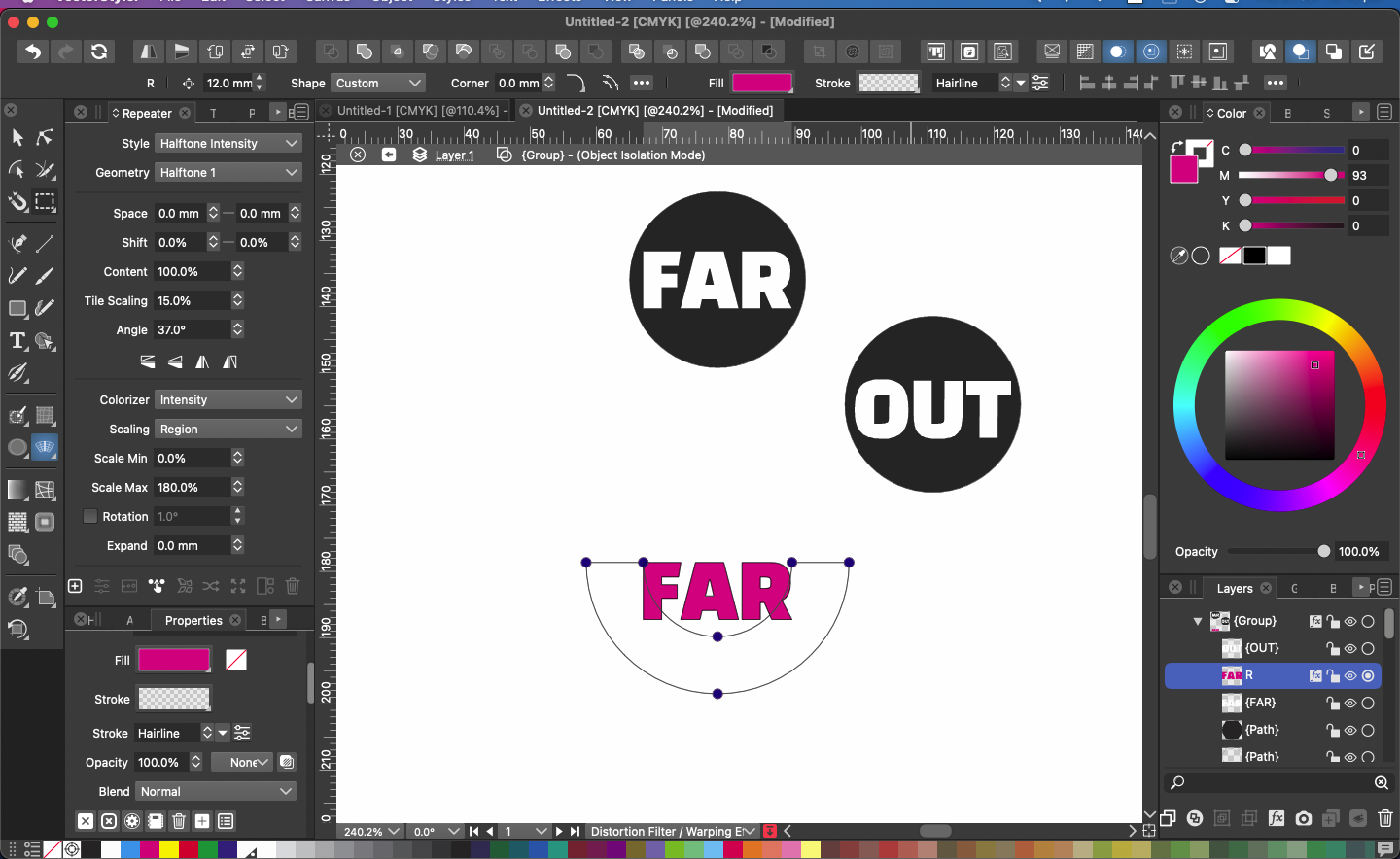
                  There seems to be some issue with showing and updating the handles in those editors. I added this to the backlog.

                  EDIT: try a Command+R for refresh / update if the handles are off.

                  b77B DazmondoD 2 Replies Last reply Reply Quote 0
                  • b77B Offline
                    b77 @VectorStyler
                    last edited by

                    @VectorStyler Could be some glitch related to some setting in @Dazmondo 's Preferences.

                    MacBook Pro (Intel) running Monterey 12.6.4

                    VectorStylerV 1 Reply Last reply Reply Quote 1
                    • VectorStylerV Offline
                      VectorStyler @b77
                      last edited by

                      @b77 said in Some Distortion tools not working:

                      @VectorStyler Could be some glitch related to some setting in @Dazmondo 's Preferences.

                      Yes, it could be. But I would need the settings file to see that.

                      1 Reply Last reply Reply Quote 0
                      • b77B Offline
                        b77 @Dazmondo
                        last edited by b77

                        @Dazmondo Switch to Finder > click the 'Go' menu > Go to Folderโ€ฆ

                        Paste this:

                        ~/Library/Application Support/NumericPath/VectorStyler1.0/vector/data/resources

                        Hit Enter.

                        Send the two files (settings.xml and workspace.xml) to the developer.

                        MacBook Pro (Intel) running Monterey 12.6.4

                        1 Reply Last reply Reply Quote 2
                        • DazmondoD Offline
                          Dazmondo @VectorStyler
                          last edited by

                          @VectorStyler said in Some Distortion tools not working:

                          EDIT: try a Command+R for refresh / update if the handles are off.

                          I've found the problem: For some unknown reason Direct preview of changes was unticked --- now ticked and working as normal

                          b77B VectorStylerV 3 Replies Last reply Reply Quote 2
                          • b77B Offline
                            b77 @Dazmondo
                            last edited by

                            @Dazmondo Just found the same here.

                            MacBook Pro (Intel) running Monterey 12.6.4

                            1 Reply Last reply Reply Quote 0
                            • DazmondoD Offline
                              Dazmondo
                              last edited by

                              Thanks guys ๐Ÿ‘ ๐Ÿ‘ ๐Ÿ‘ ๐Ÿ˜Œ

                              1 Reply Last reply Reply Quote 0
                              • VectorStylerV Offline
                                VectorStyler @Dazmondo
                                last edited by

                                @Dazmondo said in Some Distortion tools not working:

                                I've found the problem: For some unknown reason Direct preview of changes was unticked --- now ticked and working as normal

                                Ok, but this could also be a bug. When the mouse is released, the effect should apply.

                                1 Reply Last reply Reply Quote 0
                                • VectorStylerV Offline
                                  VectorStyler @Dazmondo
                                  last edited by

                                  @Dazmondo said in Some Distortion tools not working:

                                  I've found the problem: For some unknown reason Direct preview of changes was unticked --- now ticked and working as normal

                                  Yes, now I can replicate and it is a bug.

                                  DazmondoD 1 Reply Last reply Reply Quote 1
                                  • DazmondoD Offline
                                    Dazmondo @VectorStyler
                                    last edited by

                                    @VectorStyler said in Some Distortion tools not working:

                                    @Dazmondo said in Some Distortion tools not working:

                                    I've found the problem: For some unknown reason Direct preview of changes was unticked --- now ticked and working as normal

                                    Yes, now I can replicate and it is a bug.

                                    ๐Ÿ‘

                                    BoldlineB 1 Reply Last reply Reply Quote 0
                                    • BoldlineB Offline
                                      Boldline @Dazmondo
                                      last edited by Boldline

                                      The next bug fix build release is hereby dedicated to @Dazmondo for the numerous recent Bug discoveries both intentional and the inadvertent!
                                      Special thanks to @VectorStyler for hitting clean-up ๐Ÿ˜ƒ

                                      ๐ŸŽ macOS Tahoe 26.2, Mac mini (M1, 2020), Chip Apple M1, Memory 16 GB
                                      Cintiq 27QHD Display and LG Ultra HD Display

                                      1 Reply Last reply Reply Quote 2
                                      • First post
                                        Last post