Switching back to VS from another software program causes gray screen in VS temporarily
-
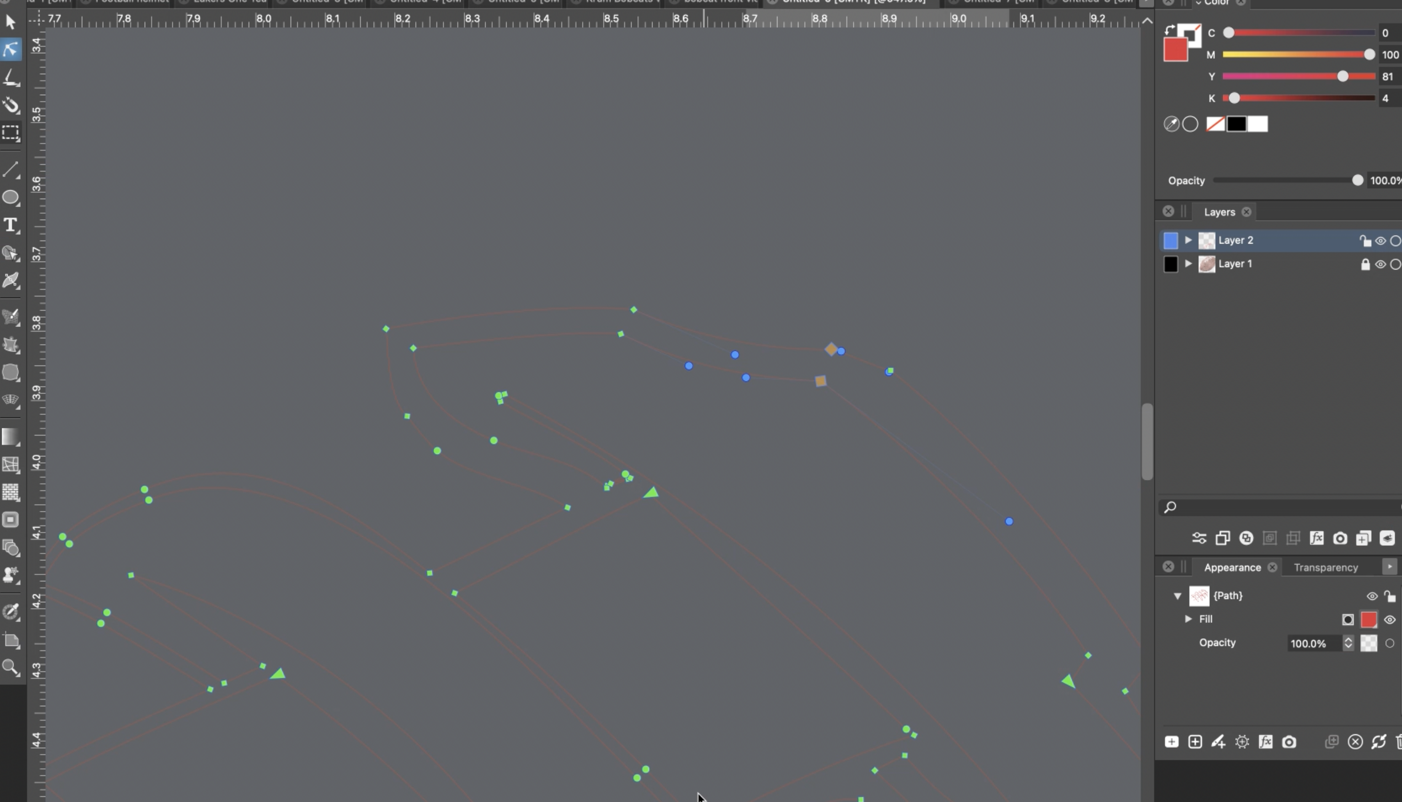
On the M1 mac laptop, if I switch between programs and back to VS, the screen space inside VS goes gray temporarily and any paths appear invisible for a few seconds before correcting themselves. I have the display set to "metal" in the preferences.
-
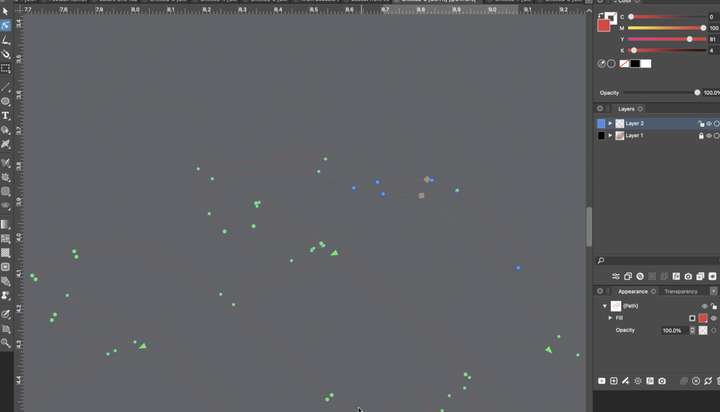
This may or may not be related to the issue above, but I also run into issues switching between open VS files within VS itself. If I switch around, the screen space inside VS goes gray for a few seconds. Here is a video of that
I end up having to click away and back again, or scaling the image some to get it to display properly. This happens often.
This is a screenshot of the issue. Where it is solid gray, there is supposed to be artwork.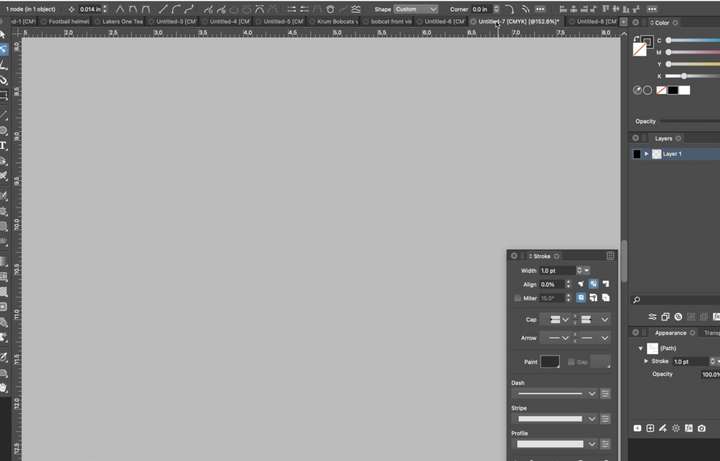
-
@Boldline These issues are possibly related. The second case (switching between VS documents) could be caused by the redraw when documents are switched. This is done intentionally, but it should be much faster on an M1 mac.
I just tested on the first gen M1 Mac Mini and I did not see any delay in the refresh.
One thing to check: how much memory VS uses when all these documents are open (in Activity Monitor).
Also, send me the settings file, it could be related to some of the settings, and I can try replicating with those settings. -
@VectorStyler Don't know if this is related, but I've been seeing blank/missing panels when maximising from a minimised state in Big Sur 11.6.7 and 11.6.8 for the last few VS updates - this is on an Intel cheese grater 5,1 mac pro with 48gb of ram - the problem lasts around 10 to 15 seconds once you start moving the mouse over these areas
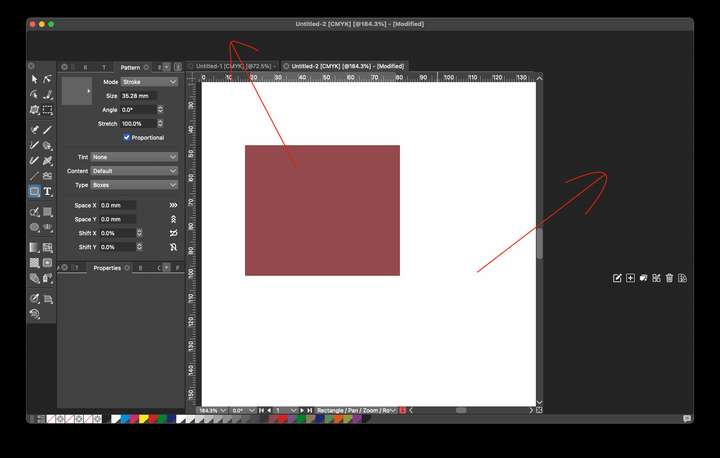
It's sometimes just one panel or all panels - seems to be a recent thing that I first noticed maybe about 2 weeks ago - no big deal really, as everything is back to normal in around 15 seconds, just wondered if anyone else gets this?
-
@Dazmondo I will try to replicate this.
-
This is certainly related - on the Mac Mini with 16GB of RAM and not many other programs open and VS using less than 1GB of RAM) - just switching back to VS from using another program, the screen is gray and stays that way until I press a tool or scale the document view. Short video of this happening.


