VectorStyler
    • Categories
    • Unread
    • Recent
    • Tags
    • Popular
    • Register
    • Login

    Changing colors from gradient panel
    Scheduled Pinned Locked Moved Resolved Issues
    4 Posts 3 Posters 4.7k Views 3 Watching
    Loading More Posts
    • Oldest to Newest
    • Newest to Oldest
    • Most Votes
    Reply
    • Reply as topic
    Log in to reply
    This topic has been deleted. Only users with topic management privileges can see it.
    • J Offline
      Jayanta Das
      last edited by

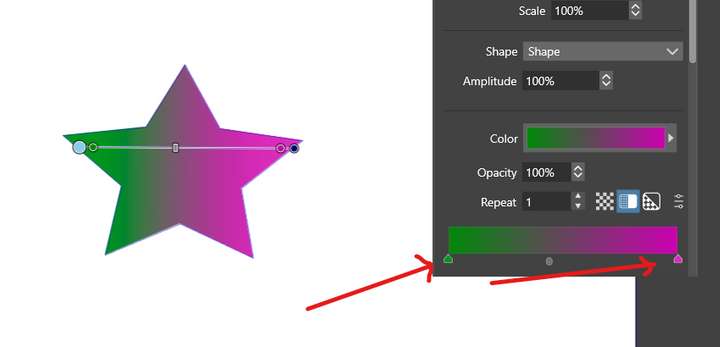
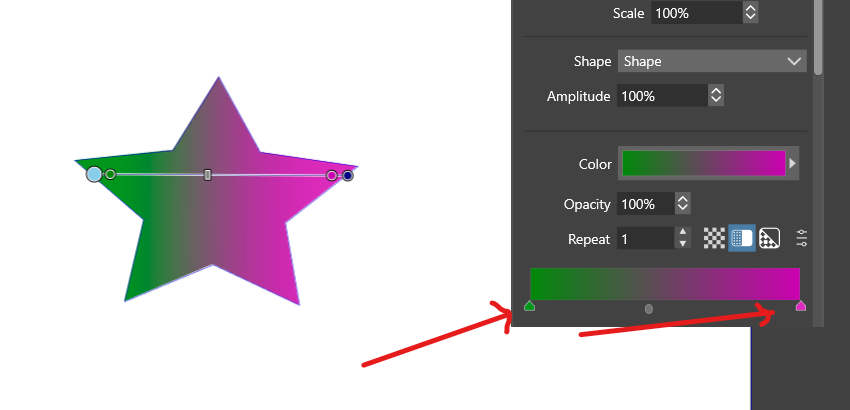
      I cant change the colors from gradent panel.0_1665755236682_Screenshot 2022-10-14 191033.png

      Mac Mini M4 Pro | 24Gb
      WIndows 11 | Intel i5 11Gen
      Wacom Intuos Pro

      b77B VectorStylerV 2 Replies Last reply Reply Quote 0
      • b77B Offline
        b77 @Jayanta Das
        last edited by b77

        @Jayanta-Das Confirmed here on the Mac.

        It works however if you double-click the color stop of the gradient bar over the object.

        MacBook Pro (Intel) running Monterey 12.6.4

        J 1 Reply Last reply Reply Quote 1
        • J Offline
          Jayanta Das @b77
          last edited by

          @b77 Yes it works from the color stop on the object but not from the gradient panel.
          .

          Mac Mini M4 Pro | 24Gb
          WIndows 11 | Intel i5 11Gen
          Wacom Intuos Pro

          1 Reply Last reply Reply Quote 0
          • VectorStylerV Offline
            VectorStyler @Jayanta Das
            last edited by

            @Jayanta-Das Yes, this is a regression in the current build. Will be fixed ASAP.

            1 Reply Last reply Reply Quote 0
            • First post
              Last post