VectorStyler
    • Categories
    • Unread
    • Recent
    • Tags
    • Popular
    • Register
    • Login

    Trying to create a simple seamless tile pattern that doesn't overlap and allows for objects outside the boundaries
    Scheduled Pinned Locked Moved Questions and Support
    3 Posts 2 Posters 3.2k Views 2 Watching
    Loading More Posts
    • Oldest to Newest
    • Newest to Oldest
    • Most Votes
    Reply
    • Reply as topic
    Log in to reply
    This topic has been deleted. Only users with topic management privileges can see it.
    • F Offline
      fewerjunk
      last edited by

      A seamless pattern, say a cube or rectangle or hexagon as allowed that creates from a group of objects a pattern that doesn't overlap, that is also editable after the fact.

      Example of what I'm working with as you can see, it's a mess that doesn't seem to allow for objects outside the boundaries - say something that goes out the top and comes back at the bottom in a way that completes the object as would normally happen with a proper seamless pattern.

      A video? Step by step instructions?

      Thanks
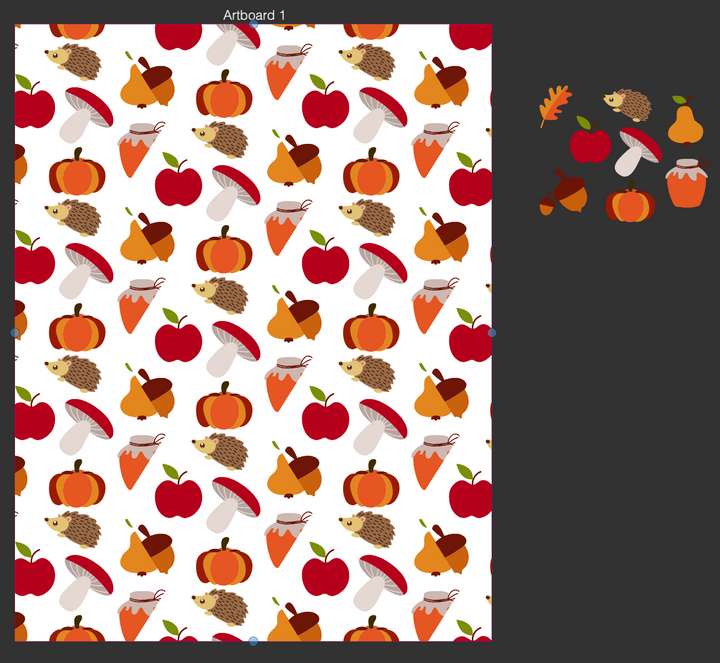
      0_1683561420812_b4a05fbc-e0ca-463b-b4f6-e53af9abd55e-image.png

      VectorStylerV 2 Replies Last reply Reply Quote 1
      • VectorStylerV Offline
        VectorStyler @fewerjunk
        last edited by

        @fewerjunk In the Pattern panel menu, disable "Clip Tiles", then either select a larger spacing for the hexagon tiling, or use the Boxes tiling again with some spacing and a Shift value.

        1 Reply Last reply Reply Quote 1
        • VectorStylerV Offline
          VectorStyler @fewerjunk
          last edited by

          @fewerjunk This might also help: https://www.vectorstyler.com/forum/topic/3045/creating-seamless-pattern-for-pattern-fills

          1 Reply Last reply Reply Quote 0
          • First post
            Last post
