VectorStyler
    • Categories
    • Unread
    • Recent
    • Tags
    • Popular
    • Register
    • Login

    update 1.1.083

    Scheduled Pinned Locked Moved Release notes of past builds
    5 Posts 3 Posters 841 Views 2 Watching
    Loading More Posts
    • Oldest to Newest
    • Newest to Oldest
    • Most Votes
    Reply
    • Reply as topic
    Log in to reply
    This topic has been deleted. Only users with topic management privileges can see it.
    • VectorStylerV Offline
      VectorStyler
      last edited by

      VectorStyler 1.1.083 release notes

      • Fixed separate path regression when using the eraser tool.
      • Fixed the use of transparency content role and text inside transparency masks.
      • Allow cutting path at the selected node also in the scissor tool.
      • Fixed bug in the union operation on certain shapes.
      • Group opacity in CMYK mode to render correctly.
      • Allow selecting and changing same colors inside groups.
      • Clicking on an empty area with the magic wand tool should deselect.
      • Stroke width tool to allow insertion of new nodes near existing ones.
      • Union commands from context and path panels should use the same options.
      • Split text command on multiple selected text shapes to position text correctly.
      • Correct pivot point when rotating part of a path.
      BoldlineB S 3 Replies Last reply Reply Quote 8
      • BoldlineB Offline
        Boldline @VectorStyler
        last edited by

        @VectorStyler Amazing how fast you can fix the bugs and issues! thank you

        🍎 macOS Tahoe 26.2, Mac mini (M1, 2020), Chip Apple M1, Memory 16 GB
        Cintiq 27QHD Display and LG Ultra HD Display

        1 Reply Last reply Reply Quote 1
        • S Offline
          Subpath @VectorStyler
          last edited by Subpath

          @VectorStyler

          just another one who is impressed 🙂

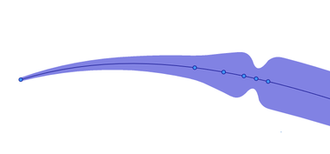
          ... Stroke width tool to allow insertion of new nodes near existing ones...

          works well now
          0_1684173368221_Stroke width.png

          Win 11
          CPU: AMD Ryzen 5 9600X, 6-core.
          GPU: Nvidia Geforce RTX 5070.

          1 Reply Last reply Reply Quote 3
          • BoldlineB Offline
            Boldline @VectorStyler
            last edited by Boldline

            @VectorStyler said in update 1.1.083:

            Allow selecting and changing same colors inside groups.

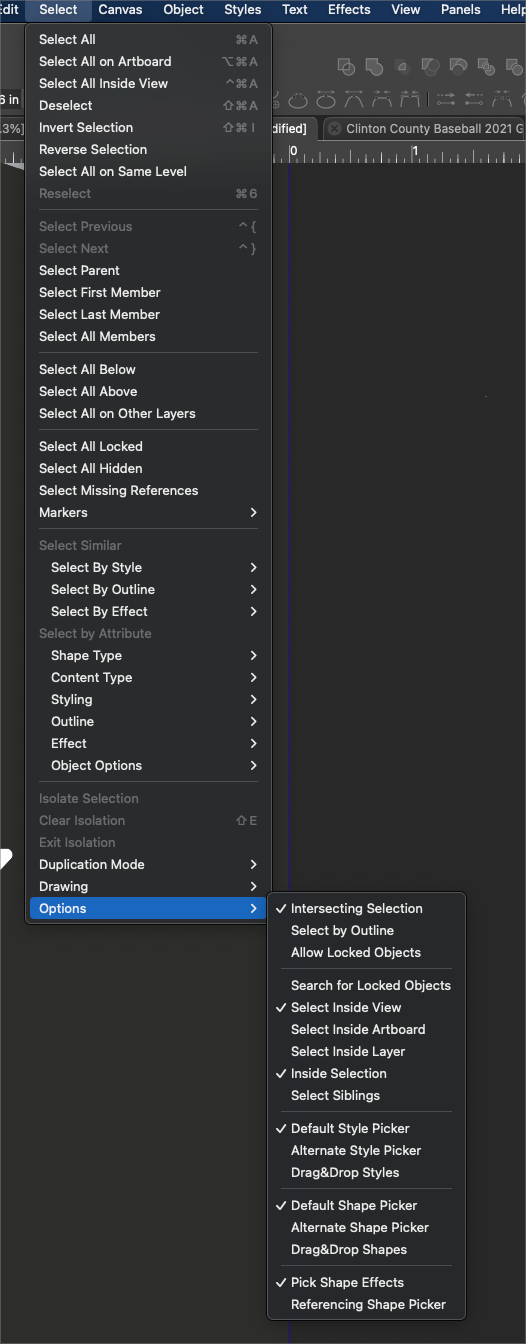
            Is there a setting in the "select' options that I need to click on to allow for selecting and changing colors inside groups? Right now in build 84, I am selecting an object inside of a group with the node editing tool and I see the color show up in the color palette. I cannot change it by clicking on another color in the color palette or by using "select>style" etc. Is there another setting I need to modify to get this to work?

            UPDATE: Seems like some things can be updated and some cannot within a group. I'll investigate further and report back.
            0_1684343367242_aea3ba91-3ea6-4b7c-b9de-fc7963878669-BLD 2023-05-17 at 13.07.52.png

            🍎 macOS Tahoe 26.2, Mac mini (M1, 2020), Chip Apple M1, Memory 16 GB
            Cintiq 27QHD Display and LG Ultra HD Display

            VectorStylerV 1 Reply Last reply Reply Quote 0
            • VectorStylerV Offline
              VectorStyler @Boldline
              last edited by

              @Boldline The context panel has the "deep select" mode for the transform tool. I tested with that.
              Also, the Magic Wand tool should "deep select" now.

              1 Reply Last reply Reply Quote 0
              • First post
                Last post