VectorStyler
    • Categories
    • Unread
    • Recent
    • Tags
    • Popular
    • Register
    • Login

    Pen tool has stopped working
    Scheduled Pinned Locked Moved VectorStyler 1.1 Bugs
    18 Posts 4 Posters 15.0k Views 3 Watching
    Loading More Posts
    • Oldest to Newest
    • Newest to Oldest
    • Most Votes
    Reply
    • Reply as topic
    Log in to reply
    This topic has been deleted. Only users with topic management privileges can see it.
    • BoldlineB Offline
      Boldline
      last edited by

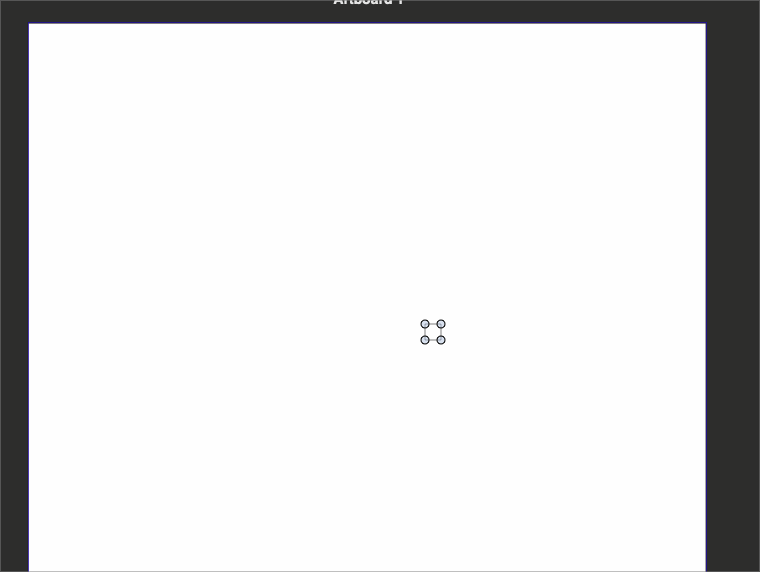
      I don't know if it's related, but each time I switch between open tabs now, the art board gets pulled to a new location temporarily
      https://recordit.co/iA2txFuiUi

      🍎 macOS Tahoe 26.2, Mac mini (M1, 2020), Chip Apple M1, Memory 16 GB
      Cintiq 27QHD Display and LG Ultra HD Display

      b77B 1 Reply Last reply Reply Quote 0
      • b77B Offline
        b77 @Boldline
        last edited by

        @Boldline Maybe restarting the app is needed?

        MacBook Pro (Intel) running Monterey 12.6.4

        1 Reply Last reply Reply Quote 0
        • BoldlineB Offline
          Boldline
          last edited by

          @b77 I tried restarting VS, refreshing VS and then also restarting the entire computer and nothing has worked. I reset the workspace back to default and it still did not work, but when I deleted the strange rectangle invisible shape, I was able to use the pen tool again

          🍎 macOS Tahoe 26.2, Mac mini (M1, 2020), Chip Apple M1, Memory 16 GB
          Cintiq 27QHD Display and LG Ultra HD Display

          b77B 1 Reply Last reply Reply Quote 1
          • b77B Offline
            b77 @Boldline
            last edited by b77

            @Boldline It's Bermuda's T̶r̶i̶a̶n̶g̶l̶e̶ Square. 😆

            MacBook Pro (Intel) running Monterey 12.6.4

            BoldlineB 1 Reply Last reply Reply Quote 1
            • BoldlineB Offline
              Boldline @b77
              last edited by

              @b77 it was totally odd and crazy, that’s for sure!

              🍎 macOS Tahoe 26.2, Mac mini (M1, 2020), Chip Apple M1, Memory 16 GB
              Cintiq 27QHD Display and LG Ultra HD Display

              1 Reply Last reply Reply Quote 0
              • VectorStylerV Offline
                VectorStyler @Boldline
                last edited by

                @Boldline The small (single) nodes cannot be scaled (there is no size).

                And if they are selected, it seems that the Pen tool indeed is not working.

                Try without having them selected, or remove these small nodes from the Layers panel.

                I will try to figure out what happens with the Pen tool when these are selected.

                1 Reply Last reply Reply Quote 1
                • AyoA Offline
                  Ayo
                  last edited by

                  My pen tool stopped also with the same a small invisible rectangle.

                  BoldlineB VectorStylerV 2 Replies Last reply Reply Quote 1
                  • BoldlineB Offline
                    Boldline @Ayo
                    last edited by

                    @Ayo I'm glad I'm not the only one! I think based on the post in this thread, @VectorStyler said he was able to replicate it and would try to get to the bottom of it. I'm not sure where it came from but I'll be very glad when it's fixed and gone

                    🍎 macOS Tahoe 26.2, Mac mini (M1, 2020), Chip Apple M1, Memory 16 GB
                    Cintiq 27QHD Display and LG Ultra HD Display

                    1 Reply Last reply Reply Quote 0
                    • VectorStylerV Offline
                      VectorStyler @Ayo
                      last edited by

                      @Ayo said in Pen tool has stopped working:

                      My pen tool stopped also with the same a small invisible rectangle.

                      The problem was replicated here also. If those small points are selected then the Pen tool cannot extend them.
                      Delete those objects, or start without a selection when using the Pen tool.

                      The fix will be in the next build.

                      BoldlineB 1 Reply Last reply Reply Quote 2
                      • BoldlineB Offline
                        Boldline @VectorStyler
                        last edited by

                        @VectorStyler I've upgraded to build 87 but I'm still having issues with the pen tool not working and creating a small invisible rectangle. It worked for a short time and then reverted back to the issue. Deleting the invisible square does not fix the problem.
                        Sometimes I can use the pencil tool to start a stroke and then switch to the pen tool to continue it.

                        Sometimes as I am using the pen tool, I'm getting a small indicator circle at the bottom left corner of the artboard that goes away.
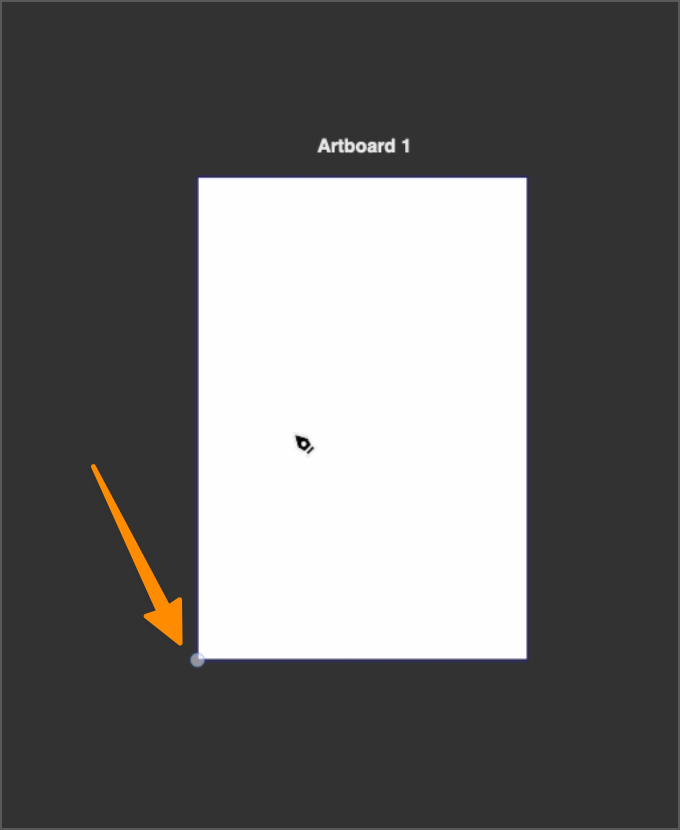
                        0_1686587531813_c8436a16-5720-457d-a0c8-ec77343c1ec1-BLD 2023-06-12 at 12.31.06@2x.png

                        Here is a video showing how I can use an existing pencil stroke to continue the path with the pen tool, but if I click off that path and try to make a new one with the pen tool, it fails

                        🍎 macOS Tahoe 26.2, Mac mini (M1, 2020), Chip Apple M1, Memory 16 GB
                        Cintiq 27QHD Display and LG Ultra HD Display

                        BoldlineB 1 Reply Last reply Reply Quote 1
                        • BoldlineB Offline
                          Boldline @Boldline
                          last edited by

                          @VectorStyler

                          I sent you the test file I just made as well as the settings/workspace files.
                          Using the file I sent, I was noticing the invisible boxes show up in the layers panel.
                          I can select them using the layers panel and some of them, I can scale.

                          🍎 macOS Tahoe 26.2, Mac mini (M1, 2020), Chip Apple M1, Memory 16 GB
                          Cintiq 27QHD Display and LG Ultra HD Display

                          1 Reply Last reply Reply Quote 0
                          • BoldlineB Offline
                            Boldline
                            last edited by

                            @VectorStyler ok so deleting the existing settings/workspace files (the ones I emailed you already) fixes the problem with the pen tool here. If anything changes with this, I will let you know

                            🍎 macOS Tahoe 26.2, Mac mini (M1, 2020), Chip Apple M1, Memory 16 GB
                            Cintiq 27QHD Display and LG Ultra HD Display

                            1 Reply Last reply Reply Quote 1
                            • First post
                              Last post
