Toolbox is off on 13" screens
-
Hello, I'm using a 13" MacBook Pro and noticed that the Toolbox (on the left) is longer that can be fit on the display, therefore some of the items towards the bottom are not visible.
In case of the Context Toolbar at the top, it can be scrolled left/right with the mouse (with the SHIFT key down) so those parts that are hidden can be scrolled/moved into view.
Would be nice to have this scrolling functionality in the Toolbox as well. Otherwise the Toolbox have to be deattached from the side to see what's on the bottom.
macOS 12.6.7
VS 1.1.093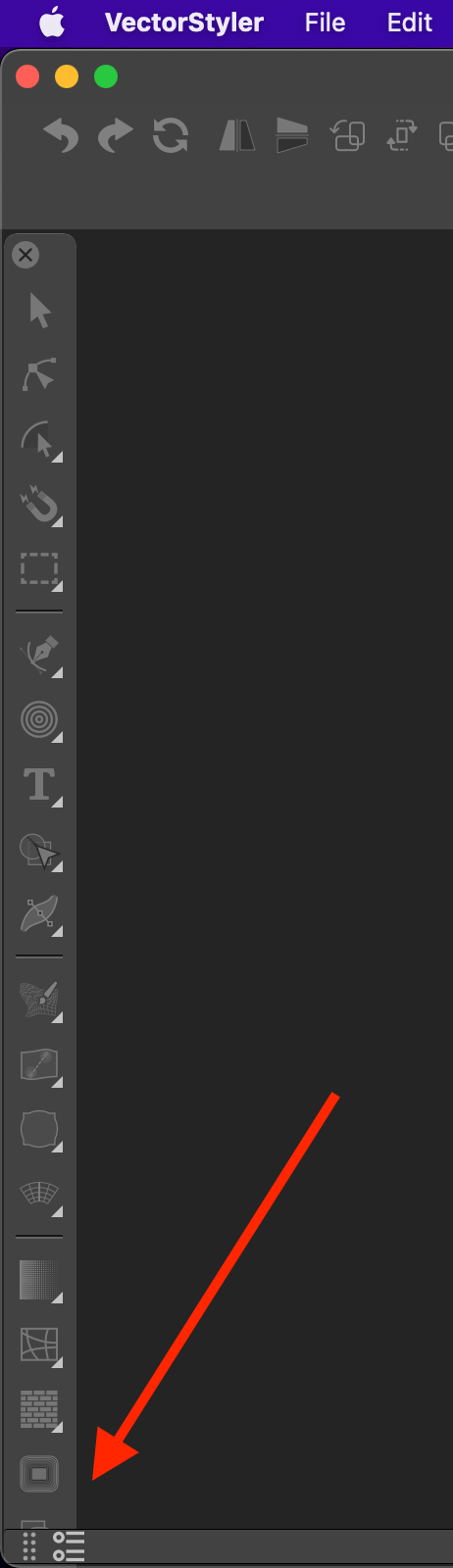
MacBook Pro 13" early 2015 8G | Intel Iris Graphics 6100 1536 MB | macOS Monterey 12.7.6
-
@pentool Welcome to VectorStyler!
The toolbox has a two-column mode which I would recommend for 13" screens — enable it from
the 'Panels' menu > Toolbox Style > Two Column Toolbox. -
@b77 Thanks for this tip! I was trying to drag its side (like on Adobe products) but that didn't work. Just downloaded the app a day ago and still have to explore the many options it offers and I have missed that Panel menu.
-
@pentool said in Toolbox is off on 13" screens:
I was trying to drag its side (like on Adobe products) but that didn't work.
Dragging the toolbox to float, or to all four sides of the view should work, you should dag from the title area just a bit right of the close knob.
When dragging to a side, there should be a blue indicator showing that it will be docked on that side. -
@pentool Dragging the toolbox from the side to resize is not possible in VS.

