Image effect Outer Glow Blend Multiply
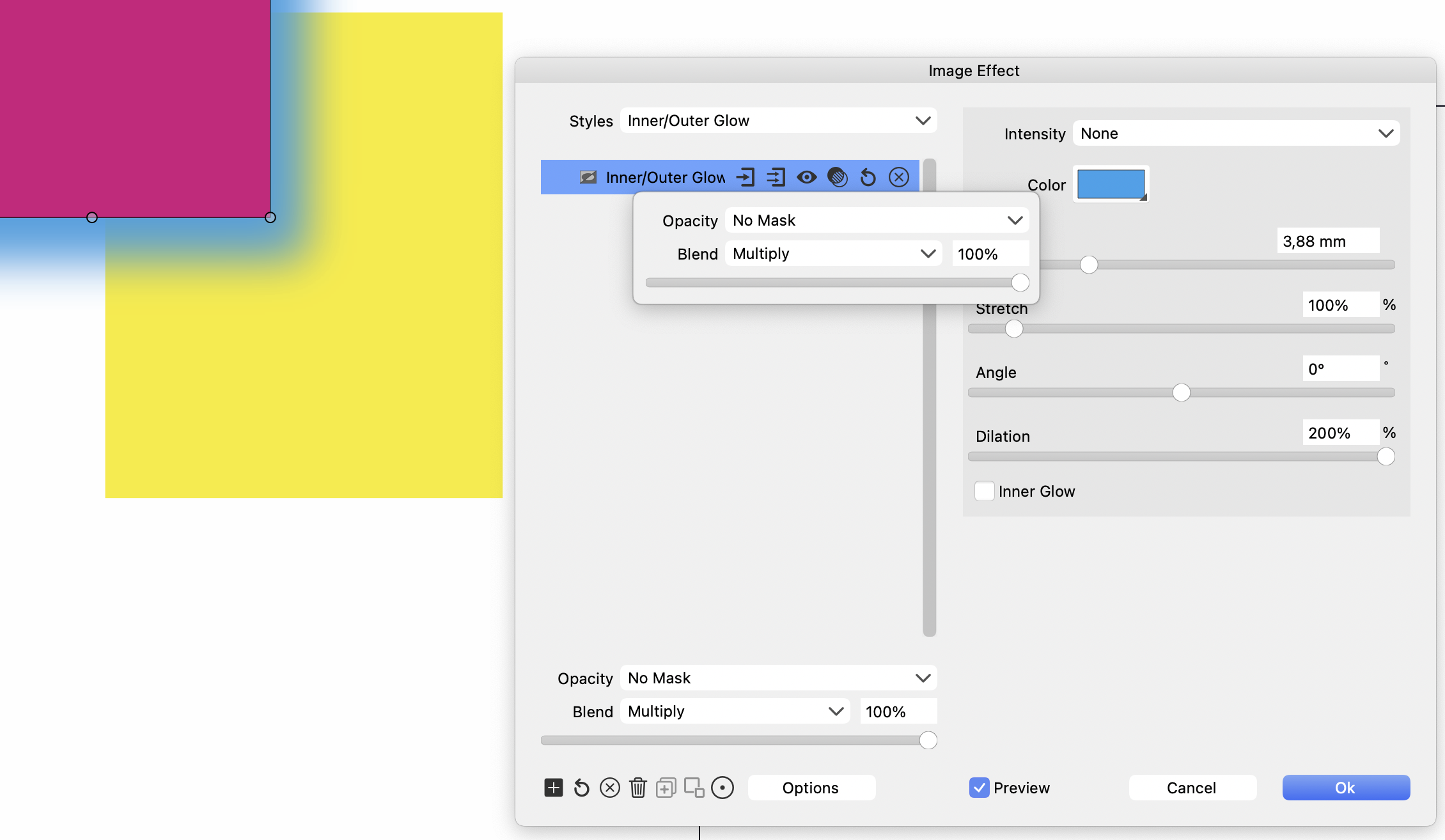
-
@Ayo Added this to the backlog as a bug
-
@Ayo said in Image effect Outer Glow Blend Multiply:
Why are there two times Opacity & Blend settings that effects selected image effect?
One if for the effect that is edited.
The other (bottom) is for the whole collection of effects to combine with the original image.
-
@Ayo Finally, got to inspect this bug more, and it turn out it is not a bug

The blend mode and opacity in the image effect settings controls how the resulting image is combined with the original image (not the backdrop).To combine with the backdrop, use the settings in the Transparency panel.
-
@VectorStyler said in Image effect Outer Glow Blend Multiply:
The other (bottom) is for the whole collection of effects to combine with the original image.
Is that useful?
Groupsetting changes/overrides Blend mode setting previously set for specific effect. Can't oversee but I don't see the benefit of it.Second problem while testing a multiple effect I run into the following error.
Situation
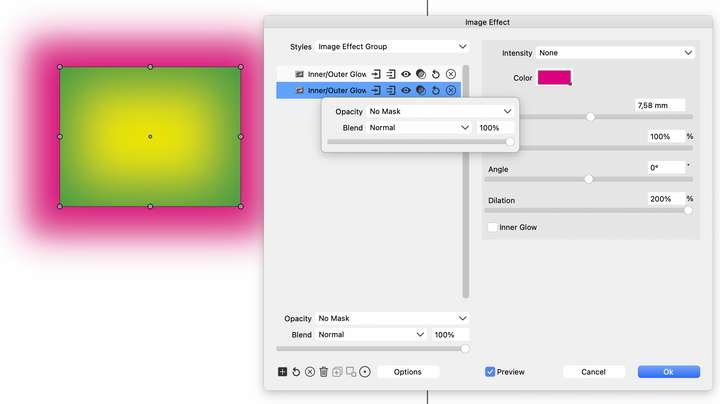
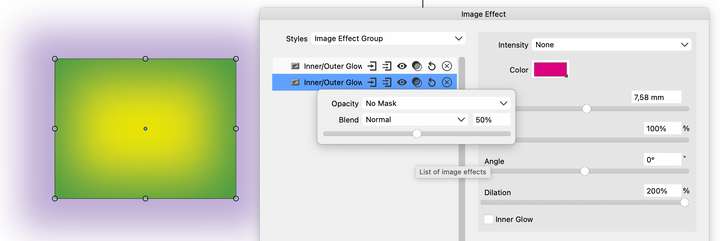
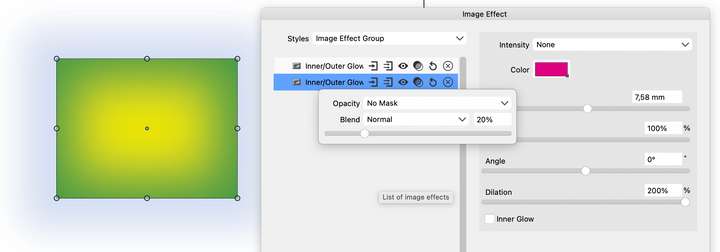
- effect 1; cyan inner glow over yellow shape/Blend multiply
- effect 2; magenta outer glow yellow shape/Blend normal
Changing the opacity in the outerglow effect from 100 to 50 to 20% changes the color from magenta to purple bluish. Should remain a shade of magenta. Seems like effects influence each other
-
@Ayo said in Image effect Outer Glow Blend Multiply:
Groupsetting changes/overrides Blend mode setting previously set for specific effect
These Blend modes are used to combine the original image with the filtered (not the backdrop), so for each stacked filter (and then the final result) the original and filtered images are different.
One important thing to know, in VS it is not possible to have the outer glow part combined with the backdrop using some composition (for now).
I will replicate this case with the two glow effects, but it is most likely the issue is the interpretation of how the opacity/blend is used.
-
@Ayo said in Image effect Outer Glow Blend Multiply:
Second problem while testing a multiple effect I run into the following error.
I tried to replicate this problem with the two glow effects, but here the color combination seemed file.
Can you send me the vstyler file with the example posted above? -
@VectorStyler said in Image effect Outer Glow Blend Multiply:
the example posted above
-
@VectorStyler said in Image effect Outer Glow Blend Multiply:
Finally, got to inspect this bug more, and it turn out it is not a bug
Do you mean that the given image example above (magenta rectangle with a cyan outer glow should give a green result on yellow background. Now keeps cyan.) is correct?
-
@Ayo The image in the original post should be correct.
I did not yet inspect the second image (for which I asked the file)
-
@VectorStyler said in Image effect Outer Glow Blend Multiply:
Finally, got to inspect this bug more, and it turn out it is not a bug
The blend mode and opacity in the image effect settings controls how the resulting image is combined with the original image (not the backdrop).If that's true, all Outer Glow Blend options would be useless since Outer Glow only reveals itself outside the object area by definition.
To combine with the backdrop, use the settings in the Transparency panel.
Your suggestion to use the settings in the Transparency or Appearance panel to blend with the background concerns the object as a whole. There you cannot treat the Outer Glow separately from the object. Similar to blend & opacity in layer settings.
Correct me if you think I'm nagging
-
@Ayo said in Image effect Outer Glow Blend Multiply:
There you cannot treat the Outer Glow separately from the object. Similar to blend & opacity in layer settings.
Correct
The outer glow and some other similar effects cannot use blending mode (yet) to compose parts (glow) with the backdrop.There is a task in the backlog to improve Drop Shadow (similar situation) but it will be done after 1.2

