VectorStyler
    • Categories
    • Unread
    • Recent
    • Tags
    • Popular
    • Register
    • Login

    Color modes not updating in Canvas Color dialog
    Scheduled Pinned Locked Moved VectorStyler 1.1 Bugs
    2 Posts 2 Posters 2.8k Views 2 Watching
    Loading More Posts
    • Oldest to Newest
    • Newest to Oldest
    • Most Votes
    Reply
    • Reply as topic
    Log in to reply
    This topic has been deleted. Only users with topic management privileges can see it.
    • P Offline
      pentool
      last edited by

      1. Create a new document.
      2. In the Context Toolbar at the top press the "Document" button.
      3. In the Document Setup dialog under the Guides tab click any of the color swatches.
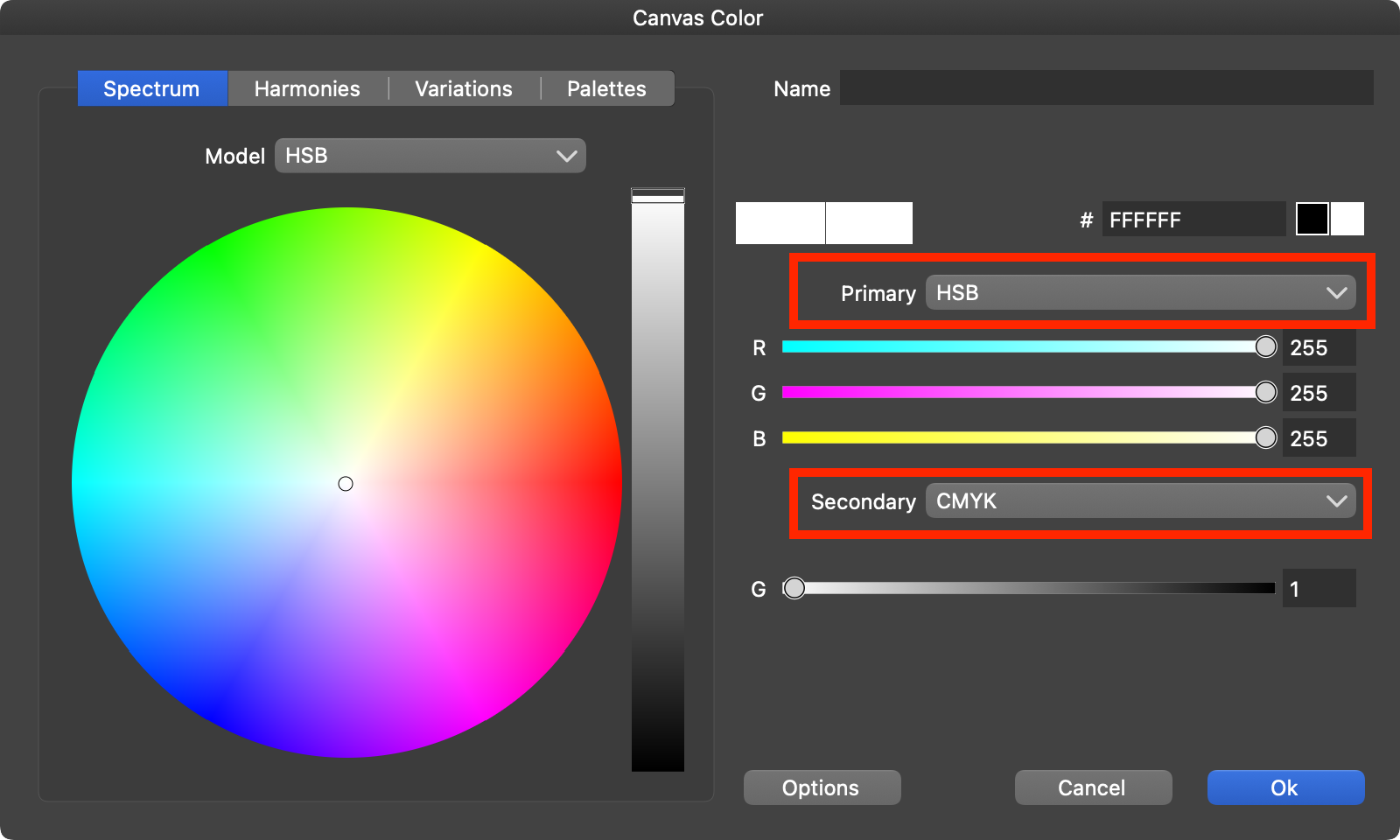
      4. Change the Primary and Secondary dropdowns to a different color mode. They are not changing.

      When you change the Secondary dropdown value, it will change when you close the dialog and reopen it. But the Primary doesn't do this.

      VS 1.1.097
      0_1691108839250_Screen Shot 2023-08-04 at 2.23.24 AM.png

      MacBook Pro 13" early 2015 8G | Intel Iris Graphics 6100 1536 MB | macOS Monterey 12.7.6

      VectorStylerV 1 Reply Last reply Reply Quote 1
      • VectorStylerV Offline
        VectorStyler @pentool
        last edited by

        @pentool Replicated here also. Looks like the color changes caused a bit of havoc. Will get the fix by early next week.

        1 Reply Last reply Reply Quote 0
        • First post
          Last post