DOCUMENTATION: No definition for a few Grid menu items
-
I know you mentioned the documentation needs update, but I'm just jotting this down for reference.
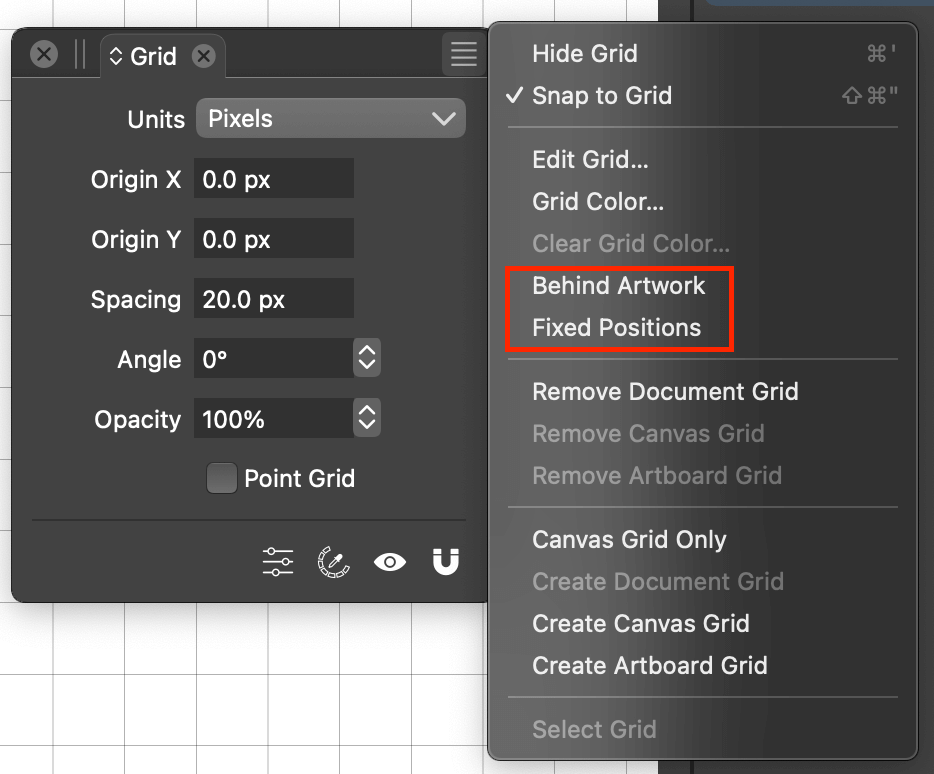
In the Grid Panel's menu there are two menu items "Behind Artwork" and "Fixed Positions" which don't have definitions in the docs. (Behind Artwork is somewhat obvious, but Fixed Positions is not so much).
Link:
https://www.vectorstyler.com/documentation/guiding/grid/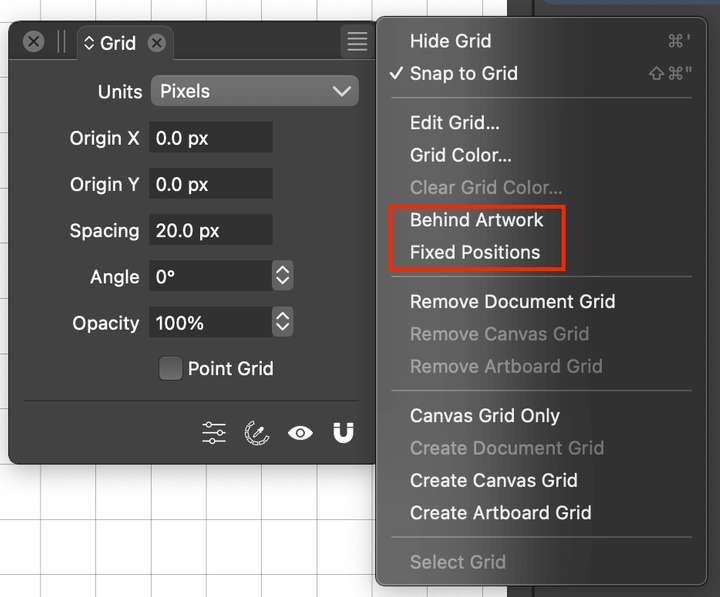
MacBook Pro 13" early 2015 8G | Intel Iris Graphics 6100 1536 MB | macOS Monterey 12.7.6
-
@VectorStyler 'Behind Artwork' is the same with 'Background Grid' checkbox
in the Grid Editor.'Fixed Positions' has a tooltip in the Grid Editor — 'Check to align the grid to
fixed positions independently of the artboard position'. I enabled it but I'm
not seeing anything different if I move the artboard. I guess I don't understand
what it does.MacBook Pro (Intel) running Monterey 12.6.4
-
-
@b77 said in DOCUMENTATION: No definition for a few Grid menu items:
Fixed Positions' has a tooltip in the Grid Editor
What is the artboard position? if it is a multiple of the grid space than this option has no effect.
-
@VectorStyler The size of the artboard doesn't seem to matter — moving or scaling the
artboard leaves the (default) grid unmoved no matter if 'Fixed Positions' is enabled or not.
So I still don't understand what 'Fixed Positions' should do. I thought it should move the
grid when you move the artboard.
-
@b77 Test with this file: 0_1691573687231_pagegrid1.vstyler
Make sure that the Grid panel menu -> Select grid -> Artboard Grid is checked.
-
@VectorStyler It works with your file as it should.

But it doesn't work with this one, and the 'Select Grid' submenu is greyed out here.This one with the default grid:
0_1691575000941_ds_default grid.vstyler -
@b77 These files have a canvas wide grid. The option works on artboard grids only.
Maybe it should be greyed out for canvas grid. -
@VectorStyler Does the canvas have a grid by default?
I did reset the app to defaults just yesterday, that's why I'm asking. -
Personally I find all this very confusing. I think some parts of the grid system is great, you can define multiple vertical/horizontal grids, also each can have an angle, etc, but I think the grid is just way overcomplicated and difficult to understand. I'm not sure if anyone will need such a complex grid universe.
I mean, people have been creating layouts and publications and designs of all sorts with simple grids in the past few decades, let it be single page, multi page, you name it.
You can setup an ISO grid, or even a dimetric/trimetric grid, or a 3D grid with XYZ planes in any direction, great. But multiple grids for multiple artboards and multiple canvases, plus the document grid, and they all can be present at the same time (or not) and they can all move and positioned individually or in sync and fly through galaxies of unknown origin defying space and time... I find that to be way too much information to digest - let alone trying to manage all this.
But hey, I guess it's there in case Einstein needs to define a new relativity theory or something

-
I won't rush to say that more complex arrangements with multiple grids are not
needed — maybe the developer had something in mind with that and didn't get
around to post a tutorial with a specific case where this is needed.In any case, an app can be complex for when complex stuff is needed, as long
as the complex parts cannot be enabled by mistake and don't interfere with the
expected behavior for basic stuff.

