VectorStyler
    • Categories
    • Unread
    • Recent
    • Tags
    • Popular
    • Register
    • Login

    Cannot copy/paste object through layer selection

    Scheduled Pinned Locked Moved VectorStyler 1.1 Bugs
    5 Posts 3 Posters 6.1k Views 2 Watching
    Loading More Posts
    • Oldest to Newest
    • Newest to Oldest
    • Most Votes
    Reply
    • Reply as topic
    Log in to reply
    This topic has been deleted. Only users with topic management privileges can see it.
    • P Offline
      pentool
      last edited by pentool

      In the Layers Panel menu > Panel Options, I have "Select Hilited" and "Hilite Selected" checked. (If you don't have these checked then you can only select an object by clicking on the circle in the Layers panel.)

      1. Create a few objects
      2. Click one of the objects in the Layers panel to select it
      3. Command+C to copy
      4. Click on the artboard to deselect the object
      5. Command+V to paste
      6. Now you have font object that says "{{Path}}" pasted into the artboard instead of the object you selected

      VS 1.1.100

      MacBook Pro 13" early 2015 8G | Intel Iris Graphics 6100 1536 MB | macOS Monterey 12.7.6

      VectorStylerV 1 Reply Last reply Reply Quote 0
      • BoldlineB Offline
        Boldline
        last edited by Boldline

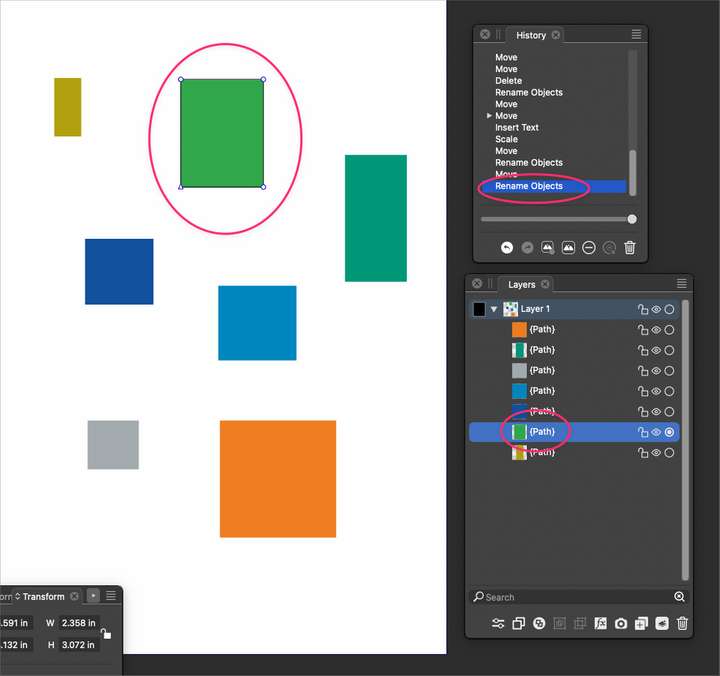
        @pentool Unless I did it wrong, I didn't get the "{{Path}}" but the regular "{Path}"
        and instead of making a new copy of the green square as I'd expect and pasting it overtop the first green square on a new layer, it didn't do anything aside from an action in the history panel called " rename objects"
        0_1692048846895_f3772d53-6ad7-4e9e-80c8-1c7c102cee61-BLD 2023-08-14 at 17.32.11.png

        🍎 macOS Tahoe 26.2, Mac mini (M1, 2020), Chip Apple M1, Memory 16 GB
        Cintiq 27QHD Display and LG Ultra HD Display

        1 Reply Last reply Reply Quote 0
        • P Offline
          pentool
          last edited by pentool

          Sorry, I think I forgot one step between the copy and paste. You need to click on the artboard to deselect the object (step 4). I revised the steps accordingly. If you still cannot see it, I will make a video.

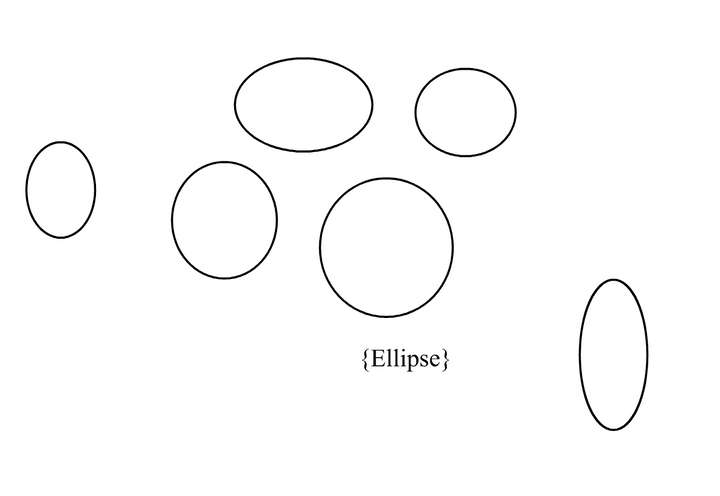
          This is what you get after pasting. The word {Ellipse}. Well, it was "{Path}" before - depends on the shape you draw.
          0_1692049743554_Screen Shot 2023-08-14 at 11.48.11 PM.png

          MacBook Pro 13" early 2015 8G | Intel Iris Graphics 6100 1536 MB | macOS Monterey 12.7.6

          1 Reply Last reply Reply Quote 0
          • VectorStylerV Offline
            VectorStyler @pentool
            last edited by

            @pentool By default, copying in the Layers panel copies the name of the objects (as text), and pasting renames the objects. This can be used to batch rename larger number of objects using names copied from a text editor.

            This can be changed to object copy / paste in the panel menu -> Panel Options -> Object Pasteboard checkbox.

            1 Reply Last reply Reply Quote 1
            • P Offline
              pentool
              last edited by

              Got it, thanks!

              MacBook Pro 13" early 2015 8G | Intel Iris Graphics 6100 1536 MB | macOS Monterey 12.7.6

              1 Reply Last reply Reply Quote 1
              • First post
                Last post
