Toolbox items without icon
-
This can't be right:
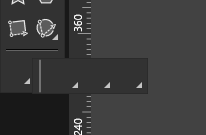
Some toolbox groups have no default selected, which I would think should never happen. But in this case (see screenshot) we cannot even open the sub groups to select a default item.
(vs 1.2.018)
-
@maarten Was the toolbox customized? What actions were added into that group?
The customized toolbox can be exported from the toolbox editor view, if you can send me that file I will try to find out what could cause this. -
Thanks for your response. It's indeed a customized toolbox. Here's the json.
-
@maarten Got it. Currently, the toolbox does not support menu folders at depth 3 or more.
Only 2 levels of folders are supported:- first level: a visual grouping in the toolbox.
- second level: popover with tools.
-
@VectorStyler said in Toolbox items without icon:
@maarten Got it. Currently, the toolbox does not support menu folders at depth 3 or more.
Only 2 levels of folders are supported:- first level: a visual grouping in the toolbox.
- second level: popover with tools.
Than I think it would help to block the possibility in the configuration menu to go this deep. so users cannot make this mistake and there's no confusion about it.
-
Than I think it would help to block the possibility in the configuration menu to go this deep. so users cannot make this mistake and there's no confusion about it.
Although this does not solve the other issue; that also single level folders don't have a default item selected and show no icon until you first select one tool inside. I would expect that there's always an item selected, also after firstly adding this group.
