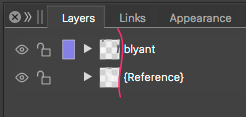
A large preview accidently appears in layer panel
-
Perhaps not a bug, but annoying UI anyway:
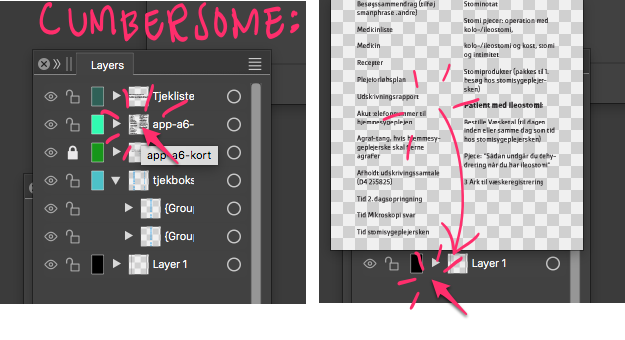
When I (in order to change the layername) accidently click twice on the layer ikon, a large preview popup appears. Only way to get rid of it is moving the cursor outside and click again. Rather cumbersome in a working process.
- I suggest letting the user click again on the very same spot to exit the popup and NOT outside the preview.
- Also an option in panel settings to switch off the preview will be helpful.
Kind regards, Raaskot
-
@Raaskot I added this to the backlog.
-
@Raaskot If you click on the mini-thumbnail image in the layer it will pop open but if you click anywhere else to the right of that mini-thumbnail, the larger thumbnail will not open. To me, this makes sense. I don't think it necessarily needs a switch off in the panel settings because it's easy to not click on the mini- thumbnail at all when renaming. Just my opinion.
I think at some point, it would help improve the user visual experience if there was a quick soft fade-in of the thumbnail and an equal fade-out
I do agree with you that when the mini-thumbnail is open, to be able to close it again by clicking again in the same location rather than outside the thumbnail box.
-
I've never unintentionally triggered this because I didn't even know it existed. So that's cool.
I agree we should be able to dismiss it with a single click. Some of us are very quick to react to UI feedback and the less mouse movement needed to complete/close out a UI action, the faster we can get back to work focusing on the canvas.
-
@Raaskot I tested this, and it should appear only when double-clicking on the small preview image.
-
@VectorStyler said in A large preview accidently appears in layer panel:
should appear only when double-clicking on the small preview image
Exactly. That's what I write

If you by accident click twice on the layer ikon (instead of clicking twice on the name-string a few pixels to the east in order to change layer name), a large preview popup appears. Only way to get rid of it is moving the cursor outside large popup and click again. The latter part is especially annoying.
To hide popup again I suggest a succeeding click anywhere should suffice.