VectorStyler
    • Categories
    • Unread
    • Recent
    • Tags
    • Popular
    • Register
    • Login

    VS is Consistently Taking Up Massive Memory
    Scheduled Pinned Locked Moved Resolved 1.2 bugs
    16 Posts 3 Posters 13.6k Views 2 Watching
    Loading More Posts
    • Oldest to Newest
    • Newest to Oldest
    • Most Votes
    Reply
    • Reply as topic
    Log in to reply
    This topic has been deleted. Only users with topic management privileges can see it.
    • BoldlineB Offline
      Boldline
      last edited by

      It starts to build almost immediately after I open a fresh VS and start working. I did not check to see if it's related to a brand new file or only for files that are existing prior to the new VS session. I will test that next.

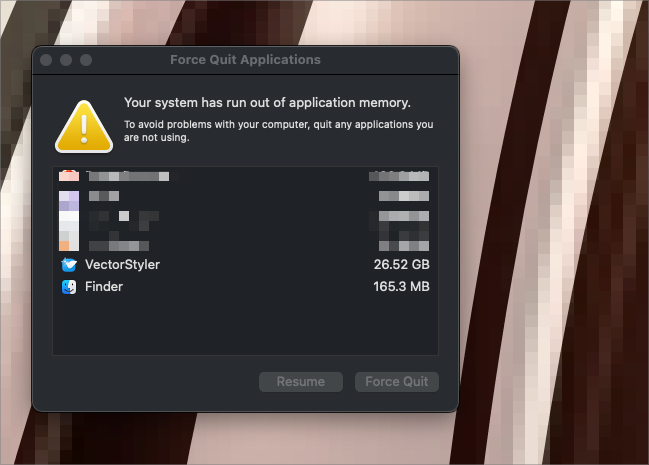
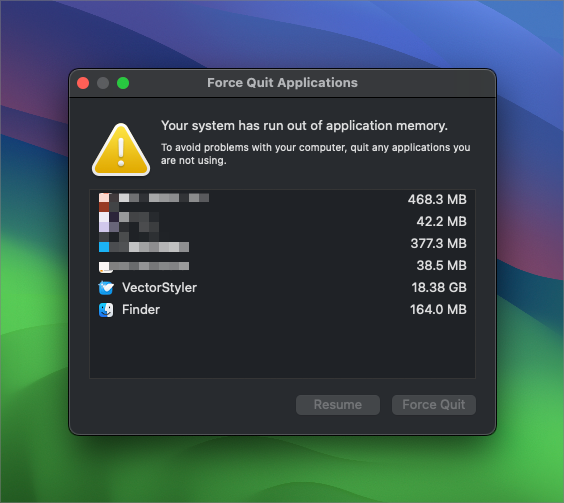
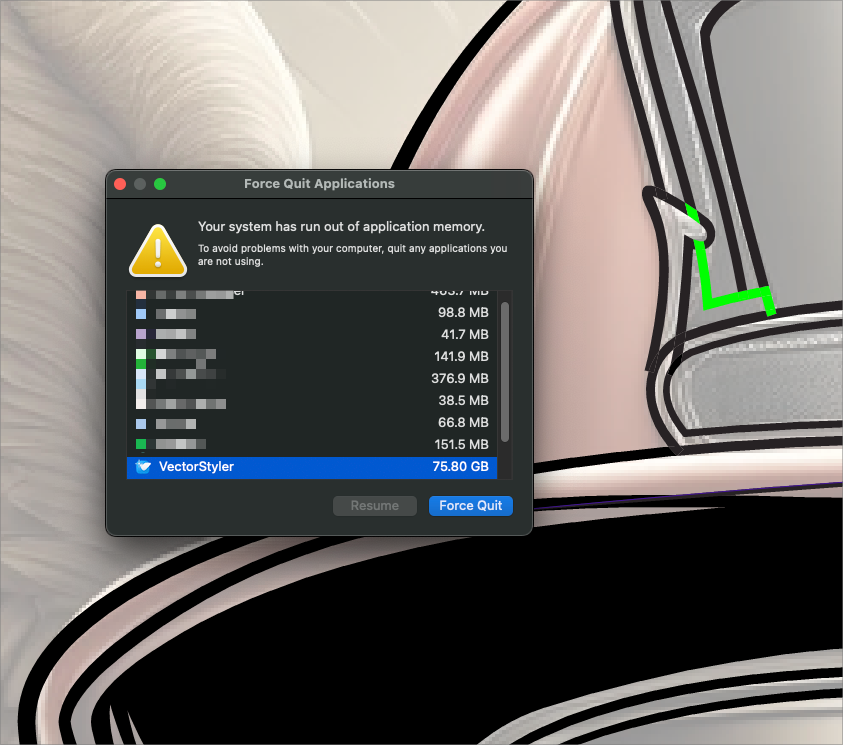
      With an existing file, it took 15 minutes for it to climb up to 5GB of RAM. Sometimes it would hold steady or decline slightly, but then it would methodically keep climbing. By the time I've been working for an hour or two, it's at 75-80BG and the force-quit warning panel appears

      🍎 macOS Tahoe 26.2, Mac mini (M1, 2020), Chip Apple M1, Memory 16 GB
      Cintiq 27QHD Display and LG Ultra HD Display

      VectorStylerV 1 Reply Last reply Reply Quote 0
      • VectorStylerV Offline
        VectorStyler @Boldline
        last edited by

        @Boldline said in VS is Consistently Taking Up Massive Memory:

        it took 15 minutes for it to climb up to 5GB of RAM

        I have to replicate this, can you send me a file and some steps to get this memory use.
        It might be a bug or a regression introduced recently.

        1 Reply Last reply Reply Quote 1
        • debraspicherD Offline
          debraspicher
          last edited by

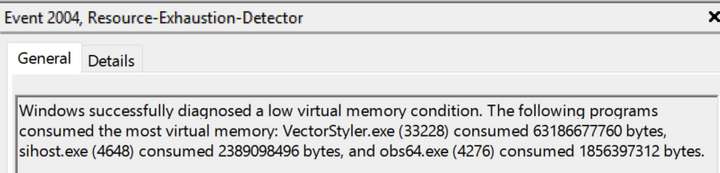
          It may or may not be related to @Boldline's issue, but I had a blacking out of the application canvas (like video failure/Black Screen of Death-ish). I didn't know the cause at the time but I noted later in Event Viewer a few of these kinds of entries for each of those events when the canvas blacked out.
          0_1718148551138_1db0a7ee-14be-479c-9245-387fb4ffaa92-image.png

          "Windows successfully diagnosed a low virtual memory condition. The following programs consumed the most virtual memory: VectorStyler.exe (33228) consumed 63186677760 bytes, sihost.exe (4648) consumed 2389098496 bytes, and obs64.exe (4276) consumed 1856397312 bytes."

          63186677760 bytes = 63.18GB

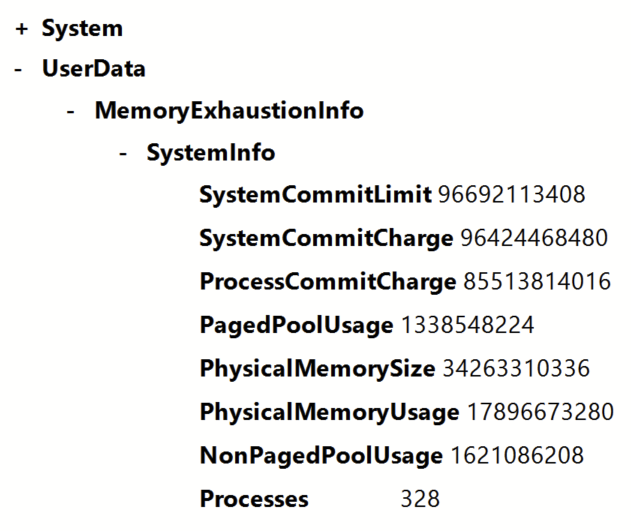
          Note: RAM was not full:
          0_1718148560853_72a32809-5a68-4d54-b38b-b78b283419a5-image.png

          MemoryExhaustionInfo

          • SystemInfo
            SystemCommitLimit 96692113408
            SystemCommitCharge 96424468480
            ProcessCommitCharge 85513814016
            PagedPoolUsage 1338548224
            PhysicalMemorySize 34263310336
            PhysicalMemoryUsage 17896673280
            NonPagedPoolUsage 1621086208
            Processes 328

          Windows 11 Build 26200.7171 (25H2)
          AMD Ryzen 7 9700X with Gigabyte X870E Aorus Pro Ice
          32GB RAM @ 6000MHz
          PNY NVIDIA RTX 5070 Ti 16GB; Display 1: 4K @150%; Display 2: 4K @200%
          Wacom Intuos Pro L (2025); Wacom Intuos Pro M; Epson ET-8550; Siser Romeo

          VectorStylerV 1 Reply Last reply Reply Quote 0
          • VectorStylerV Offline
            VectorStyler @debraspicher
            last edited by

            @debraspicher I might have identified the issue in VS from @Boldline , but that was MacOS related.
            This looks different, how long was VS used when reached this state?

            BoldlineB debraspicherD 2 Replies Last reply Reply Quote 1
            • BoldlineB Offline
              Boldline @VectorStyler
              last edited by

              @VectorStyler said in VS is Consistently Taking Up Massive Memory:

              I might have identified the issue in VS from @Boldline

              I emailed you the file. I also recorded 13 minutes or so of my process and this time it only got up to 5.88GB when I stopped to prep the video and file, etc. It's been holding steady at 5.88Gb, but I also have not been doing any activity on the open file. I was trying to keep the size down since it's so large a video file already, but I ended up overdoing the compression and made it fuzzy to view. I will continue to work on it and can make a new video , time lapse this time, if that should be more useful to you.

              You mentioned you may have solved the problem! I hope that is the case - if not I am happy to contribute more info as needed to help solve it

              🍎 macOS Tahoe 26.2, Mac mini (M1, 2020), Chip Apple M1, Memory 16 GB
              Cintiq 27QHD Display and LG Ultra HD Display

              1 Reply Last reply Reply Quote 0
              • debraspicherD Offline
                debraspicher @VectorStyler
                last edited by debraspicher

                @VectorStyler I want to say that I opened and closed it a few times to check things. So I wouldn't say it was open very long in that session, but what I was doing was very basic. I'll keep monitoring it, obviously, and paying more attention to memory usage.

                What would you consider "normal" memory usage? Right now it is using 4.8Gb, but I'm not doing very much, just working on a card with basic elements. I did leave it open overnight, though (with computer in sleep).

                Windows 11 Build 26200.7171 (25H2)
                AMD Ryzen 7 9700X with Gigabyte X870E Aorus Pro Ice
                32GB RAM @ 6000MHz
                PNY NVIDIA RTX 5070 Ti 16GB; Display 1: 4K @150%; Display 2: 4K @200%
                Wacom Intuos Pro L (2025); Wacom Intuos Pro M; Epson ET-8550; Siser Romeo

                VectorStylerV 1 Reply Last reply Reply Quote 0
                • VectorStylerV Offline
                  VectorStyler @debraspicher
                  last edited by

                  @debraspicher said in VS is Consistently Taking Up Massive Memory:

                  What would you consider "normal" memory usage?

                  1-2 GB for regular vectors (not much images).

                  Right now it is using 4.8Gb,

                  That is a lot, I'm running automated tests now and it is nowhere near that.

                  If you have a basic file that causes this kind of memory use with basic editing, please send it to me and also a description on how to get it above 4.

                  Also: what are the selected modes in the Settings -> Preferences -> Compute Engine and Document Display Mode?

                  debraspicherD 1 Reply Last reply Reply Quote 0
                  • debraspicherD Offline
                    debraspicher @VectorStyler
                    last edited by debraspicher

                    @VectorStyler Right now I don't have much open but a single file that I was using to record a bug. It has a very simple vector in it:

                    0_1718210593582_daa750da-2a1f-4c0e-92d4-db55fb25fc0b-image.png

                    This is the file: https://1drv.ms/u/s!AuWHX0h5bAoRio4qJ7A8N45QwItNog?e=odYYdh

                    No files open, this is what I see:

                    0_1718210729074_af3c3edf-5049-4031-99d3-dd37b98bab12-image.png

                    Edit: It did do some waste management after a while (after some opening and closing of files) and is now back down to 646MB (nothing open)

                    Windows 11 Build 26200.7171 (25H2)
                    AMD Ryzen 7 9700X with Gigabyte X870E Aorus Pro Ice
                    32GB RAM @ 6000MHz
                    PNY NVIDIA RTX 5070 Ti 16GB; Display 1: 4K @150%; Display 2: 4K @200%
                    Wacom Intuos Pro L (2025); Wacom Intuos Pro M; Epson ET-8550; Siser Romeo

                    VectorStylerV 1 Reply Last reply Reply Quote 0
                    • VectorStylerV Offline
                      VectorStyler @debraspicher
                      last edited by

                      @debraspicher said in VS is Consistently Taking Up Massive Memory:

                      is now back down to 646MB

                      Yes, when closing it does clean some (internal) caches. But 4.7 is a lot for this file.

                      I'm testing it now on Mac Retina display and it was under 800MB, I will also test on Windows.

                      debraspicherD 1 Reply Last reply Reply Quote 0
                      • debraspicherD Offline
                        debraspicher @VectorStyler
                        last edited by debraspicher

                        @VectorStyler There were other files open before that had one or two images in them that I used as a reference for vector creation. That is something I frequently do, so that's the only other explanation I can think of, is that it's latent from those files being open. (Still simple files otherwise.)

                        Windows 11 Build 26200.7171 (25H2)
                        AMD Ryzen 7 9700X with Gigabyte X870E Aorus Pro Ice
                        32GB RAM @ 6000MHz
                        PNY NVIDIA RTX 5070 Ti 16GB; Display 1: 4K @150%; Display 2: 4K @200%
                        Wacom Intuos Pro L (2025); Wacom Intuos Pro M; Epson ET-8550; Siser Romeo

                        VectorStylerV 1 Reply Last reply Reply Quote 1
                        • VectorStylerV Offline
                          VectorStyler @debraspicher
                          last edited by

                          @debraspicher @Boldline found the issue, fix will be in the next build (by Monday)

                          BoldlineB debraspicherD 2 Replies Last reply Reply Quote 4
                          • BoldlineB Offline
                            Boldline @VectorStyler
                            last edited by

                            @VectorStyler great news! Thank you!

                            🍎 macOS Tahoe 26.2, Mac mini (M1, 2020), Chip Apple M1, Memory 16 GB
                            Cintiq 27QHD Display and LG Ultra HD Display

                            1 Reply Last reply Reply Quote 1
                            • debraspicherD Offline
                              debraspicher @VectorStyler
                              last edited by

                              @VectorStyler Very nice!

                              Windows 11 Build 26200.7171 (25H2)
                              AMD Ryzen 7 9700X with Gigabyte X870E Aorus Pro Ice
                              32GB RAM @ 6000MHz
                              PNY NVIDIA RTX 5070 Ti 16GB; Display 1: 4K @150%; Display 2: 4K @200%
                              Wacom Intuos Pro L (2025); Wacom Intuos Pro M; Epson ET-8550; Siser Romeo

                              1 Reply Last reply Reply Quote 1
                              • debraspicherD Offline
                                debraspicher
                                last edited by

                                Memory usage here is much more slimmed down and certainly more efficient. Thanks!

                                Windows 11 Build 26200.7171 (25H2)
                                AMD Ryzen 7 9700X with Gigabyte X870E Aorus Pro Ice
                                32GB RAM @ 6000MHz
                                PNY NVIDIA RTX 5070 Ti 16GB; Display 1: 4K @150%; Display 2: 4K @200%
                                Wacom Intuos Pro L (2025); Wacom Intuos Pro M; Epson ET-8550; Siser Romeo

                                1 Reply Last reply Reply Quote 2
                                • First post
                                  Last post