VectorStyler
    • Categories
    • Unread
    • Recent
    • Tags
    • Popular
    • Register
    • Login

    Pixelated corners on panels
    Scheduled Pinned Locked Moved Bugs in VectorStyler
    12 Posts 2 Posters 10.2k Views 2 Watching
    Loading More Posts
    • Oldest to Newest
    • Newest to Oldest
    • Most Votes
    Reply
    • Reply as topic
    Log in to reply
    This topic has been deleted. Only users with topic management privileges can see it.
    • IngolfI Offline
      Ingolf @VectorStyler
      last edited by

      @VectorStyler said in Pixelated corners on panels:

      @Ingolf I will try to find out what could cause this.

      Circling back to this tiny issue 😁

      I e-mailed you a HQ screen recording with these observations - but can even be seen in low res:
      Low res

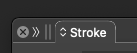
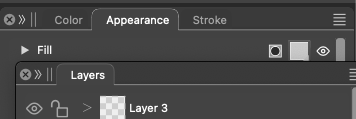
      • Tab corner looks jagged when docked
      • Tab corner looks perfect when undocked
      • Tab corner jagged when re-docked
      • Tab corner looks perfect when undocked
      • Tab corner looks jagged when panel is resized and I click on canvas
      • Tab corner looks perfect again when panel is resized smaller (there seems to be a threshold x value there)

      🙂

      🍏 macOS Sequoia Apple Silicon

      VectorStylerV 1 Reply Last reply Reply Quote 1
      • VectorStylerV Offline
        VectorStyler @Ingolf
        last edited by

        @Ingolf Got the file. I will try to find a solution for these issues.

        1 Reply Last reply Reply Quote 1
        • IngolfI Offline
          Ingolf
          last edited by

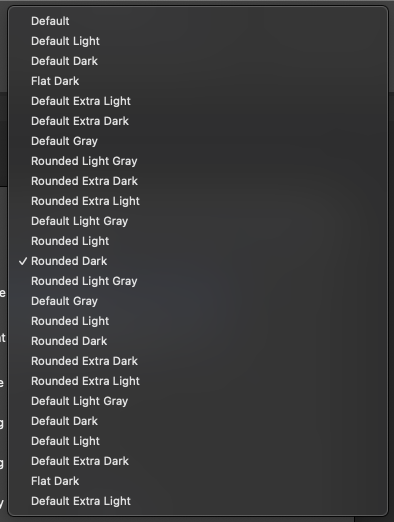
          I was desperately looking for a theme without jagged rounded corners and tried all the others. Just trying other themes randomly, and I did confirm I can't stand sharp corners on tabs and documents. I need a more beautiful world that what rectangles can provide me with. So that didn't bring me a relief from the jagged round corners.

          But I did get this, also after restart:
          0_1726430286670_68050ca9-3791-4dc4-83f0-58c1c6f4567e-image.png

          🍏 macOS Sequoia Apple Silicon

          VectorStylerV 1 Reply Last reply Reply Quote 1
          • VectorStylerV Offline
            VectorStyler @Ingolf
            last edited by

            @Ingolf

            But I did get this, also after restart:

            The jagged corner issue was not fixed yet. I will try to find a solution by the next build (this will take a bit more time).

            Yes, there was a problem with the latest build that it contained extra copies of the themes. This causes the Settings to open a bit more slowly.
            If you download the current version and reinstall it (manually), then these should be solved (but the pixelated corners remain).

            1 Reply Last reply Reply Quote 1
            • VectorStylerV Offline
              VectorStyler @Ingolf
              last edited by

              @Ingolf About the panel corners: what is the size / resolution of the screen? what mac model is used?
              I'm trying to replicate this issue.

              IngolfI 1 Reply Last reply Reply Quote 0
              • IngolfI Offline
                Ingolf @VectorStyler
                last edited by Ingolf

                @VectorStyler Mac Mini M1, 16GB
                1920x1200
                Issue introduced in 1.2

                🍏 macOS Sequoia Apple Silicon

                VectorStylerV 1 Reply Last reply Reply Quote 1
                • IngolfI Offline
                  Ingolf
                  last edited by Ingolf

                  Docked, visibile
                  Undocked, pixelated

                  Sometimes

                  docked, pixelated
                  undock, pixelated
                  move a bit, normal

                  🍏 macOS Sequoia Apple Silicon

                  1 Reply Last reply Reply Quote 0
                  • IngolfI Offline
                    Ingolf
                    last edited by

                    and now undock, normal
                    click application background, pixelated

                    🍏 macOS Sequoia Apple Silicon

                    1 Reply Last reply Reply Quote 0
                    • IngolfI Offline
                      Ingolf
                      last edited by

                      0_1726937041581_cbe2890b-a6f4-4a01-a4f8-31f4e1e2b626-image.png
                      0_1726937059113_b12af00a-7611-4aa6-bad4-520b69b674d4-image.png

                      If you watch these two closely (normal above, pixelated below) the <> symbols are also affected, a pixel is cut of to the left?

                      Looks like a misaligned double re-draw of the tab to me.

                      🍏 macOS Sequoia Apple Silicon

                      1 Reply Last reply Reply Quote 1
                      • VectorStylerV Offline
                        VectorStyler @Ingolf
                        last edited by

                        @Ingolf said in Pixelated corners on panels:

                        Issue introduced in 1.2

                        Yes, the themes changed in 1.2 a bit.

                        1 Reply Last reply Reply Quote 0
                        • First post
                          Last post