VectorStyler
    • Categories
    • Unread
    • Recent
    • Tags
    • Popular
    • Register
    • Login

    Will no longer print
    Scheduled Pinned Locked Moved Resolved 1.2 bugs
    13 Posts 3 Posters 10.7k Views 3 Watching
    Loading More Posts
    • Oldest to Newest
    • Newest to Oldest
    • Most Votes
    Reply
    • Reply as topic
    Log in to reply
    This topic has been deleted. Only users with topic management privileges can see it.
    • ambrosA Offline
      ambros
      last edited by

      After installing latest build (twice - I uninstalled and reinstalled)
      I can no longer print
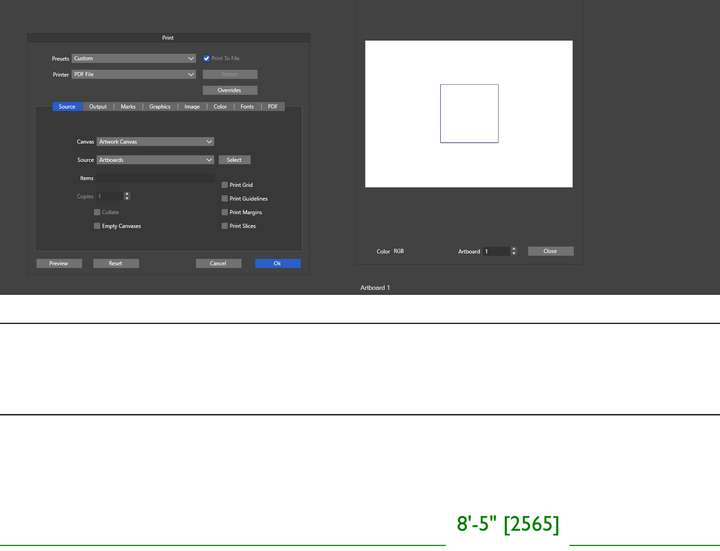
      It recognises 2 artboards even though there is only one
      so even if i print 'all' artboards.. it will only print artboard one - as there is only
      .. but artboard '1' is a blank square (not created by me)!
      0_1719254939360_Screenshot 2024-06-24 194835.png
      I can;t share my screen (confidential client info)
      But you can see that my artboard 1 is an A0 doc.. you can see a line and a green dimension line demonstrating..
      however when i click on print artboard 1 is a blank square

      Windows 11 Home 21H2

      • 11th Gen Intel(R) Core(TM) i9-11900H @ 2.50GHz 2.50 GHz
      • 16Ghz RAM
      • Nvidia GeForce 3060TX
      1 Reply Last reply Reply Quote 0
      • ambrosA Offline
        ambros
        last edited by

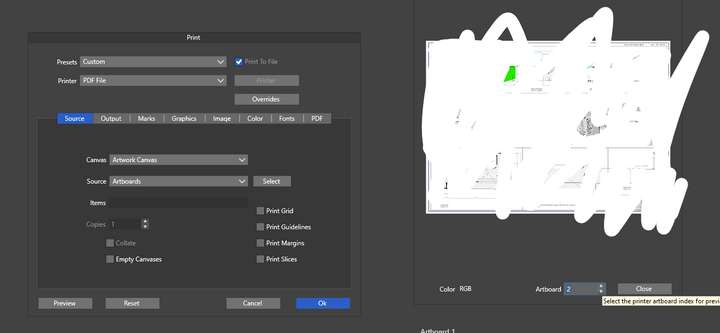
        here is artboard '2' - which doesn't exist
        sorry I had to scribble over actual file0_1719255111994_Screenshot 2024-06-24 195033.png
        Windows 11 Home 21H2

        • 11th Gen Intel(R) Core(TM) i9-11900H @ 2.50GHz 2.50 GHz
        • 16Ghz RAM
        • Nvidia GeForce 3060TX
        1 Reply Last reply Reply Quote 0
        • ambrosA Offline
          ambros
          last edited by

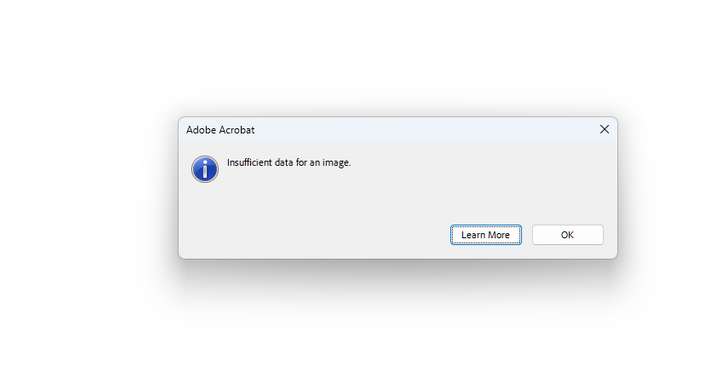
          printing just gets me this
          exporting the same
          0_1719255456653_f47bed64-ac13-464e-a449-0e8d57f3fd24-image.png

          Windows 11 Home 21H2

          • 11th Gen Intel(R) Core(TM) i9-11900H @ 2.50GHz 2.50 GHz
          • 16Ghz RAM
          • Nvidia GeForce 3060TX
          VectorStylerV 1 Reply Last reply Reply Quote 0
          • VectorStylerV Offline
            VectorStyler @ambros
            last edited by

            @ambros I will need some example file to replicate this. Something in that file causes the PDF output to break.

            1 Reply Last reply Reply Quote 0
            • ambrosA Offline
              ambros
              last edited by

              0_1719297931060_TestDocument.vstyler
              here you go

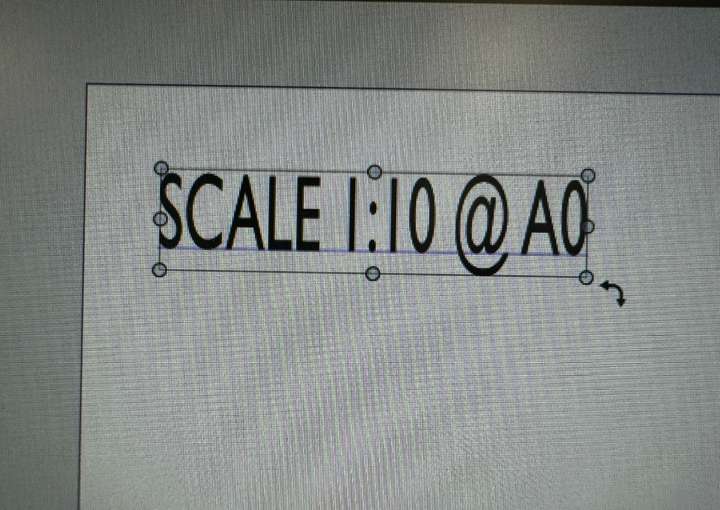
              btw I have also found that the text re-sizing handles are broken..
              I can't diagonally enlarge text (unless I do it back to front!)
              0_1719298091547_Screenshot 2024-06-25 074758.png

              Windows 11 Home 21H2

              • 11th Gen Intel(R) Core(TM) i9-11900H @ 2.50GHz 2.50 GHz
              • 16Ghz RAM
              • Nvidia GeForce 3060TX
              VectorStylerV 2 Replies Last reply Reply Quote 0
              • ambrosA Offline
                ambros
                last edited by

                Just checked.. it's on all new documents
                If i create a document and click print it shows a small square as artboard one.. and the actual artboard 1 as artboard 2

                Windows 11 Home 21H2

                • 11th Gen Intel(R) Core(TM) i9-11900H @ 2.50GHz 2.50 GHz
                • 16Ghz RAM
                • Nvidia GeForce 3060TX
                1 Reply Last reply Reply Quote 0
                • ambrosA Offline
                  ambros
                  last edited by ambros

                  FYI - I've just rolled back to 1.2.0.29 and all works fine.. so does look as if it was introduced in latest build

                  edit - no there's stil something wrong. Although the 'additional artboard ' issue has gone I am getting errors on PDF print-out 'insifficient date ' etc as above

                  Windows 11 Home 21H2

                  • 11th Gen Intel(R) Core(TM) i9-11900H @ 2.50GHz 2.50 GHz
                  • 16Ghz RAM
                  • Nvidia GeForce 3060TX
                  1 Reply Last reply Reply Quote 0
                  • VectorStylerV Offline
                    VectorStyler @ambros
                    last edited by

                    @ambros Thanks for the info. I will try to find out what changed with printing.

                    About the text resizing: I tested it here and it seems to be working.
                    When you hover with the mouse over the round resizing knob, what cursor is shown?

                    This part seems to be again a workspace issue. Try resetting all to defaults.

                    ambrosA 1 Reply Last reply Reply Quote 1
                    • VectorStylerV Offline
                      VectorStyler @ambros
                      last edited by

                      @ambros The extra artboard issue can be replicated. Will be fixed ASAP.

                      L ambrosA 2 Replies Last reply Reply Quote 2
                      • L Offline
                        Li Xiao @VectorStyler
                        last edited by

                        @VectorStyler I discovered the extra artboard issue two days ago when I noticed an additional blank page in the exported PDF. I planned to submit this issue today.

                        1 Reply Last reply Reply Quote 2
                        • ambrosA Offline
                          ambros @VectorStyler
                          last edited by

                          @VectorStyler That's great thank you

                          Windows 11 Home 21H2

                          • 11th Gen Intel(R) Core(TM) i9-11900H @ 2.50GHz 2.50 GHz
                          • 16Ghz RAM
                          • Nvidia GeForce 3060TX
                          1 Reply Last reply Reply Quote 0
                          • ambrosA Offline
                            ambros @VectorStyler
                            last edited by

                            @VectorStyler said in Will no longer print:

                            When you hover with the mouse over the round resizing knob, what cursor is shown?

                            I just created a new doc and text box to check and it all works as it should.. that 'test document' i posted above is where I saw the strange behaviour.. it might be that the file is corrupted or something ?

                            Windows 11 Home 21H2

                            • 11th Gen Intel(R) Core(TM) i9-11900H @ 2.50GHz 2.50 GHz
                            • 16Ghz RAM
                            • Nvidia GeForce 3060TX
                            VectorStylerV 1 Reply Last reply Reply Quote 0
                            • VectorStylerV Offline
                              VectorStyler @ambros
                              last edited by

                              @ambros said in Will no longer print:

                              it might be that the file is corrupted or something ?

                              Not sure, can you send me that file.

                              1 Reply Last reply Reply Quote 0
                              • First post
                                Last post
