Set Retract the anchor node before/after selected node buttons to do the opposite based on selection?
-
Re: Improvements to the Anchor point tool
(I had meant this post as an addition to the existing thread I made about updating options for the Anchor Point tool)As @Ayo mentioned in another post, currently there is only the option to retract handles before or after an anchor node. @Ayo said in Constraign handle to previous segment angle:
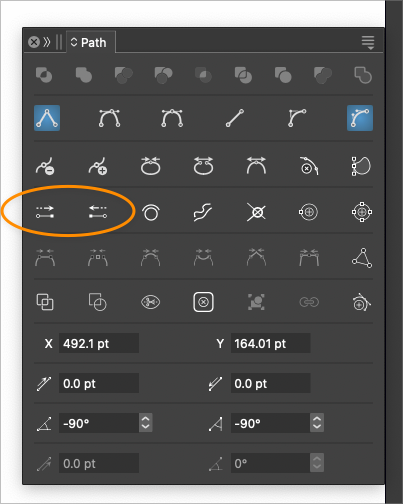
Also I have not yet succeeded in pulling out a handle. Nor the other way around, manually putting it back/putting it away in the point itself, which works with most vector apps. There are two buttons for this: "Retract the anchor node before/after selected node". But it is difficult to determine which is in front and which is behind, especially if the starting node and path direction have been made invisible (new option). Let alone that the path is a maze or very long.
Could the buttons switch to being the opposite option when the selected anchor node already has retracted handles? I'm trying to avoid having a button for every literal possibility as that would get too crowded and confusing
-
@VectorStyler I had an updated different idea about this:
Since double-clicking the node handle retracts it automatically, make the two buttons listed above should have the opposite effect? If the two current retract buttons instead revealed each handle, the user could use the double click option to hide a node handle easily - this eliminates the need for another set of buttons -
@Boldline I will add this to the features backlog for now. I will try to find a solution for these issues.

