VectorStyler
    • Categories
    • Unread
    • Recent
    • Tags
    • Popular
    • Register
    • Login

    Object that is set to "lock" still allows opacity change so long as it is still selected

    Scheduled Pinned Locked Moved Resolved 1.2 bugs
    2 Posts 2 Posters 3.1k Views 1 Watching
    Loading More Posts
    • Oldest to Newest
    • Newest to Oldest
    • Most Votes
    Reply
    • Reply as topic
    Log in to reply
    This topic has been deleted. Only users with topic management privileges can see it.
    • BoldlineB Offline
      Boldline
      last edited by Boldline

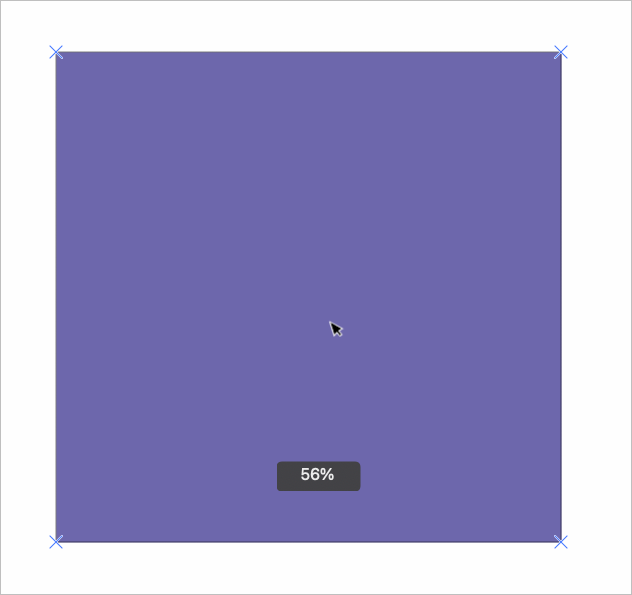
      If I take any vector shape or any imported image and paste/create it in VS and then lock it, if it's still selected, I can still edit the opacity of that selection even though it's locked. That surprised me because I expected that the minute I locked the object, it would be no longer editable in any manner. Once I de-select the object, i cannot change the opacity.If we lock an object, should it remain selected and editable? I want to be sure to emphasize that I really like the visual affirmation that the object is locked with the "x" symbol in the four corners of the shape selection - I wouldn't want to see that go away. I wouldn't care that it was still selected even, just that once lock is activated, literally nothing else can happen with it
      0_1722273261776_c1d8cf5c-3432-42d8-961e-0317e08db0ac-BLD 2024-07-29 at 13.13.52.png

      🍎 macOS Tahoe 26.2, Mac mini (M1, 2020), Chip Apple M1, Memory 16 GB
      Cintiq 27QHD Display and LG Ultra HD Display

      VectorStylerV 1 Reply Last reply Reply Quote 1
      • VectorStylerV Offline
        VectorStyler @Boldline
        last edited by

        @Boldline I opened a bug on this.

        1 Reply Last reply Reply Quote 1
        • First post
          Last post
