Clones Always Have Fixed Center?
-
I'm having trouble with clones not acting the way I think they should. Example:
I start with a simple rectangle. I clone it. I go back to the source object and move the middle node of the short edge to resize it, making the rectangle longer. The clone object also gets longer, but the clone keeps its center fixed in place. I need the clone's center to move along with the original object's center.
If I do the above resizing while pressing the <ctrl> key (Mac), then both the original object and the clone resize identically (centers fixed in place), as expected.
Is there a setting somewhere that indicates whether a clone's center is to remain fixed in place? If not, I think I have discovered a bug.
-
@jeff43222 Yes, this is by design. The clones have independent position from the source object.
When the source object is resized from a side, the position of the source is moved, but the clone only inherits the size of the shape.Not sure if there is a solution for this.
-
That's unfortunate. I use clones/symbols frequently for the type of work I do, and I need them to act the same way as the source object since they are all aligned.
-
@jeff43222 I will think of a solution, but it would then work for clones only not for symbols.
The symbols in VS (object references) are different from clones -
don't know what you are working on and just from your
text description I have a hard time imagining what you want
(a video would be more helpful for me as English is not my native language)but anyway, i like to point you to a another Software Solution that
may be helpful (btw works great with VectorStyler)
because you mentioned ClonesThis is Nodebox 3 (free), it have no Clones but could
repeate same designs and transform them.
Here a post of mine
https://www.vectorstyler.com/forum/topic/4119/a-kind-of-patternnodes-for-windows-free-win-macAlso worth a look are, "Cavalry", PatternNodes (as you are on Mac), and Paragraphics.
-
@Subpath Maybe this will help clarify what I have been describing. This (blue) is what I start with in VectorStyler:
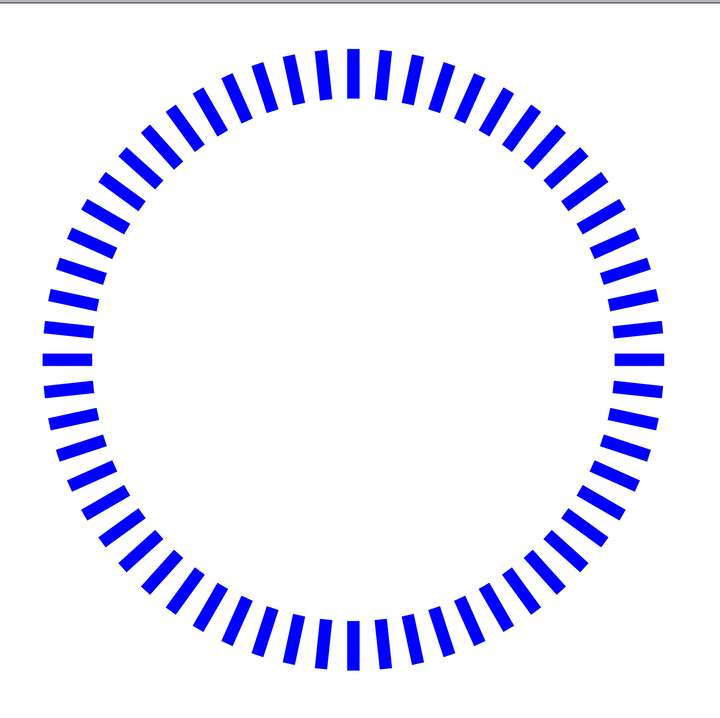
Then I modify the source object by lengthening it toward the center: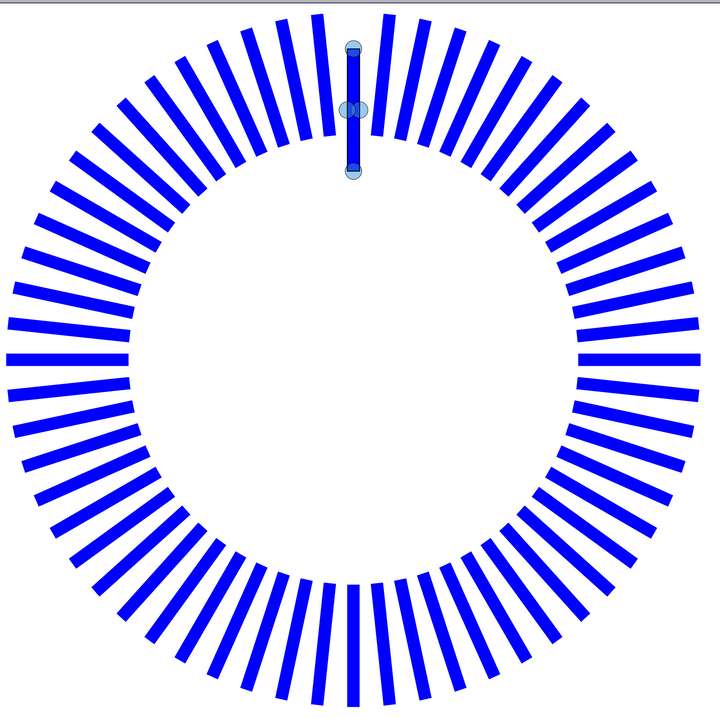
As you can see, the clones are also lengthened, but they are no longer aligned with the source object. I need them to stay aligned.The red example shows what I need. I start with the same shapes:
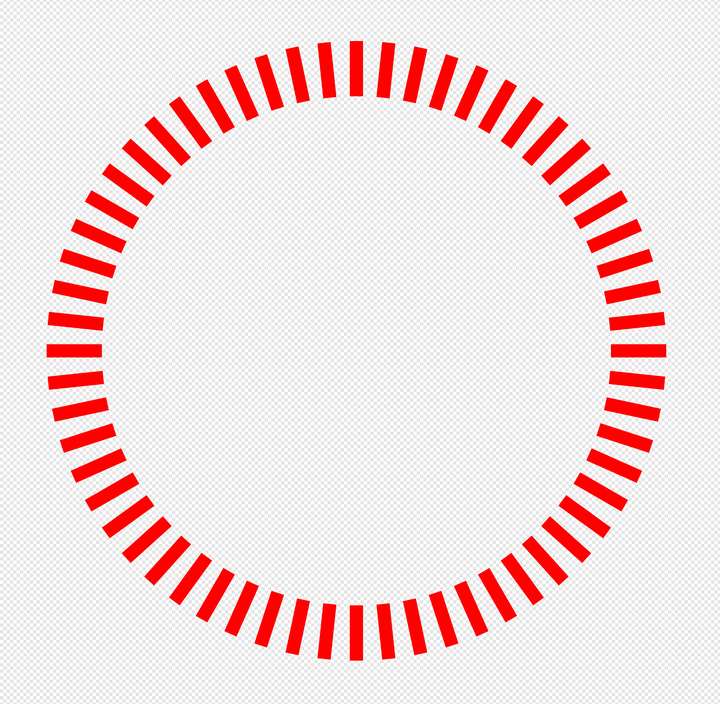
Then I modify the source object in the same way, but this time the clones stay aligned with the source object: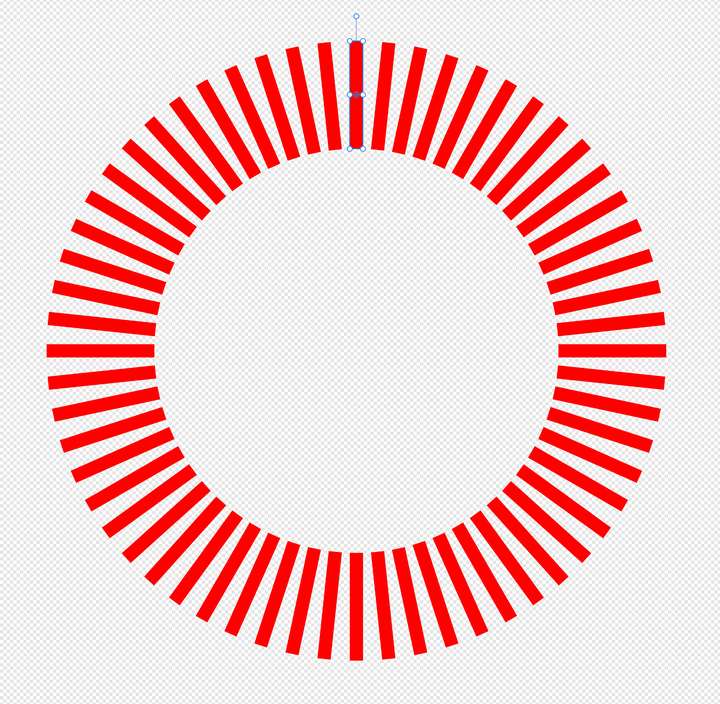
-
@jeff43222 I will think of a solution for this, and if there is one I will implement it.
-
I think I got it a bit
I spot that source object you used is still a smart objectBut as far as I know, to move/scale clones that way,
you need to convert the source object to curves
and then select the nodes and stretch them as you
need. You could also select all Nodes of the Source
Object and move it around that way.Btw i dont know if you need a smart Object later one.
-
also made videos on how to do the same in
Parametric and Nodeboxboth offer SVG import and export and work
quite well with VectorStylerit may be more work, but you get a lot of flexibility
in return ( changing Objects easely) -
The example I gave that showed it working was from Affinity Designer. I used symbols. There was no need to convert the rectangle to curves.
Although Affinity Designer is my main app, I'm trying to use VectorStyler more since VectorStyler has more tools, some of which I find quite useful. For example, I like how VectorStyler has "center text on baseline." Affinity Designer doesn't have that tool, so I have to manually align the text.
But VectorStyler is a lot more complex, so there has been a bit of a learning curve.
