VectorStyler
    • Categories
    • Unread
    • Recent
    • Tags
    • Popular
    • Register
    • Login

    Build 1.0.026 RC3 (correction) for Mac (Intel) is missing Color Palette

    Scheduled Pinned Locked Moved Resolved Issues
    2 Posts 2 Posters 3.3k Views
    Loading More Posts
    • Oldest to Newest
    • Newest to Oldest
    • Most Votes
    Reply
    • Reply as topic
    Log in to reply
    This topic has been deleted. Only users with topic management privileges can see it.
    • V Offline
      Vector-Rock
      last edited by Vector-Rock

      I believe Build 1.0.026 RC3 (correction) for Mac (Intel) is missing the Color Palette in Mac (Intel).

      When I first opened the new build, there was no Color Palette at all at the default bottom of Screen (just an empty blank Palette).

      Here is a screen shot of the Palette Menu after I put a check next to "Web Colors".

      Build 1.0.026 RC3 (correction) for Mac (Intel):
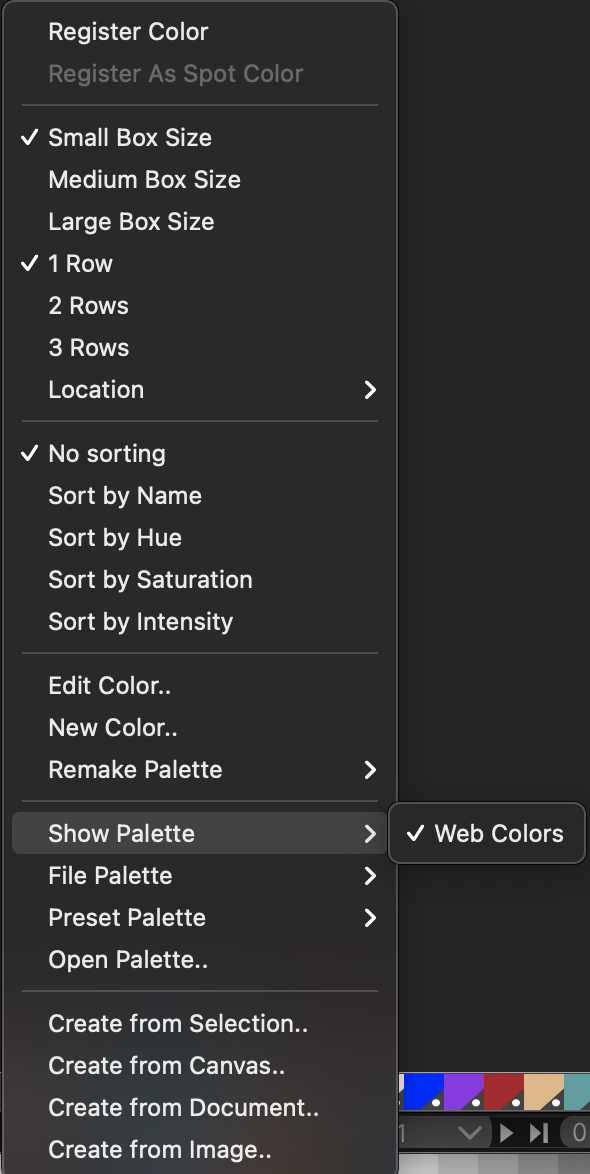
      0_1621075043074_VectorStyler_Build 1.0.026 RC3 (correction).png

      Notice there is no listing for "Palette" at the top of the the flyout menu as there is in the screen shot for VectorStyler_Build 1.0.025 RC2 (correction).

      Build 1.0.025 RC2 (correction) for Mac (Intel)
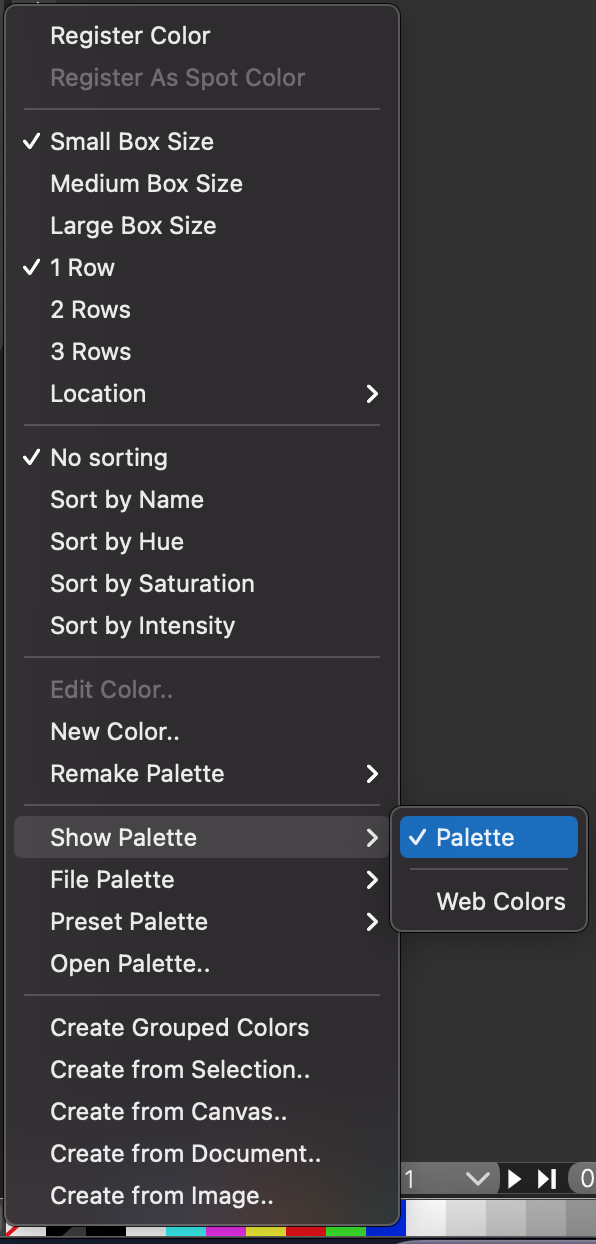
      0_1621074972317_VectorStyler_Build 1.0.025 RC2 (correction).png

      VectorStylerV 1 Reply Last reply Reply Quote 0
      • VectorStylerV Offline
        VectorStyler @Vector-Rock
        last edited by VectorStyler

        @Vector-Rock The Palette (maybe should have a different name) is available only when a document is open. It can be sometimes left there after a all documents are closed.

        1 Reply Last reply Reply Quote 0
        • First post
          Last post