Text Shortcuts not working
-
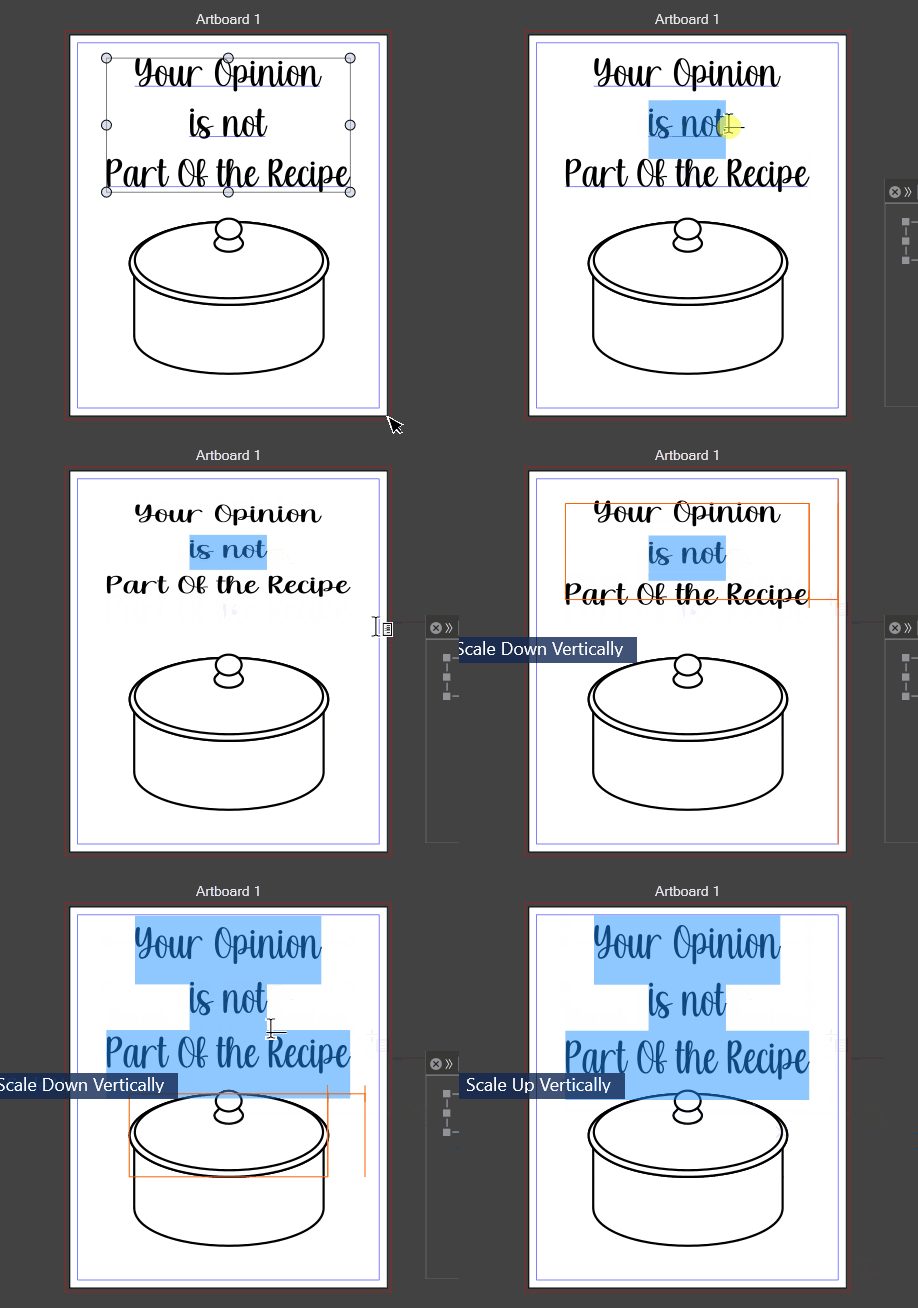
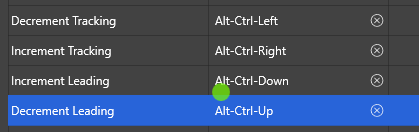
Adjusting leading using shortcuts is not working... instead it adjusts scaling? Ctrl + alt + left/right arrow accomplished the same thing.. after I came back, the Ctrl + Alt combos stopped working completely.

Note the shortcut for Frame/Vector Text Mode Switch is "Ctrl + V" .. might be interfering with Paste...? I didn't find it in the shortcuts though when I searched it.
In fact, testing this shortcut, I managed to cause some sort of issue where I can't edit the text frame at all:
https://1drv.ms/u/s!AuWHX0h5bAoRiqpg87AoAt934YmYug?e=exVBFQ ...File: https://1drv.ms/u/s!AuWHX0h5bAoRiqph95pLdeu9K7fxjg?e=jWcNhY
Windows 11 Build 26200.7171 (25H2)
AMD Ryzen 7 9700X with Gigabyte X870E Aorus Pro Ice
32GB RAM @ 6000MHz
PNY NVIDIA RTX 5070 Ti 16GB; Display 1: 4K @150%; Display 2: 4K @150%
Wacom Intuos Pro L (2025); Wacom Intuos Pro M; Epson ET-8550; Siser Romeo -
Yeah, I am attempting to edit the "Test" text element when opening the same file on the main PC and it is not working. Edit: I can change text justification in the Context Toolbar/Panel, but not select text manually...
Windows 11 Build 26200.7171 (25H2)
AMD Ryzen 7 9700X with Gigabyte X870E Aorus Pro Ice
32GB RAM @ 6000MHz
PNY NVIDIA RTX 5070 Ti 16GB; Display 1: 4K @150%; Display 2: 4K @150%
Wacom Intuos Pro L (2025); Wacom Intuos Pro M; Epson ET-8550; Siser Romeo -
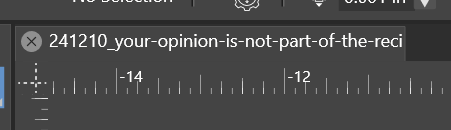
Unrelated, but should the filename be truncated?
Windows 11 Build 26200.7171 (25H2)
AMD Ryzen 7 9700X with Gigabyte X870E Aorus Pro Ice
32GB RAM @ 6000MHz
PNY NVIDIA RTX 5070 Ti 16GB; Display 1: 4K @150%; Display 2: 4K @150%
Wacom Intuos Pro L (2025); Wacom Intuos Pro M; Epson ET-8550; Siser Romeo -
Went to reassign. Well, that explains that...
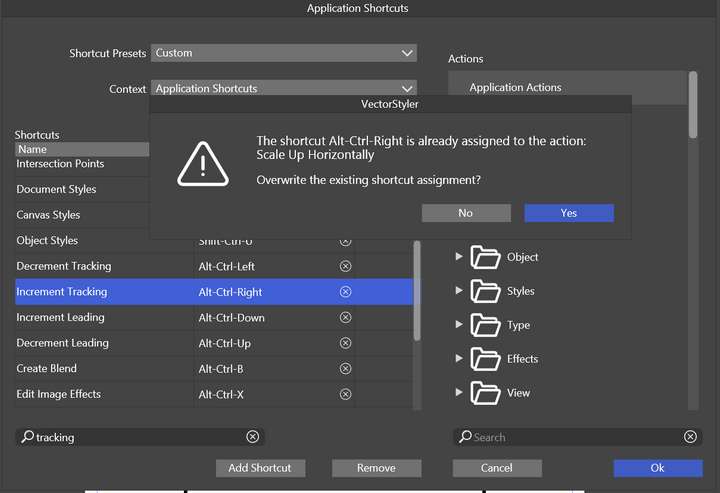
Edit: I changed them to Alt + which is in line with other programs... Mac also seems to require the Ctrl + modifier, so it may need looking at as well if it is a duplicate.
I noticed when placing text caret, as I go to use the Text leading shortcuts, it does not move the line based on its placement. It requires delicate highlighting... I have to highlight the entire line to adjust it... in other programs, it only requires the placement of caret on the line intending to be changed.
-
@debraspicher I have to review these shortcuts as there seems to be some conflicts in the defaults.
The Control+V shortcut in the documentation is an error (it exists only on MacOS, not on Windows).The current leading adjustment refers to selected text (character leading), so you need to select the text
-
@debraspicher said in Text Shortcuts not working:
Unrelated, but should the filename be truncated?
It is truncated, maybe it is too long? but the file name info is needed.
-
@debraspicher said in Text Shortcuts not working:
Yeah, I am attempting to edit the "Test" text element when opening the same file on the main PC and it is not working
This can be replicated, I will find out what causes this.
-
@debraspicher said in Text Shortcuts not working:
Yeah, I am attempting to edit the "Test" text element when opening the same file on the main PC and it is not working
In this file, the text shape is also a text frame (contains a text flow).
Open the Appearance panel, select the text shape and in the panel remove the Text Frame item. Then the text becomes editable. -
@VectorStyler said in Text Shortcuts not working:
@debraspicher said in Text Shortcuts not working:
Unrelated, but should the filename be truncated?
It is truncated, maybe it is too long? but the file name info is needed.
I think it's fine that it's truncated, but maybe add "..." so that it shows as intentionally truncated... as long as I can hover over and see the full name, I'm good.
@VectorStyler said in Text Shortcuts not working:
@debraspicher I have to review these shortcuts as there seems to be some conflicts in the defaults.
The Control+V shortcut in the documentation is an error (it exists only on MacOS, not on Windows).Are we 100% sure on that? Just because I was testing the Ctrl + V shortcut to see if it even worked at all and that's how I ended up with the Text Frame item. I suspected it was something like that where that shortcut worked, but I couldn't find a way to remove it. It's possible I pressed T multiple times to try to get back into Text mode and it may have moved me into that mode. I'm still not familiar with how those commands stack. Whatever the case, that's not good if we can't easily tell what is causing it to be uneditable. Especially seeing as we can sort of trigger the behavior to prepare for text editing (pre-highlight UI behavior) and nothing happening, it just feels like a bug when it behaves this way.
-
@debraspicher said in Text Shortcuts not working:
Are we 100% sure on that? Just because I was testing the Ctrl + V shortcut to see if it even worked at all and that's how I ended up with the Text Frame item
Control+V is pasting on Windows. I meant the text frame conversion shortcut only exists on MacOS.
What happened with the text frame: when a shape is selected and a text is pasted, then a text frame is created inside the shape, and the text flows into the shape.
The problem was that this also happens when the selected shape is a text, and we get a text frame flowing inside the shape of a text. This is allowed in VS, but it should not do it when pasting.

