VectorStyler
    • Categories
    • Unread
    • Recent
    • Tags
    • Popular
    • Register
    • Login

    Settings Preset does not use "Default" name in box after return from custom preset
    Scheduled Pinned Locked Moved Bugs in VectorStyler
    2 Posts 2 Posters 2.7k Views 1 Watching
    Loading More Posts
    • Oldest to Newest
    • Newest to Oldest
    • Most Votes
    Reply
    • Reply as topic
    Log in to reply
    This topic has been deleted. Only users with topic management privileges can see it.
    • BoldlineB Offline
      Boldline
      last edited by

      Its difficult to know confidently whether a change back to default settings preset from a custom setting has occurred in the Settings menu. Sometimes it asks for a restart of VS, other times it does not. But I can't tell for sure if anything has changed unless I see checkboxes change in the settings immediately as I switch settings preset files or if I close out the settings folder and in my case, see that the node colors are back to the default white color, amongst other obvious differences.

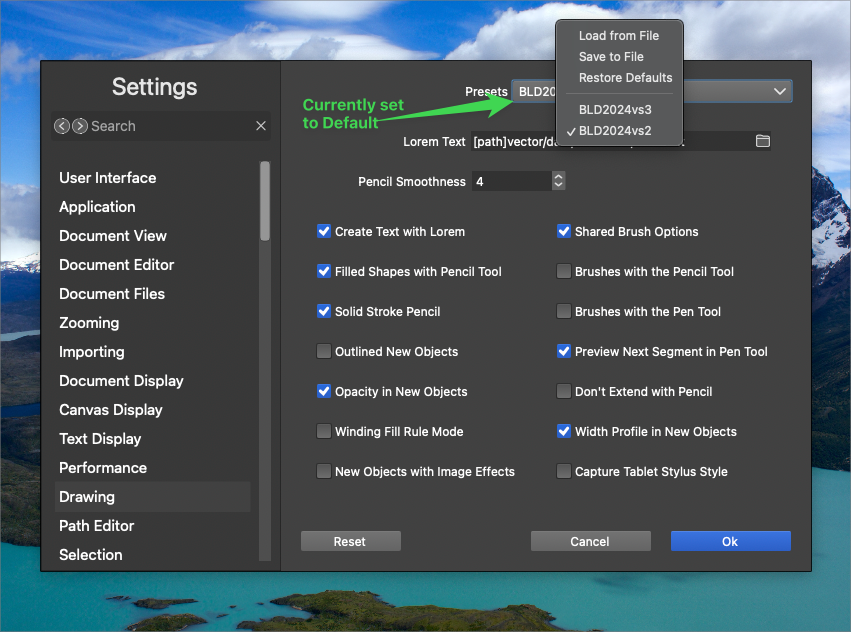
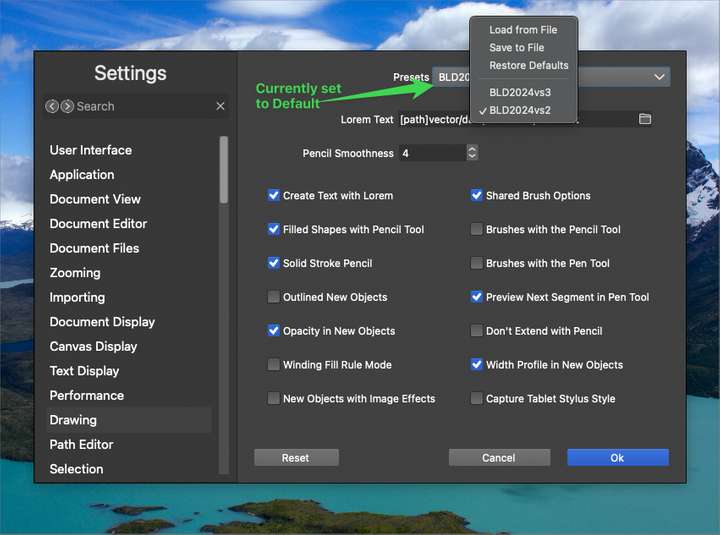
      When I switch back to the default preset settings, it does not change the text in the preset section. It will still say the last custom file name I used prior to resetting it back to "default"
      0_1734788258886_fc99ce03-3c92-482f-a9ae-95cbe7584247-BLD 2024-12-21 at 08.36.51.png

      🍎 macOS Tahoe 26.2, Mac mini (M1, 2020), Chip Apple M1, Memory 16 GB
      Cintiq 27QHD Display and LG Ultra HD Display

      VectorStylerV 1 Reply Last reply Reply Quote 1
      • VectorStylerV Offline
        VectorStyler @Boldline
        last edited by

        @Boldline I opened a bug on this.

        1 Reply Last reply Reply Quote 1
        • First post
          Last post
