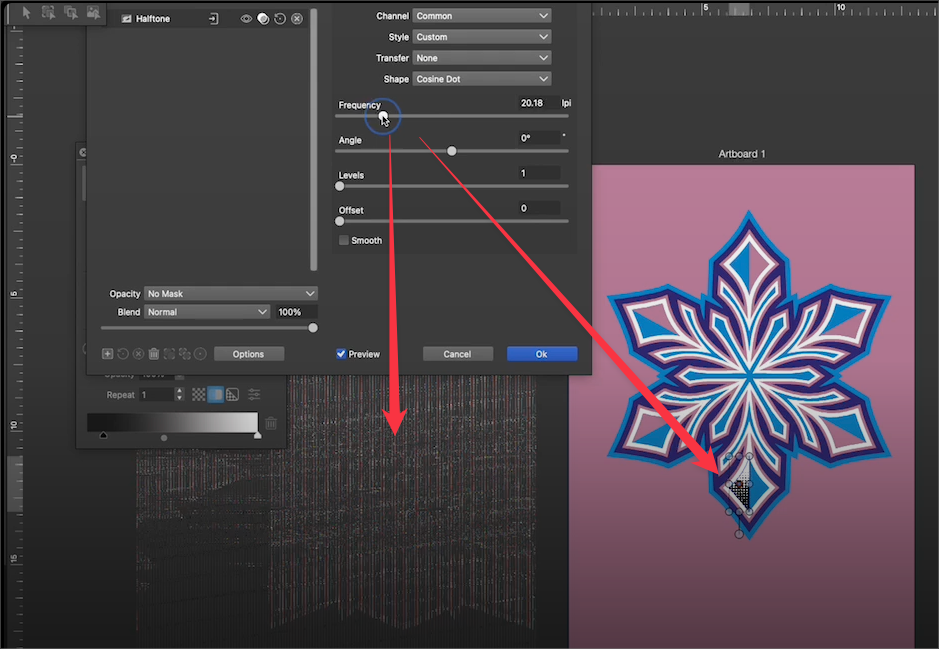
Raster images embedded go wonky when the "frequency slider is used in the Image Effect panel -also could we image trace an image effect with image trace?
-
This post is half bug report and half feature request update question:
Bug issue first - I noticed that if I adjust the scaling of a gradient I have used pixelate>halftone to convert to glorified halftones, it causes images pasted into the file to go wonky. You can see this in the video here
I'll email you the file.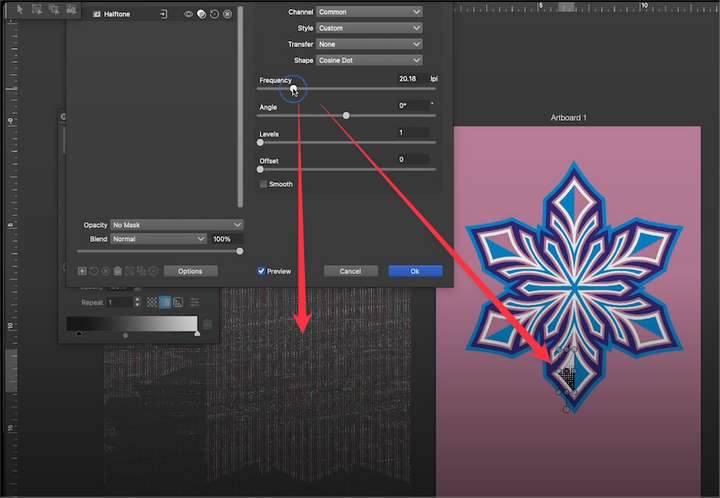
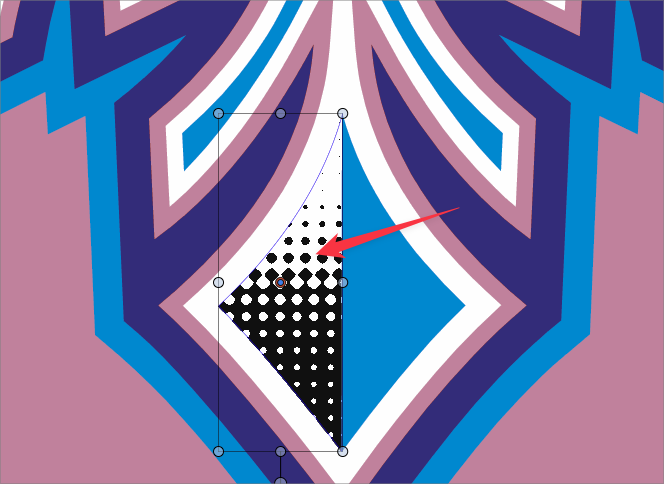
My other question was if there was a way to use the image trace directly on the gradient shape I just modified using the image effect panel - converted it to a halftone? It seems this was discussed back in May of 2024.
@monsterfox said, "Or can't any of these three options be realized by converting the halftone effect into an editable state?" and then later in the thread, "Halftone effect,Convert it into a vector image, in an editable state, I think this can be achieved."
The part of the thread conversation I was most interested in was gaining the ability to image trace a raster effect created in the design itself (in this case, a pixelated halftone)
I know tere are options for this using repeater, but I can see the value of being able to do it this way as well
🍎 macOS Tahoe 26.2, Mac mini (M1, 2020), Chip Apple M1, Memory 16 GB
Cintiq 27QHD Display and LG Ultra HD Display -
@Boldline Now we can only expect the author to have the ability to convert halftone effects into vector effects. If this feature is available, it would be perfect. The product produced by the repeater is somewhat different from the halftone effect.
-
@Boldline I roughly know the reason for the effect of your video. You should have used GPU rendering and set it to default software rendering. I have encountered this issue before.
-
@Boldline I could not replicate the images going wonky problem. I opened a bug on this and will try it on a Mac M1.
For tracing image effect: first you need to rasterize them into an image (Object -> Rasterize) and you can use trace. This should work on halftones also, but you may need to make a small tracing tolerance, use Black and White tracing mode, and when rasterizing, use a high resolution so that there is enough detail in the halftone.
The types of halftones produced by the image effect are difficult to make directly in vector form. The only way is to make an image and then trace them, which is a bit slow.
Version 1.3 will have direct vector halftones, but this type of fused dot halftones will not be supported. -
@VectorStyler said in Raster images embedded go wonky when the "frequency slider is used in the Image Effect panel -also could we image trace an image effect with image trace?:
@Boldline I could not replicate the images going wonky problem. I opened a bug on this and will try it on a Mac M1.
Would it help if I cause the issue to occur again and then save it after that point and send it like that to you?
-
@Boldline said in Raster images embedded go wonky when the "frequency slider is used in the Image Effect panel -also could we image trace an image effect with image trace?:
Would it help if I cause the issue to occur again and then save it after that point and send it like that to you?
Send me the settings/workspace files by email. This seems to be a display issue. But yes, save the file and send that to me also
-
@VectorStyler said in Raster images embedded go wonky when the "frequency slider is used in the Image Effect panel -also could we image trace an image effect with image trace?:
For tracing image effect: first you need to rasterize them into an image (Object -> Rasterize) and you can use trace. This should work on halftones also, but you may need to make a small tracing tolerance, use Black and White tracing mode, and when rasterizing, use a high resolution so that there is enough detail in the halftone.
Thank you for the reminder about rasterizing it first... that worked! I appreciate your tips as well for best results

