VectorStyler
    • Categories
    • Unread
    • Recent
    • Tags
    • Popular
    • Register
    • Login

    Windows behavior

    Scheduled Pinned Locked Moved Bugs in VectorStyler
    4 Posts 2 Posters 3.0k Views 2 Watching
    Loading More Posts
    • Oldest to Newest
    • Newest to Oldest
    • Most Votes
    Reply
    • Reply as topic
    Log in to reply
    This topic has been deleted. Only users with topic management privileges can see it.
    • F Offline
      fdarnel
      last edited by

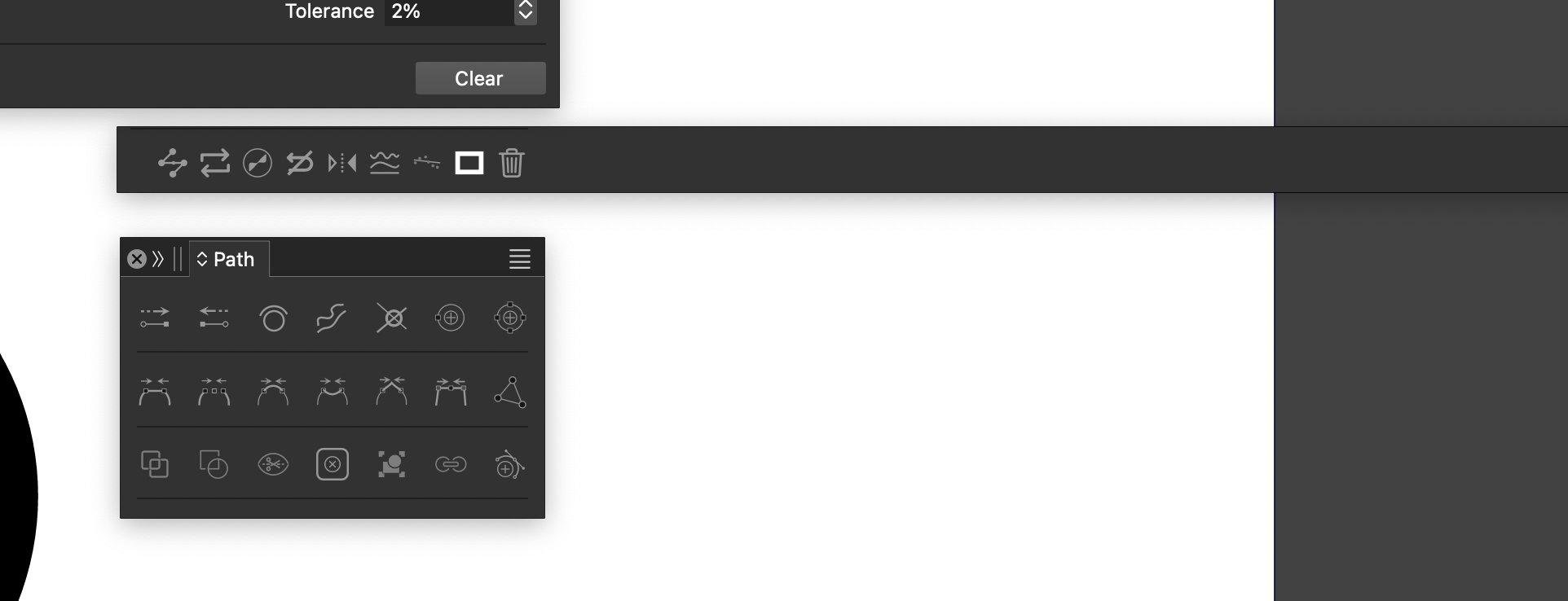
      Strange behavior when modifying windows. They remain minimal. Impossible to enlarge them. Sometimes they spread to the edge of the screen. The only solution is a restart. Also when closed and opened with a shortcut, they apparently reappear in random places (MacOS 14.7.4, Mac Minin M2, VS 1.2.062).
      0_1740818894348_windows_1.png

      VectorStylerV 1 Reply Last reply Reply Quote 1
      • VectorStylerV Offline
        VectorStyler @fdarnel
        last edited by

        @fdarnel That horizontal thing looks like it was the stroke panel.
        What steps are needed to get there?

        1 Reply Last reply Reply Quote 0
        • F Offline
          fdarnel
          last edited by

          Well, several windows did that. Just trying to obtain a personal workspace by resizing and combining windows, and it randomly happened.

          VectorStylerV 1 Reply Last reply Reply Quote 1
          • VectorStylerV Offline
            VectorStyler @fdarnel
            last edited by

            @fdarnel Save the workspace with those panels and send the workspace file to my email: csraba at vectorstyler.com

            1 Reply Last reply Reply Quote 0
            • First post
              Last post