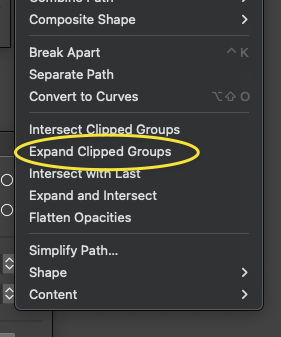
Could active blends be expanded with the expand clip groups?
-
Would it be possible to include the expanding of an active blend when we use the feature, "expand clip groups"? Is the expansion of an active blend very different from the expansion of a live text or a path? I know the blend panel has the option there to expand an active blend. In illustrator for example, you could expand a blend the same ways you could expand a stroke or anything else.
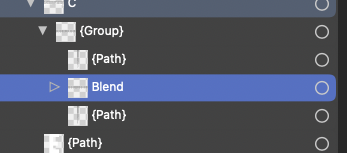
The reason I was asking about this is because I have some text where I made a repeating triangle pattern inside of it using the blend tool and I had left it active in case I wanted to change it later. Later on when I was all done with the design I went to expand clip groups and the entire inside area where the live blend had been disappeared and was unrecoverable. I had to go and pull up the same version and try again. I soon realized the issue I was having was that I had mistakenly left a lie blend active and I had not expanded at using the blend panel and that was what was causing all the issues.
-
@Boldline I added this to the backlog.
-
@VectorStyler Just to clarify, my issue was that I could not figure out what step I had forgotten to do at the end of the project. I had left the blend active in case I needed to make a change later. When I got the error while expanding the clipped live blend, it took me a while to realize my issue. So whether there is a warning that pops up that reminds the user they have live blends to attend to before it can act or it just expands it automatically for them - whatever is best for VS is what I prefer.

