VectorStyler
    • Categories
    • Unread
    • Recent
    • Tags
    • Popular
    • Register
    • Login

    UI language translations (BETA)

    Scheduled Pinned Locked Moved Release notes of past builds
    27 Posts 8 Posters 21.3k Views 8 Watching
    Loading More Posts
    • Oldest to Newest
    • Newest to Oldest
    • Most Votes
    Reply
    • Reply as topic
    Log in to reply
    This topic has been deleted. Only users with topic management privileges can see it.
    • VectorStylerV Offline
      VectorStyler
      last edited by VectorStyler

      Hello,

      A (beta) UI language translation is available now in the current build, for testing, but it has to be enabled in the license server for individual licenses.

      Please post here if you are interested to try in any of these languages and have a license (and willing to put up with mistakes 🙂 )

      The following languages are available:
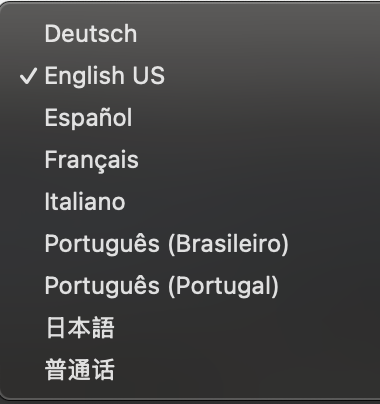
      0_1749286094087_languages.png

      EDIT: since this is just a closed beta for now, the language selection is enabled per license.
      So once this is enabled for a license on the server, VS needs to be restarted and then the settings is enabled.

      B VectorStylerV 2 Replies Last reply Reply Quote 3
      • B Offline
        B-Vs-V @VectorStyler
        last edited by B-Vs-V

        @VectorStyler if I can be of any help, I'd be happy to try out the French translation of VS... however, I don't have too much time at the moment (could not give feedback rapidly) ☺

        W11 Pro 25H2 - 12th Gen Intel(R) i7-12700K 3.61 GHz - RAM 64 Go - NVIDIA GF GTX 4070 Ti - Intuos - Dell UP3216Q / Eizo ColorEdge
        W11 Pro 25H2 - 12th Gen Intel(R) i7-12700KF 3.60 GHz -RAM 64 Go - NVIDIA GF GTX 3080 - IntuosPro- ProArt PA329C

        VectorStylerV 1 Reply Last reply Reply Quote 0
        • VectorStylerV Offline
          VectorStyler @B-Vs-V
          last edited by VectorStyler

          @B-Vs-V In Settings -> Application first row, should be enabled once requested.

          B 1 Reply Last reply Reply Quote 0
          • B Offline
            B-Vs-V @VectorStyler
            last edited by

            @VectorStyler Ok, it is fine ☺

            W11 Pro 25H2 - 12th Gen Intel(R) i7-12700K 3.61 GHz - RAM 64 Go - NVIDIA GF GTX 4070 Ti - Intuos - Dell UP3216Q / Eizo ColorEdge
            W11 Pro 25H2 - 12th Gen Intel(R) i7-12700KF 3.60 GHz -RAM 64 Go - NVIDIA GF GTX 3080 - IntuosPro- ProArt PA329C

            1 Reply Last reply Reply Quote 1
            • R Offline
              roychen
              last edited by

              I want to test Chinese version

              VectorStylerV 1 Reply Last reply Reply Quote 1
              • VectorStylerV Offline
                VectorStyler @roychen
                last edited by

                @roychen Restart VS and the Settings -> Application -> Language (beta) should be enabled for you.

                L 2 Replies Last reply Reply Quote 0
                • L Offline
                  lcfw
                  last edited by

                  The Chinese beta version has finally arrived, and I have been waiting for it. Please provide me with the Chinese version for testing. Thank you

                  1 Reply Last reply Reply Quote 0
                  • L Offline
                    Li Xiao @VectorStyler
                    last edited by

                    @VectorStyler I can spare some time to test it.

                    1 Reply Last reply Reply Quote 1
                    • Devil DinosaurD Offline
                      Devil Dinosaur
                      last edited by

                      I can help on French version

                      Fred.
                      MacBook Pro (M1) - MacOs Sonoma 14

                      1 Reply Last reply Reply Quote 1
                      • L Offline
                        Li Xiao @VectorStyler
                        last edited by Li Xiao

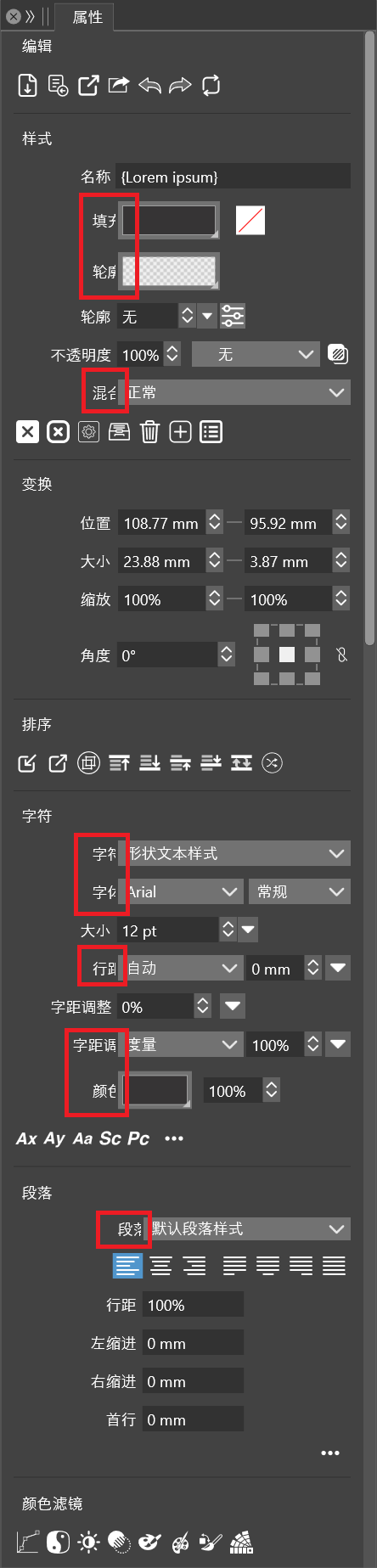
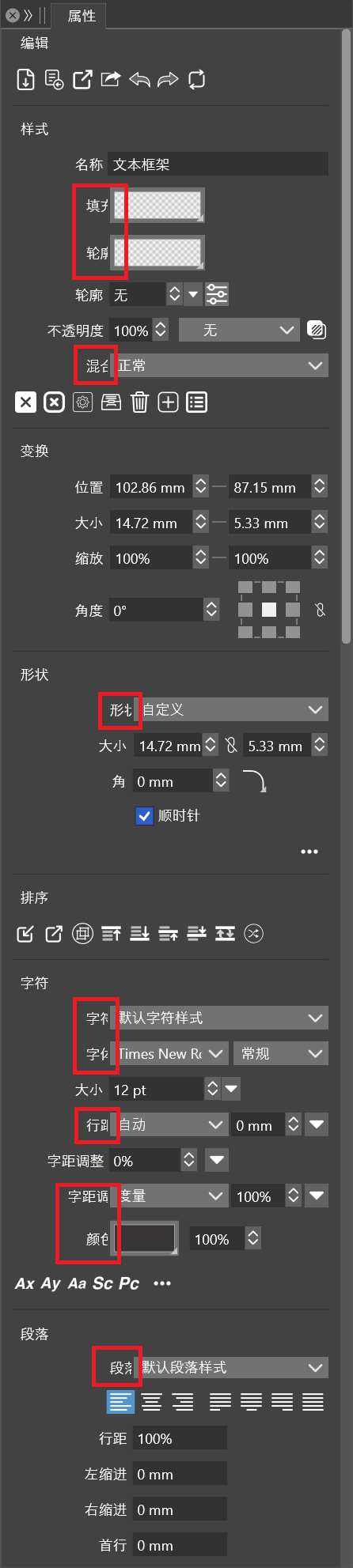
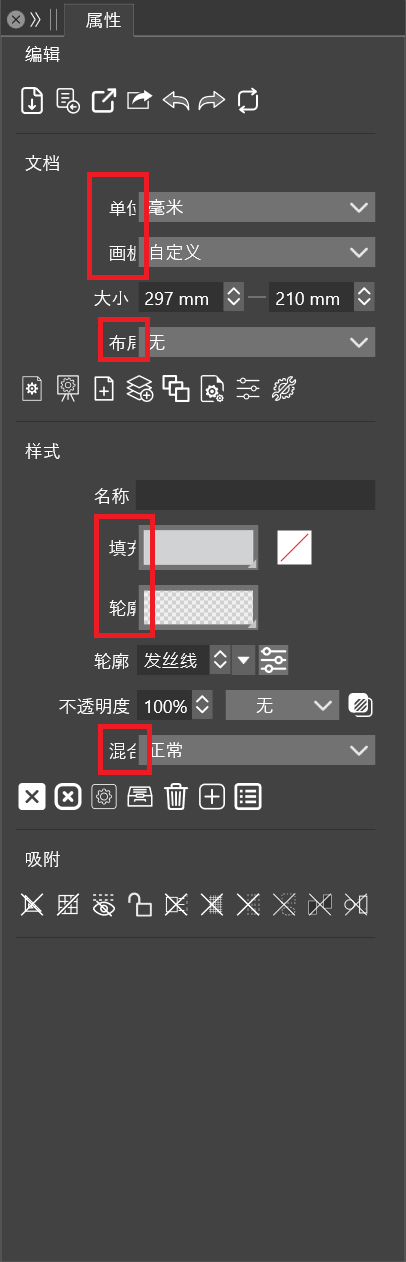
                        @VectorStyler An obvious issue with the Chinese interface is that the text is not fully displayed, especially on the panels. I have tried different settings and even set the system display to 100%, but the problem persists. I will review everything and point out the problematic areas.

                        Properties Panel
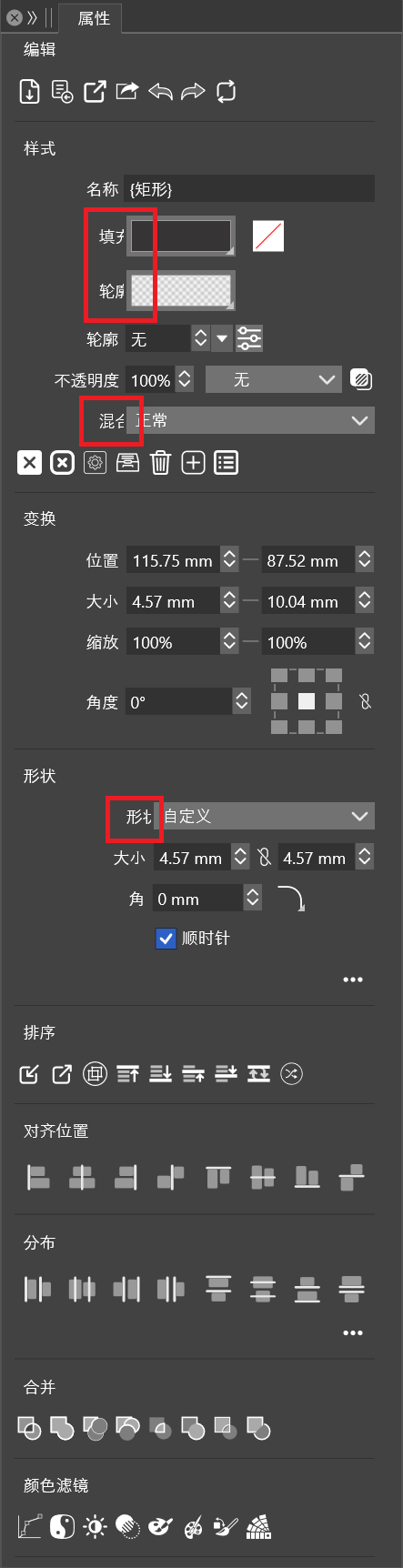
                        0_1749631692854_Properties Panel.png

                        0_1749631700978_Properties Panel 2.png

                        0_1749631709504_Properties Panel 3.png

                        0_1749632564787_Properties Panel 4.png

                        VectorStylerV 1 Reply Last reply Reply Quote 1
                        • VectorStylerV Offline
                          VectorStyler @Li Xiao
                          last edited by

                          @Li-Xiao Got it, this seems to UI font issue on Windows. I will try to fix it for the next build.

                          L 1 Reply Last reply Reply Quote 1
                          • L Offline
                            Li Xiao @VectorStyler
                            last edited by

                            @VectorStyler Suggest changing '普通话' to '简体中文'
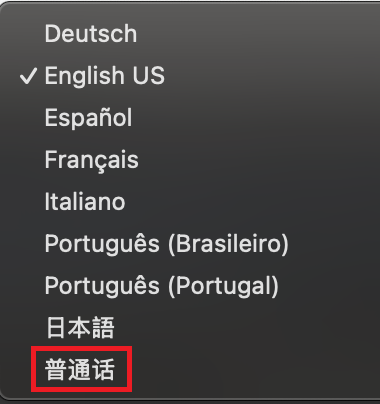
                            0_1749653193188_Simplified Chinese.png

                            VectorStylerV 2 Replies Last reply Reply Quote 1
                            • VectorStylerV Offline
                              VectorStyler @Li Xiao
                              last edited by

                              @Li-Xiao said in UI language translations (BETA):

                              Suggest changing '普通话' to '简体中文'

                              Wil do so. There is also a UI font issue on Windows.

                              1 Reply Last reply Reply Quote 1
                              • VectorStylerV Offline
                                VectorStyler @Li Xiao
                                last edited by

                                @Li-Xiao The new build contains some improvements for the translations also.
                                The Chinese language display should be fixed, but it might depend on the selected UI font if that was customized.

                                L 1 Reply Last reply Reply Quote 1
                                • L Offline
                                  Li Xiao @VectorStyler
                                  last edited by

                                  @VectorStyler
                                  The Chinese interface is displaying correctly over 95% now. However, 'Simplified Chinese' has become 'Traditional Chinese'. There are still some minor issues with a few panels.

                                  In version 1.2.073, the Chinese UI is Simplified Chinese (简体中文), while in version 1.2.074, the Chinese UI is Traditional Chinese(繁體中文). It's best to keep both, as Mainland China uses Simplified Chinese, while Hong Kong, Taiwan, and Macau use Traditional Chinese.

                                  Most software with Chinese interfaces provide both Simplified Chinese and Traditional Chinese options, such as Adobe and Corel....

                                  VectorStylerV 1 Reply Last reply Reply Quote 1
                                  • VectorStylerV Offline
                                    VectorStyler @Li Xiao
                                    last edited by

                                    @Li-Xiao said in UI language translations (BETA):

                                    Most software with Chinese interfaces provide both Simplified Chinese and Traditional Chinese options, such as Adobe and Corel....

                                    I will include both in the next build.

                                    L 2 Replies Last reply Reply Quote 1
                                    • L Offline
                                      Li Xiao @VectorStyler
                                      last edited by

                                      @VectorStyler The presets in the Mask options of the Transparency panel, Properties panel, and Image Effects panel are not translated.
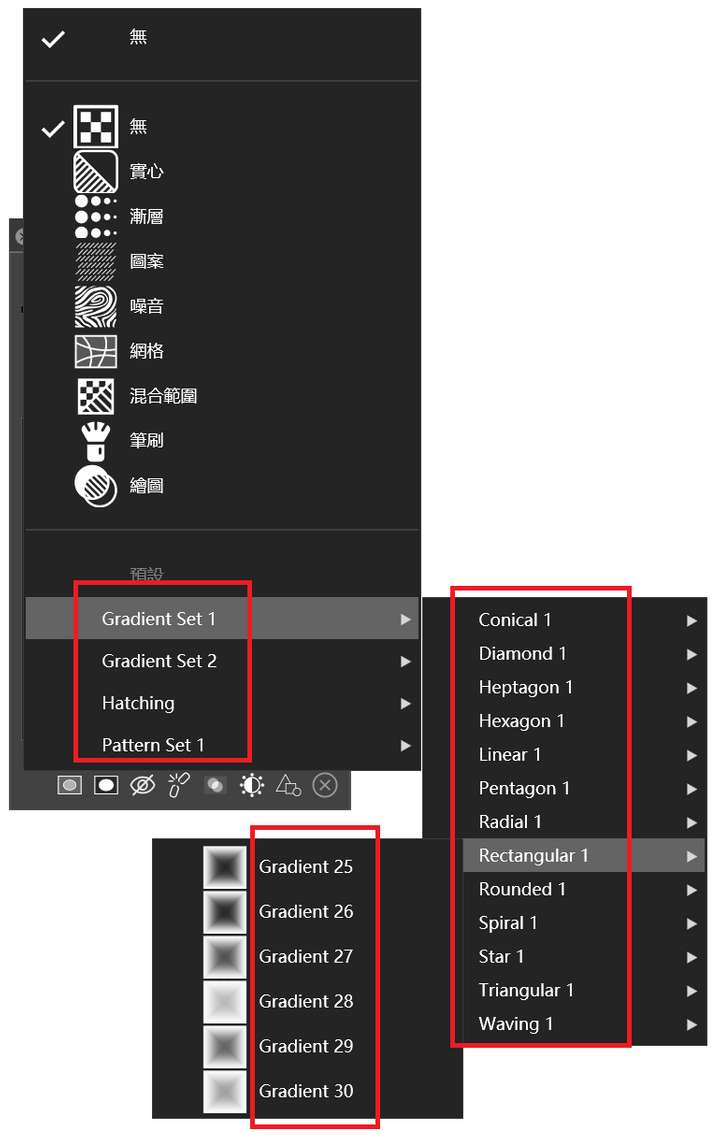
                                      0_1749805095729_Mask Presets.png

                                      VectorStylerV 1 Reply Last reply Reply Quote 1
                                      • VectorStylerV Offline
                                        VectorStyler @Li Xiao
                                        last edited by

                                        @Li-Xiao Yes, most of these "extra" preset names are fixed (not part of translation).

                                        I will try to add these to the translated text also.

                                        1 Reply Last reply Reply Quote 1
                                        • VectorStylerV Offline
                                          VectorStyler @VectorStyler
                                          last edited by

                                          @VectorStyler In general some things that are not translated can be: preset names, recorded or recent action names, and various names (like canvas, or layer) saved into documents.

                                          1 Reply Last reply Reply Quote 1
                                          • L Offline
                                            Li Xiao @VectorStyler
                                            last edited by

                                            @VectorStyler

                                            I will include both in the next build.

                                            Two types of Chinese can be consistent like the two types of Portuguese.

                                            中文(简体)
                                            中文(繁體)

                                            VectorStylerV 1 Reply Last reply Reply Quote 1
                                            • First post
                                              Last post