VectorStyler
    • Categories
    • Unread
    • Recent
    • Tags
    • Popular
    • Register
    • Login

    UI error; Layer names in list dissapears on double click
    Scheduled Pinned Locked Moved Bugs in VectorStyler
    6 Posts 2 Posters 3.7k Views 2 Watching
    Loading More Posts
    • Oldest to Newest
    • Newest to Oldest
    • Most Votes
    Reply
    • Reply as topic
    Log in to reply
    This topic has been deleted. Only users with topic management privileges can see it.
    • RaaskotR Offline
      Raaskot
      last edited by

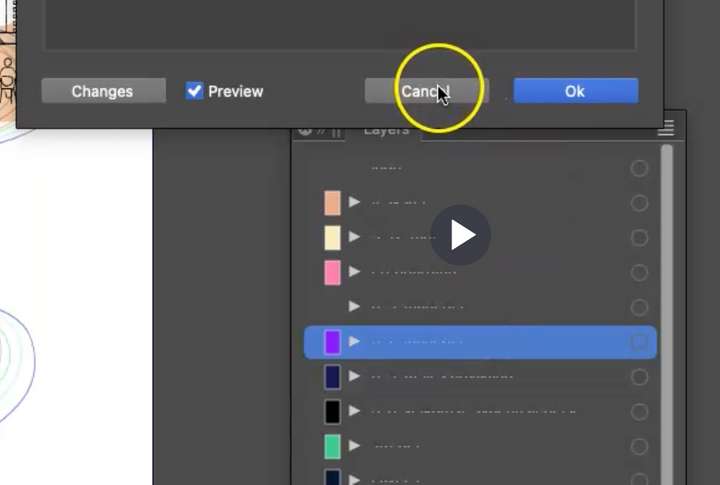
      Layers list: When clicking twice on the name field the texts dissapears in list until panel scrub

      https://go.screenpal.com/watch/cT1ZiCnX73S
      0_1750751041891_22c218d4-36fa-4b90-9bdb-cd0248306439-image.png

      VectorStylerV 1 Reply Last reply Reply Quote 0
      • VectorStylerV Offline
        VectorStyler @Raaskot
        last edited by

        @Raaskot Is this on Windows or Mac?

        RaaskotR 1 Reply Last reply Reply Quote 0
        • RaaskotR Offline
          Raaskot @VectorStyler
          last edited by

          @VectorStyler

          Apple M4, OS 15.5 (24F74)

          VectorStylerV 1 Reply Last reply Reply Quote 0
          • VectorStylerV Offline
            VectorStyler @Raaskot
            last edited by

            @Raaskot I could not replicate this. Can you send me your settings / workspace files by email.

            RaaskotR 1 Reply Last reply Reply Quote 1
            • RaaskotR Offline
              Raaskot @VectorStyler
              last edited by

              @VectorStyler
              Can you please tell which? I have seven files related to the app on my HD

              VectorStylerV 1 Reply Last reply Reply Quote 0
              • VectorStylerV Offline
                VectorStyler @Raaskot
                last edited by

                @Raaskot On mac they should be in:
                ~/Library/Application Support/VectorStyler1.2/vector/data/resources/
                folder

                But for Mac App Store version, these folders are well hidden by MacOS and different for every user.
                You can also try the Help -> Reveal Workspace Folder command.

                1 Reply Last reply Reply Quote 0
                • First post
                  Last post
