Styles>Repeater>Create Repeater should open initial small repeater panel
-
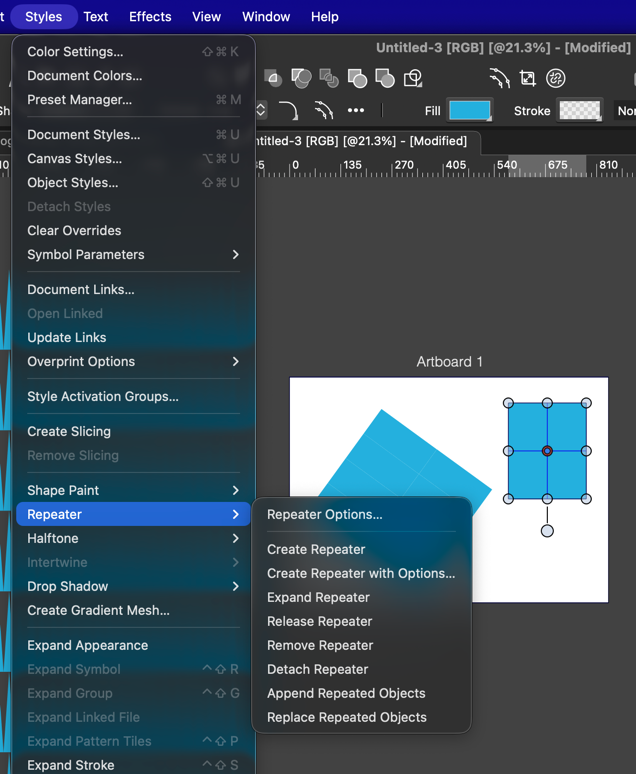
Would it make sense to have the repeater tool located under the "Styles" menu open the basic repeater panel by default?
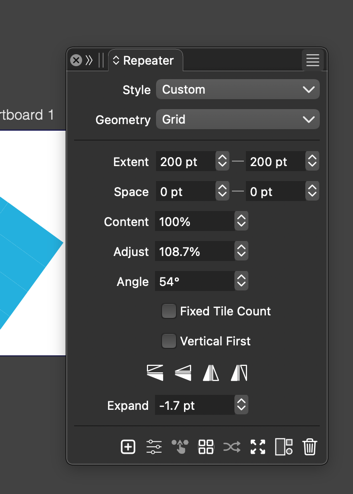
Right now if I use the styles>repeater>"create repeater", i get a basic repeater action but no method to control it, unless I go back in and turn on the "repeater options".
There is already the option to turn on "repeater with options", but that skips the smaller first menu panel achieved with window>effects>repeater
-
@Boldline I'm not sure about this yet. It would be easy to do, but there are a lot of similar (other) "create..." cases that will not open panels.
-
I agree with @Boldline that the fact "create repeater with options" opens the repeater options modal window is a bit unecessary, as when closing the modal, nothing remains to further edit. Maybe this function could open the main repeater panel instead.
The other change I had suggested earlier (and you said you were considering in backlog) was :
- use new Repeater Editor to create a repeater on clicked object and directly edit it with interactive controls
- double click the Repeater Editor icon to open the repeater panel
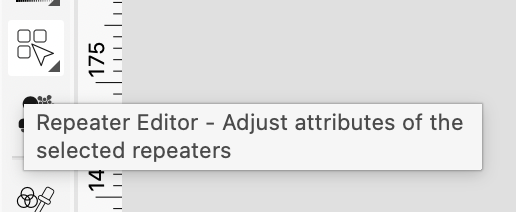
This way we would only need one repeater icon for all repeater needs (create, interact, edit) and it would be a similar UX pattern as shape effects editor tools
-
@EricP said in Styles>Repeater>Create Repeater should open initial small repeater panel:
use new Repeater Editor to create a repeater on clicked object and directly edit it with interactive controls
Will be in the next build.
double click the Repeater Editor icon to open the repeater panel
This one will open the modal view to set default repeater options for creating repeaters
-
@VectorStyler thank you for including this enhancement in next build.
for double-click opening the modal (instead of the panel), we'll see how it works practically (there are benefits in both options)