VectorStyler
    • Categories
    • Unread
    • Recent
    • Tags
    • Popular
    • Register
    • Login

    Snap setting icon not working appear to be

    Scheduled Pinned Locked Moved Bugs in VectorStyler
    4 Posts 3 Posters 626 Views 3 Watching
    Loading More Posts
    • Oldest to Newest
    • Newest to Oldest
    • Most Votes
    Reply
    • Reply as topic
    Log in to reply
    This topic has been deleted. Only users with topic management privileges can see it.
    • M Offline
      marce
      last edited by

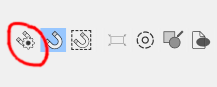
      Not sure if is a bug or im missing something. This icon just do nothing, but when i go to the menu Guides>snap setting, yes i have a box settings
      0_1765395381570_f9248836-5d1a-4d5c-a213-224c164402e1-image.png

      Ryzen 9 3900X on Asus prime x570-p
      Memory 48gb ddr4
      Nvidia gtx 970 on an Asus strix, 4gb gddr5
      NVMe CT100p 1TB

      VectorStylerV 1 Reply Last reply Reply Quote 0
      • E Offline
        EricP
        last edited by

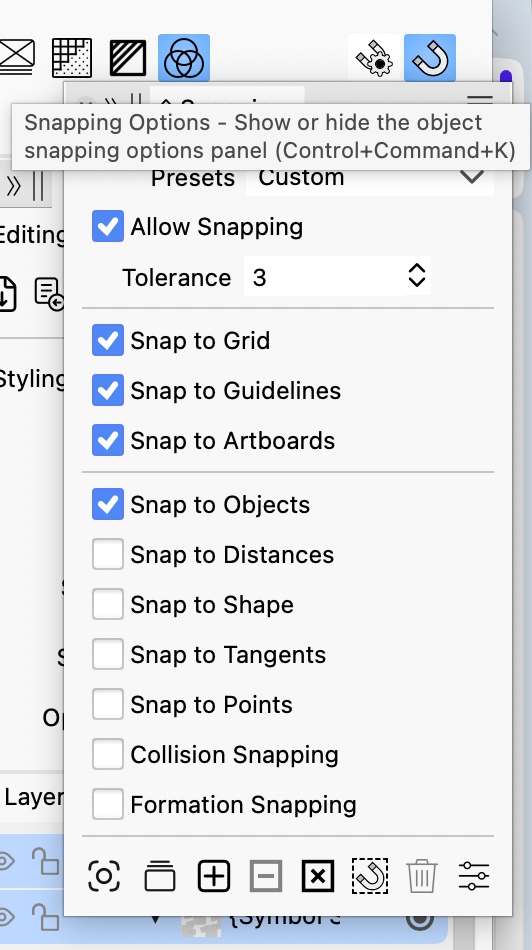
        for me, it's opening the snapping options panel
        0_1765396032331_cbde9242-205b-491b-8806-1af9ce2ba33c-image.png

        M 1 Reply Last reply Reply Quote 0
        • M Offline
          marce @EricP
          last edited by

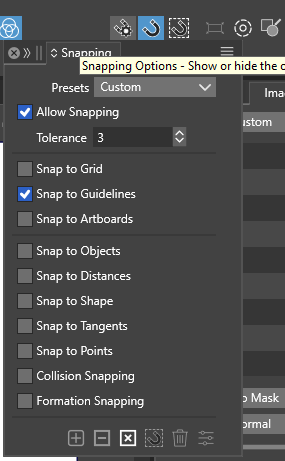
          @EricP Yes, in the 1.2 release it works like you. But not in the last update. In 1.2 i push, an i get this
          0_1765396957433_69b79dc5-ea47-4bcc-b1e0-52c112457ac1-image.png
          But in 1.3 last, nothing

          Ryzen 9 3900X on Asus prime x570-p
          Memory 48gb ddr4
          Nvidia gtx 970 on an Asus strix, 4gb gddr5
          NVMe CT100p 1TB

          1 Reply Last reply Reply Quote 1
          • VectorStylerV Offline
            VectorStyler @marce
            last edited by

            @marce Can be replicated on Windows, seems to be a regression in the current build (worked in 1.3.001)

            1 Reply Last reply Reply Quote 0
            • First post
              Last post